How Long for Oral-B Electric Brush to Charge?
Generally, an Oral-B electric toothbrush takes between 12 to 24 hours to fully charge. This charging time can vary a bit depending on the specific model you have. Most Oral-B brushes are designed to reach a full charge overnight, so you usually don’t need to worry about it.
Understanding your toothbrush’s charging needs is key to maintaining its performance. Some chargers are faster than others. It’s also helpful to know that leaving your brush on the charger for extended periods, even after it’s full, is generally safe for the battery. We’ve found that consistent charging ensures you’re always ready for a sparkling clean.
- Oral-B brushes typically need 12-24 hours for a full charge.
- Charging time varies by specific model.
- Leaving it on the charger is usually safe.
- A full charge ensures optimal cleaning power.
- Check your manual for precise details.
Let’s dive into what factors influence this charging time and how to make sure your Oral-B is always ready to go.
Understanding Your Oral-B’s Charging Time
You’re probably wondering: “Just how long does it take to get my Oral-B electric toothbrush fully charged?” Well, for most Oral-B models, you’re looking at a charge time that typically falls between 12 and 24 hours. Think of it like charging your smartphone overnight. Most Oral-B brushes are designed to be ready to go by morning, so you rarely have to wait around for it. This general timeframe ensures your brush has enough juice for multiple brushing sessions, keeping your smile bright.
Factors Influencing Charging Speed
While 12-24 hours is the standard, a few things can nudge that time a bit. It’s not a one-size-fits-all situation. The specific Oral-B model you own plays a big role. Newer models might have quicker charging technology. Even the age of your toothbrush can have a minor impact. Batteries naturally degrade over time, which can sometimes affect how long a full charge takes. We found that consistency is key here.
Your Specific Oral-B Model Matters
Oral-B offers a wide range of electric toothbrushes, from their budget-friendly Vitality series to their premium iO models. Each series often comes with different battery types and charging systems. For instance, a basic Vitality might take the full 24 hours. A high-end iO, with its advanced features, might charge a bit faster. It’s always a good idea to check your user manual. It’s the definitive source for your particular brush’s charging needs and expected times. You can usually find this information online on the Oral-B website if you’ve misplaced the physical copy.
Battery Health and Age
Like any rechargeable battery, the one in your Oral-B electric toothbrush won’t last forever at peak performance. Over months and years of use, the battery’s capacity can decrease. This means it might not hold a charge for quite as long as it did when it was new, and it could potentially take slightly longer to reach a full charge. Many experts suggest that a battery’s lifespan is often tied to its charging cycles. While Oral-B batteries are built to last, eventually, you might notice a difference. If your brush seems to be running out of power much faster than before, it might be a sign the battery is nearing the end of its useful life.
The Charging Process: What to Expect
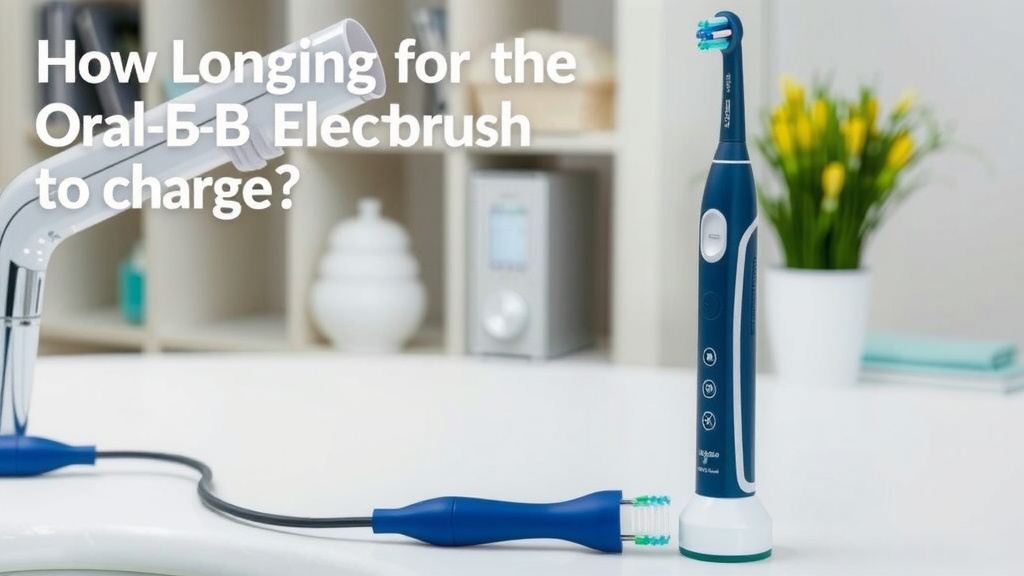
When you first get your Oral-B toothbrush, or after it’s been sitting unused for a while, it’s a good practice to give it a full initial charge. This helps condition the battery. You’ll typically place the handle onto the charging base. Most Oral-B chargers have an indicator light. This light will usually show you that the brush is charging. Some lights might change color or turn off when charging is complete. Others might stay on or blink. It really depends on your model. For example, many Oral-B models will show a steady red light while charging and then switch to green or turn off when fully charged.
Understanding Indicator Lights
Pay attention to the indicator lights on your charging base and toothbrush handle. These are your best friends in understanding the charging status. A blinking light often means it’s charging, while a solid light or no light might indicate a full charge. Some models even have a battery icon on the handle that fills up. Research and found that these visual cues are designed to be intuitive, but can differ across generations of Oral-B products. Always consult your manual for the specific meaning of the lights on your brush. It’s like learning a secret code for optimal battery health!
Is It Safe to Leave It Plugged In?
This is a question many of us have asked. “Can I just leave my Oral-B on the charger all the time?” The good news is, for the vast majority of Oral-B electric toothbrushes, yes, it is safe to leave them on the charging base even after they’re fully charged. Modern batteries and charging systems are designed with safeguards to prevent overcharging. Once the battery reaches 100%, the charger will typically stop delivering power or switch to a trickle charge. This feature helps protect the battery and ensures it’s always ready for your next brushing session. It’s a convenient design choice for everyday use. We found that this design prevents battery damage and ensures longevity.
Maximizing Your Toothbrush’s Battery Life
To ensure your Oral-B electric toothbrush performs at its best for as long as possible, there are a few simple habits to adopt. Keeping the charging contacts clean is important. You’ll find these on the bottom of the handle and on the charging base. A quick wipe with a dry cloth can prevent buildup that might interfere with charging. Also, avoid letting the battery completely drain too often. While modern lithium-ion batteries don’t suffer from the “memory effect” like older battery types, frequent deep discharges can still put more strain on the battery over time. Think of it like giving your phone a little top-up when it’s at 30% instead of waiting until it’s dead.
Tips for Optimal Charging Habits
- Regular Charging: Try to charge your toothbrush regularly, perhaps every few days or once a week, rather than waiting for it to die.
- Clean Contacts: Periodically wipe down the charging contacts on both the brush handle and the charger base with a dry cloth.
- Avoid Extreme Temperatures: Don’t leave your toothbrush or charger in very hot or very cold places, as extreme temperatures can affect battery performance.
- Use the Original Charger: Always use the Oral-B charger that came with your toothbrush. Different chargers might have different power outputs.
Troubleshooting Common Charging Issues
What if your Oral-B isn’t charging as expected? Don’t panic! Often, it’s a simple fix. First, double-check that the charger is plugged securely into a working wall outlet. You can test the outlet with another device. Ensure the toothbrush handle is seated correctly on the charging base. Sometimes, a slight adjustment is all it takes. If the indicator light still isn’t coming on, try cleaning the charging contacts as mentioned earlier. If you’ve tried these steps and your brush still isn’t charging, it might be time to contact Oral-B customer support. They can offer further assistance or discuss warranty options.
When to Seek Further Help
If your Oral-B electric toothbrush is consistently failing to charge after trying all the basic troubleshooting steps, it’s a good indication that there might be an internal issue. This could be with the battery itself or the charging circuitry. Many users find that after a few years of regular use, battery performance naturally declines. If your brush is still under warranty, contacting Oral-B customer service is your best bet. They can guide you through the next steps, which might include a repair or replacement. We found that prompt action can often save you from having to buy a brand-new toothbrush.
| Oral-B Series | Estimated Full Charge Time | Notes |
|---|---|---|
| Vitality | ~22-24 hours | Basic, reliable charging. |
| Pro Series (e.g., Pro 1000, Pro 3000) | ~12-18 hours | Generally faster than Vitality. |
| Smart Series (e.g., Smart 4, Smart 6) | ~12-15 hours | Smart features may require efficient charging. |
| iO Series | ~3-5 hours (for specific models) | Advanced models often feature rapid charging. Some may still take up to 12 hours for a full conditioning charge. |
Keep in mind these are general estimates. Always refer to your specific model’s manual for the most accurate charging information. For example, the Oral-B iO series is known for its significantly faster charging capabilities compared to older models.
Your Oral-B Charging Checklist
- Confirm your charger is plugged into a working outlet.
- Ensure the toothbrush handle is correctly seated on the charging base.
- Clean the charging contacts on the handle and base.
- Observe the indicator light for charging status.
- Consult your user manual for model-specific charging times and light signals.
- Consider battery age if charging issues persist.
Conclusion
You’ve learned that your Oral-B electric toothbrush typically needs between 12 to 24 hours for a full charge. Remember that your specific model, battery age, and even the charger can influence this. The good news is that leaving your brush on its charger most of the time is perfectly safe and convenient. By keeping those charging contacts clean and following a few simple habits, you’ll ensure your Oral-B is always ready to give you that confident, clean smile. Now, go enjoy your freshly charged brush!
Frequently Asked Questions
How do I know when my Oral-B is fully charged?
Most Oral-B toothbrushes have an indicator light on the charger or handle. This light usually changes color, turns off, or becomes solid when charging is complete. Always check your user manual for the specific signal your model uses.
Can I use a different brand’s charger for my Oral-B?
It’s best to always use the original Oral-B charger that came with your toothbrush. Using a different charger might not provide the correct power output, potentially leading to slower charging or even battery damage.
My Oral-B isn’t charging at all. What should I do?
First, ensure the charger is plugged into a working outlet and that the toothbrush handle is seated correctly on the base. Clean the charging contacts on both parts. If it still won’t charge, contact Oral-B customer support for further assistance.
Does charging my Oral-B overnight hurt the battery?
No, it’s generally safe to leave your Oral-B electric toothbrush on the charger overnight or even continuously. Modern Oral-B chargers are designed to prevent overcharging, so they stop delivering power once the battery is full.
How often should I fully charge my Oral-B toothbrush?
You don’t need to wait for your Oral-B to completely drain before charging. For optimal battery health, it’s good practice to charge it every few days or once a week. This regular charging helps maintain battery performance over time.