How to Turn On Your Oral-B Electric Toothbrush
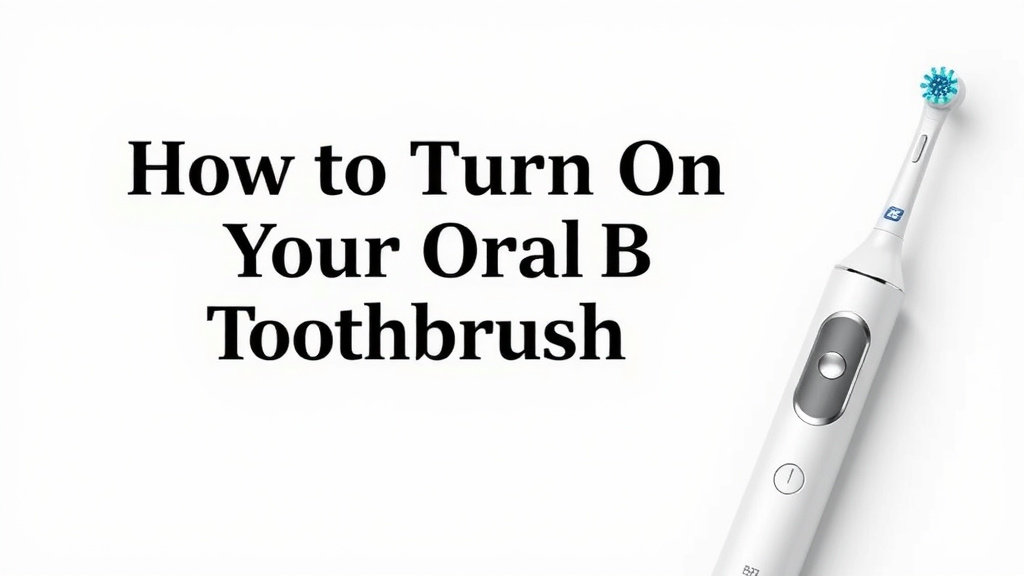
Turning on your Oral-B electric toothbrush is pretty straightforward. Most models turn on when you press the power button, usually located near the top of the handle. You’ll typically hear a distinct sound and see the brush head begin to move. Make sure the toothbrush is charged, as a dead battery will prevent it from turning on. To ensure your toothbrush is ready to go, learn how long to charge electric toothbrush models.
Many Oral-B toothbrushes have different modes and speeds. You might need to press the power button multiple times to cycle through them. Some advanced models might have a smart pressure sensor that indicates when you’re brushing too hard. Always check your specific model’s instruction manual for unique features.
- Press the power button to start.
- Ensure your brush is charged.
- Look for the brush head to move.
- Check your manual for mode options.
Ready to get that sparkling clean feeling? Let’s walk through exactly how to power up your Oral-B so you can start brushing in no time.
Getting Your Oral-B Electric Toothbrush Powered Up
So, you’ve got your brand-new Oral-B electric toothbrush, or maybe you’re just getting reacquainted with an old favorite. The first step to achieving that dentist-clean feeling at home is simply getting the brush to turn on. It’s a surprisingly simple process for most models, but a few little tips can make it even easier.
The most common way to turn on your Oral-B electric toothbrush is by pressing the power button. This button is usually quite prominent, often located on the front of the handle, somewhere below the brush head. You’ll know it’s on when you hear that familiar hum and see the bristles start to dance.
The Essential First Steps
Before you even think about pressing that button, there are a couple of things to confirm. Think of these as the pre-flight checks for your dental routine. Skipping them can lead to a bit of confusion, making you wonder if your new brush is faulty.
Checking the Charge
This is the number one reason why a toothbrush might refuse to wake up. Your Oral-B needs power to operate. If the battery is completely drained, pressing the power button will yield no results. We’ve all been there – you’re ready for your morning routine, and your toothbrush just sits there, lifeless. So, before anything else, make sure your toothbrush is adequately charged.
Most Oral-B toothbrushes come with a charging base. You simply place the handle onto the base, and it starts juicing up. You’ll often see an indicator light that shows charging status. If you’re unsure, leaving it on the charger for at least 24 hours initially is a good rule of thumb, especially for new brushes. This ensures it’s fully ready for action (American Dental Association).
Locating the Power Button
As mentioned, the power button is typically right on the handle. It’s usually a distinct button, often slightly raised or with a clear power symbol on it. For many Oral-B models, you’ll find it near the top, easily reachable by your thumb when you grip the handle. Its placement is designed for comfortable use during brushing.
What to Expect When It Turns On
Once you’ve confirmed it’s charged and you’ve located the button, it’s time for the moment of truth. Press it firmly, but don’t force it. You should get immediate feedback.
Auditory and Visual Cues
The most immediate sign that your Oral-B is on is the sound. You’ll hear a distinct whirring or buzzing noise as the motor kicks into gear. Simultaneously, the brush head will begin to vibrate and move. This is your signal that your toothbrush is ready to tackle plaque and debris. It’s a satisfying sound, isn’t it?
Understanding Different Modes
Oral-B has made strides in making their toothbrushes more advanced. Many models come with multiple brushing modes. These modes can include daily clean, sensitive, whitening, gum care, and more. To cycle through these modes, you often need to press the power button multiple times.
Here’s a common sequence we found:
- First press: Turns the toothbrush ON in its default mode (usually Daily Clean).
- Subsequent presses: Cycles through the available modes. The brush might briefly pause or change speed slightly between modes to indicate the change.
- Press and hold or a longer press: Often turns the toothbrush OFF.
Some models have a mode button separate from the power button. If you can’t find a way to change modes by pressing the power button, check the handle for another button, often smaller and placed below the power button.
| Common Oral-B Brush Head Movements | What It Means |
|---|---|
| Fast Oscillations/Rotations | Standard cleaning action for effective plaque removal. |
| Pulsations (in addition to oscillations) | Often used in modes like Gum Care or Sensitive for a gentler touch. |
| Slightly Slower Speed | May indicate a mode like Sensitive or Gum Care, focusing on comfort. |
Navigating Advanced Features
Oral-B doesn’t just stop at turning on and offering modes. Some of their higher-end brushes come with smart features designed to enhance your brushing experience and effectiveness.
Smart Pressure Sensors
Ever wonder if you’re brushing too hard? Many Oral-B toothbrushes have a built-in pressure sensor. This is a really neat feature. If you apply too much force, the sensor will typically alert you. This alert can be visual (a light turning red) or auditory (a change in the motor sound or a distinct beep). Brushing too hard can damage your gums and enamel, so this feature is a fantastic guide (Cleveland Clinic).
When the sensor activates, it’s your cue to ease up. Just lighten your grip slightly, and the alert should stop. It’s like having a dental hygienist whispering advice in your ear as you brush.
The Importance of Your Manual
While we’ve covered the general steps, every Oral-B model is a little bit unique. The best way to understand all the ins and outs of your specific toothbrush is to consult its instruction manual. Seriously, don’t toss it aside! It’s your go-to guide for everything from turning it on to understanding its specialized modes and maintenance tips.
Your manual will clearly outline which button does what, how to charge it correctly, and what the different light indicators mean. It’s also your resource for troubleshooting any issues you might encounter. Think of it as the user-friendly roadmap to a healthier smile.
Quick Checklist for Powering Up
To make sure you’re all set to go, here’s a quick rundown:
- Ensure your Oral-B toothbrush is properly seated on its charging base.
- Look for a charging indicator light.
- Press the main power button, usually located on the handle.
- Listen for the motor sound and watch for the brush head movement.
- If it doesn’t turn on, double-check the charge and consult your instruction manual.
- Experiment with pressing the power button multiple times to find different modes.
Conclusion
You’ve got the basics down to power up your Oral-B electric toothbrush! Remember, a good charge and a simple press of the power button are usually all it takes to get started. If you’re curious about different cleaning modes or features like pressure sensors, don’t forget to consult your specific model’s manual. These tools are designed to help you achieve your best clean yet.
Your next step is simple: grab your charged toothbrush, press that button, and enjoy a superior brushing experience. Happy brushing!
Frequently Asked Questions
My Oral-B toothbrush won’t turn on. What should I do?
The most common reason is a dead battery. Make sure your Oral-B is properly seated on its charging base and has had sufficient time to charge, usually overnight for the first use. Check for any indicator lights that confirm it’s charging.
How do I know if my Oral-B electric toothbrush is charging?
Most Oral-B models have an indicator light on the handle. This light will usually illuminate or blink while charging and may change color or turn solid when fully charged. Refer to your manual for the specific light pattern of your model.
Can I turn on my Oral-B without attaching a brush head?
Yes, you can typically press the power button to turn on your Oral-B electric toothbrush even without a brush head attached. The motor will still run, and you’ll hear the familiar sound, but it’s not recommended for actual brushing.
How do I switch between different brushing modes on my Oral-B?
After turning the toothbrush on with the power button, you usually press the same button again (or a separate mode button on some models) to cycle through the available modes. Your brush head might briefly pause or change speed slightly to indicate a mode change.
What if my Oral-B toothbrush turns on but then immediately turns off?
This usually means the battery is critically low. Place the toothbrush back on its charger for an extended period. If the issue persists after a full charge, consult your user manual or contact Oral-B customer support for further assistance.
![7 Best Electric Toothbrush For Sensitive Gums And Teeth [2026]](https://bestbrushcleaner.com/wp-content/uploads/2026/08/7-best-electric-toothbrush-for-sensitive-gums-and-teeth-2026-featured-768x432.jpg)
![7 Best Braun Oral B Electric Toothbrush [2026]](https://bestbrushcleaner.com/wp-content/uploads/2026/08/7-best-braun-oral-b-electric-toothbrush-2026-featured-768x432.jpg)