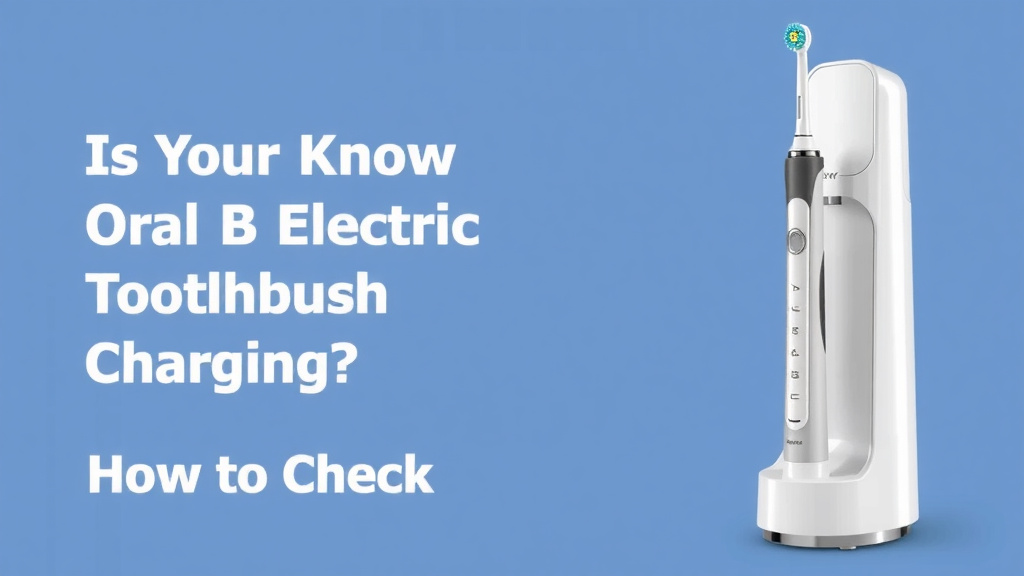
Is Your Oral B Electric Toothbrush Charging? How to Check
Your Oral-B electric toothbrush is charging when you see a steady light on the handle and the charging base. This light usually indicates a successful connection and power transfer. Don’t worry if it doesn’t happen instantly; sometimes it takes a moment to register.
Understanding your Oral-B’s charging indicators is pretty straightforward. Most models use a visual cue to let you know they’re getting juiced up. Knowing these signs helps ensure your toothbrush is always ready for your next brush. It’s all about the little green light!
- See a steady light on the toothbrush handle.
- The charging base will often show an indicator light too.
- A blinking light might mean it’s charging, but not full.
- A solid light usually means it’s fully charged or charging.
- Refer to your specific model’s manual for exact details.
Let’s walk through exactly how to tell if your Oral-B is charging, so you can get back to that sparkling clean feeling without any guesswork.
Figuring Out If Your Oral-B Is Charging
So, you’ve plugged in your Oral-B electric toothbrush, but how do you know if it’s actually getting power? It’s a common question, and thankfully, Oral-B makes it pretty clear. Most models use simple visual cues to show you charging status. We’ll walk you through the common indicators so you can be sure your toothbrush is ready for action.
Understanding Oral-B Charging Lights
Oral-B electric toothbrushes are designed with user-friendliness in mind. The primary way to tell if your toothbrush is charging is by looking at the lights on the handle and sometimes on the charging base itself. These lights aren’t just for show; they’re your direct line of communication from the toothbrush about its power status. These lights communicate the toothbrush’s power status, as we explain in our Oral-B reviews.
The Indicator Light on the Toothbrush Handle
This is usually the main indicator. When your Oral-B is properly seated on its charging base and receiving power, you’ll typically see a steady light on the toothbrush handle. This light might be green, red, or even white, depending on your specific Oral-B model. A solid, unwavering light is generally your signal that charging is underway or complete.
Steady Light: What It Means
A steady, solid light on the handle almost always means your toothbrush is either charging or fully charged. Think of it like a battery icon on your phone that’s full – it’s simply showing a stable state. If you see this, you can be confident that power is flowing.
Blinking Light: A Work in Progress
Some Oral-B models use a blinking light to indicate that the toothbrush is actively charging but has not yet reached its full battery capacity. This is like seeing the battery icon on your phone show it’s charging. The light might blink slowly or faster, depending on the model. If you see a blinking light, just let it continue on the charger. It’s working!
The Charging Base Indicator
Many Oral-B electric toothbrush chargers also have their own indicator lights. These can sometimes provide an extra layer of confirmation. For instance, the base might glow when it’s connected to the wall outlet and sending power to the toothbrush. Research suggests these base lights are often meant to confirm the charging station itself is operational.
Base Light Behavior
A light on the charging base might be always on when plugged in, or it might illuminate only when a toothbrush is placed on it. Some bases might have a different colored light to signify different states, though this is less common for Oral-B. The primary job of the base light is often just to confirm the charger is plugged in and ready to go.
Troubleshooting Common Charging Issues
What happens if you don’t see any lights at all? Don’t panic; there are a few simple things you can check. Sometimes, a charging issue is just a matter of a loose connection or a simple reset.
Checking the Power Connection
The first step is always to ensure everything is properly connected. Is the charging base plugged firmly into a working wall outlet? We found that many issues stem from a loose plug. Try a different outlet just to be sure the outlet itself isn’t the problem. Also, make sure the toothbrush is seated correctly on the charging base. It needs to make good contact to transfer power.
Cleaning the Charging Contacts
Over time, toothpaste residue and water can build up. This buildup can interfere with the charging connection. Gently wipe the metal charging contacts on the bottom of your toothbrush handle and on the charging base with a dry or slightly damp cloth. Many experts recommend doing this periodically. Research from dental hygiene sites suggests keeping these clean helps maintain optimal charging performance.
Understanding Battery Health and Charging Time
Newer Oral-B toothbrushes have advanced battery technology. A full charge typically takes around 12-24 hours. It’s designed to hold a charge for a couple of weeks, so you don’t need to charge it every single day. When you first get your toothbrush or if it’s been unused for a while, it might take longer to show a charging indicator.
Initial Charge Expectations
For a brand-new Oral-B toothbrush, it’s often recommended to give it a full charge before its first use. This ensures you get the maximum battery life from the start. Don’t be surprised if the light doesn’t appear immediately when you first place it on the charger. Give it a few minutes. We found that letting it sit for 15-30 minutes can sometimes be all it needs to register.
When to Suspect Battery Issues
If your Oral-B used to hold a charge for two weeks but now only lasts a few days, the battery might be wearing out. This is normal for any rechargeable device over time. While Oral-B toothbrushes are built to last, batteries do degrade. If you’ve checked all other connections and indicators and the charging seems inconsistent, it might be time to consider a replacement, though this usually takes years.
Your Oral-B Charging Checklist
Here’s a quick rundown to help you confirm your Oral-B is charging:
- Check the light on the toothbrush handle. A steady light is good.
- Look for a light on the charging base, if applicable.
- Ensure the toothbrush is seated firmly on the charging base.
- Confirm the charging base is plugged into a working wall outlet.
- Gently clean the charging contacts on both the toothbrush and base.
- Be patient; a first-time or long-idle charge might take a while to show an indicator.
Conclusion
You’ve learned how to easily check if your Oral-B electric toothbrush is charging. Remember, a steady light on the handle is your best indicator. Don’t forget to check the charging base light too, if your model has one. If you encounter issues, simple steps like checking connections and cleaning contacts often solve the problem. Keep these tips in mind to ensure your Oral-B is always powered up and ready for a great clean. Your next step is to ensure your toothbrush is properly seated on the charger for a few hours to get a full charge, so you can enjoy consistent oral hygiene.
Frequently Asked Questions
How long does an Oral-B electric toothbrush typically take to charge?
A full charge for most Oral-B models usually takes between 12 to 24 hours. This extended charging time helps ensure the battery is fully topped off and ready for use. You can expect the toothbrush to hold its charge for up to two weeks of regular brushing.
What if my Oral-B shows a blinking light instead of a steady one?
A blinking light on your Oral-B typically means the toothbrush is actively charging but hasn’t reached full battery capacity yet. Just leave it on the charger; it’s working to get to 100%. This is similar to how your phone shows it’s charging and not yet full.
Can I use a different Oral-B charging base if mine is lost or broken?
Generally, you can use a charging base from another Oral-B model, especially if they are from similar series. However, it’s always best to consult your toothbrush’s manual or Oral-B’s customer support. They can confirm compatibility to avoid any charging issues.
Is it bad to leave my Oral-B on the charger all the time?
No, it’s generally not harmful to leave your Oral-B on the charger continuously. Most modern Oral-B toothbrushes have smart charging technology that prevents overcharging. Leaving it on the base ensures it’s always ready to go when you need it.
My Oral-B isn’t charging at all; what’s the first thing I should check?
The first thing to check is the power connection. Ensure the charging base is firmly plugged into a working wall outlet. Also, verify that the toothbrush is seated correctly on the charging base, making good contact. Sometimes, a simple power outlet issue or a misaligned toothbrush is the cause.