How to Charge Your Burst Water Flosser: Easy Guide
To charge a Burst water flosser, plug the USB charging cable into the port on the handle and connect the other end to a power source. A full charge takes about 3 to 4 hours and typically lasts around 30 days with regular use. The indicator light tells you when it’s done, so you don’t have to guess.
Simple enough, right? But we found that a lot of people run into small snags, like a flosser that won’t turn on after charging or confusion about the first-time charge. Battery habits matter here, because proper charging can help your flosser’s battery last longer. And nobody wants their oral care routine interrupted mid-floss because the battery died at the worst moment.
- Use the USB cable that came with your Burst flosser, plugged into a wall adapter.
- A full charge takes about 3 to 4 hours; the indicator light confirms it.
- One charge can last up to a month with normal daily use.
- Avoid overcharging or leaving it plugged in for days on end.
- If it won’t charge, check the port, cable, and power source first.
Below, we walk you through the whole charging process step by step, plus the common mistakes to avoid. Let’s get your flosser powered up and ready to go.
Charging Your Burst Water Flosser the Right Way
Charging your Burst water flosser comes down to three things: the right cable, the right power source, and a little patience. Plug the USB end into the port on the handle, connect the other end to a wall adapter, and let it sit for 3 to 4 hours. That’s it.
We’ll walk through each step below, plus a few habits that can protect your battery long term. Because a dead flosser on a Monday morning? Not the vibe. Readers with orthodontia may also want our picks for the best cordless water flossers for braces.
What’s in the Box: Knowing Your Charging Setup
Before you plug anything in, it helps to know what you’re working with. Your Burst flosser uses a rechargeable lithium-ion battery, the same type found in most cordless dental tools and even your phone.
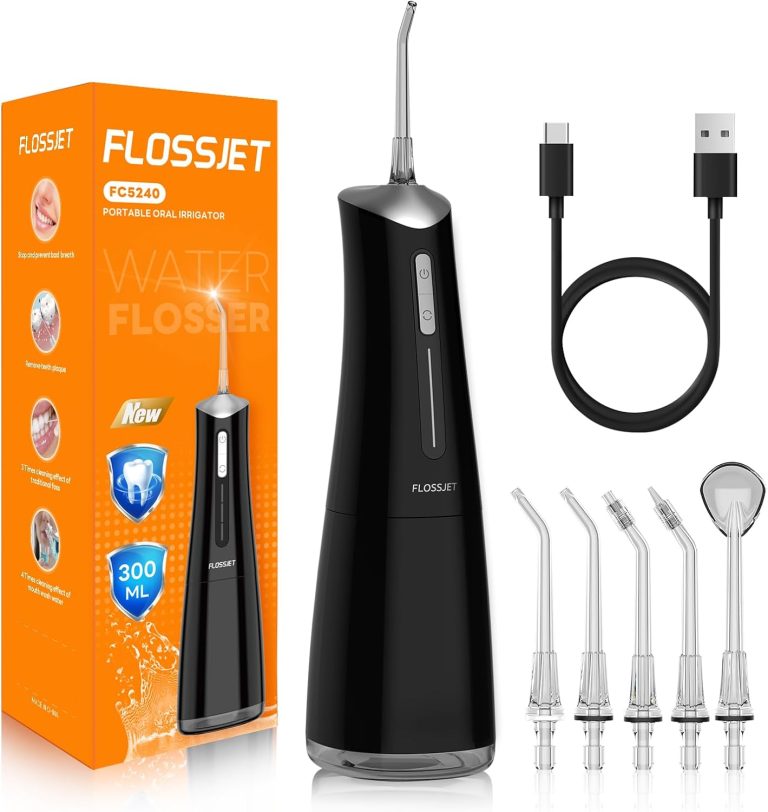
Inside the box, you should find the flosser handle and a USB charging cable. Notice something missing? There’s no wall adapter in most packages, so you’ll need to supply your own.
The USB Cable and Port Basics
The charging port sits on the bottom or side of the handle, depending on your model. It’s a small opening, sometimes covered by a rubber flap that keeps water out.
Make sure that flap is fully open before you plug in. Forcing the cable against a closed seal is a common mistake, and it can bend the connector over time.
Wall Adapter vs. Laptop USB
Can you plug the cable into your laptop? Sure, technically. But we found that a standard wall adapter charges much faster and more reliably.
Most phone chargers work perfectly fine here. Just avoid super-fast “quick charge” bricks if you can, since gentle and steady is better for small batteries.
Step-by-Step: How to Charge Your Flosser
Here’s the full process, start to finish. It takes about five seconds of effort and a few hours of waiting.
- Dry the handle and the charging port area with a soft towel.
- Open the rubber flap covering the port, if your model has one.
- Insert the USB cable firmly into the flosser’s port.
- Plug the other end into a wall adapter, then into the outlet.
- Watch for the indicator light to confirm it’s charging.
- Unplug once the light signals a full charge, usually 3 to 4 hours later.
What the Indicator Lights Mean
Think of the indicator light as your flosser’s way of talking to you. A light that glows or blinks while plugged in usually means it’s taking power.
When the battery is full, the light typically turns solid or changes color, or shuts off completely. Check your model’s manual if the behavior seems off, since light patterns can vary slightly between versions.
How Long Does a Full Charge Last?
Here’s the good news: one full charge can run your flosser for roughly a month of daily use. Most people floss once a day for a minute or two, and the battery handles that easily.
Why does this matter? Because it means charging is a rare chore, not a nightly ritual. Many users we researched set a monthly reminder and call it done.
| Usage Level | Approximate Battery Life |
|---|---|
| Once daily, 1–2 minutes | Up to 30 days |
| Twice daily | About 2–3 weeks |
| Heavy use or shared handle | 1–2 weeks |
| Left unused | Holds a charge for weeks, with slow drain |
Charging for the First Time: Do You Need a Full Charge?
Got a brand-new flosser? Here’s a question we see a lot: should you charge it fully before first use?
Short answer: it’s a good idea. Most manufacturers ship devices with a partial charge, and giving it a complete top-up before the first session helps the battery settle in. Many experts say this first full charge sets a healthy baseline for lithium-ion cells (NIH research on battery care supports gentle charging habits).
While it powers up, go read the manual or floss with your old tool one last time. Call it a farewell tour.

Battery Habits That Make Your Flosser Last Longer
Lithium-ion batteries aren’t complicated, but they do have preferences. Treat them well and they’ll treat you well.
Avoid Overcharging
Leaving your flosser plugged in for days won’t cause a fire, but it does create unnecessary heat and stress on the cells. Over time, that can shorten the battery’s overall lifespan.
A simple trick: charge it in the morning, then unplug after lunch. Done.
Don’t Let It Fully Die
Running the battery down to zero again and again wears it out faster. Instead, top it up when the low-battery light starts blinking.
Think of it like feeding a pet. You wouldn’t wait until the bowl is completely empty every single time, right?
Keep It Dry and Cool
These flossers live in a wet environment, which is exactly why the port has a seal. Always dry the handle before charging, and never plug in a dripping wet device.
Store it away from hot windowsills or steamy shelves right above the shower. Cool and dry is the sweet spot (Cleveland Clinic notes moisture and heat are common enemies of small electronics).
Troubleshooting: When Your Flosser Won’t Charge
Uh oh. You plugged it in and… nothing. No light, no life, no hope?
Don’t panic yet. Most charging problems have simple fixes, and we found that a few minutes of checking usually solves it.
Quick Checklist Before You Worry
- Check that the cable is pushed all the way into the port.
- Try a different wall outlet in another room.
- Swap in a different USB cable if you have one nearby.
- Look inside the port for lint, toothpaste residue, or corrosion.
- Press and hold the power button for 5 to 10 seconds to reset.
- Confirm the rubber seal isn’t blocking the connector.
When to Contact Support
If the light never comes on after trying all of the above, the battery or internal connection may be faulty. That’s a warranty situation, not a DIY one.
Don’t crack the handle open to poke around. Water flossers store water inside, and opening them can void your warranty and create a shock risk. Reach out to Burst customer support with your order number handy.
Common Charging Mistakes to Skip
A few small errors pop up again and again in reviews and forums. Here’s what to avoid so your flosser stays happy for years.
- Charging while wet. Water in the port is a recipe for corrosion.
- Using cheap no-name cables. Poorly made cords can deliver unstable power.
- Leaving it plugged in for a week. Heat slowly degrades the battery.
- Storing it dead. Long-term storage at zero percent can make the battery refuse to recharge.
Fix those four habits and you’re ahead of most people. Your flosser (and your gums) will thank you.
Conclusion
Charging your Burst water flosser really is a five-minute task that pays off for weeks. Plug in the USB cable, use a standard wall adapter, wait 3 to 4 hours, and unplug when the light says you’re done. Keep the port dry, avoid leaving it on the charger for days, and top it up before the battery hits zero. Those small habits can add years to your flosser’s life. And if it ever refuses to charge, run through the quick checklist before assuming the worst. Your next step? Give your flosser a full charge today so it’s ready every time you reach for it. And if you ever outgrow this model, our guide to the best electric water flossers covers stronger countertop options.
Frequently Asked Questions
Can I use my phone charger to charge my Burst water flosser?
Yes, in most cases a regular phone charger works just fine. Stick with a standard 5V adapter rather than a high-wattage quick charge brick, since slow and steady charging is gentler on the battery.
Can I charge my water flosser while it’s still wet?
We strongly recommend against it. Water in the charging port can cause corrosion or a poor connection over time. Always dry the handle and port area with a towel first.
How do I know when my Burst flosser is fully charged?
Watch the indicator light while it’s plugged in. When the battery is full, the light typically turns solid, changes color, or shuts off depending on your model. Your manual shows the exact pattern for your version.
Can I leave my Burst flosser charging overnight?
An occasional overnight charge won’t ruin it, but making it a habit isn’t great. Continuous charging generates heat that slowly wears down the battery. If you must charge at night, unplug it first thing in the morning.
How long does a Burst flosser battery last before needing replacement?
Lithium-ion batteries typically hold up for several years with good charging habits. If you notice the charge lasting noticeably less time between sessions, that’s a sign the battery is aging and support may be your next call.
Why does my flosser’s light blink while charging?
A blinking light usually means the battery is actively taking power, so that’s normal mid-charge behavior. If it blinks continuously for hours without ever going solid, try a different cable or outlet before contacting support.