Colgate Electric Toothbrush: How to Change the Battery Safely
Your Colgate electric toothbrush is like the reliable friend who always shows up when you need them most. But what happens when that dependable companion starts losing its spark? One day you’re brushing with the vigor of a dental professional, and the next day you’re wondering if your toothbrush is just tired. The answer often lies in a simple battery change, yet many people feel hesitant about tackling this task themselves. The good news? Changing the battery in your Colgate electric toothbrush is far simpler than you might think, and I’m here to walk you through every single step.
Understanding Your Colgate Electric Toothbrush Battery System
Before we dive into the actual process of changing your battery, let’s take a moment to understand what we’re working with. Your Colgate electric toothbrush isn’t some mysterious contraption with secret compartments and hidden mechanisms. It’s actually a pretty straightforward piece of technology designed with the everyday person in mind.
What Type of Battery Does Your Colgate Use?
Most Colgate electric toothbrushes operate on rechargeable lithium-ion batteries or standard alkaline batteries, depending on the model. If you own a newer model, there’s a strong chance you’re dealing with a rechargeable battery that’s built into the handle. This is actually fantastic news because it means fewer battery changes throughout the device’s lifetime. However, if you have an older model or a travel-friendly version, you might be using replaceable AA or AAA batteries instead.
Think of your toothbrush battery as the heart of your device. Without it pumping power through the system, the bristles won’t vibrate, and you’re essentially left with an expensive manual toothbrush. That’s why understanding your battery type is the crucial first step.
How Long Should Your Battery Last?
If your toothbrush uses replaceable batteries, you can typically expect anywhere from three to six months of daily use before needing a swap. Rechargeable models are even more generous, often lasting several years before they start showing signs of degradation. The actual lifespan depends on how frequently you use your toothbrush and how well you maintain it.
Signs Your Colgate Electric Toothbrush Battery Needs Replacing
How do you know when it’s time for a battery change? Rather than waiting for your toothbrush to suddenly die mid-brush, watch for these telltale signs that your battery is on its last legs.
Decreased Vibration Power
One of the first indicators is a noticeable decrease in the toothbrush’s vibration intensity. If your toothbrush feels like it’s lost some of its usual punch, that’s your cue. It’s similar to how your phone might start feeling sluggish as its battery ages. The vibrations might feel weaker, almost lazy, compared to when the toothbrush was new.
Shorter Operating Time
If your toothbrush normally lasts through your entire two-minute brushing routine but now starts to fade after just thirty seconds, your battery is definitely calling for help. This is particularly noticeable with older replaceable batteries that have been in use for several months.
Inconsistent Power Delivery
Does your toothbrush work perfectly one moment and then stutter the next? This erratic behavior is classic battery decline. It’s like when a dying flashlight flickers—sometimes it’s bright, sometimes it’s dim, and the inconsistency tells you it’s time for a change.
Complete Power Failure
Of course, the most obvious sign is when your toothbrush simply won’t turn on anymore. If you’ve checked that it’s clean and dry, and there’s nothing physically blocking the power switch, a dead battery is almost certainly the culprit.
Tools and Materials You’ll Need
Here’s what’s great about changing a Colgate electric toothbrush battery: you probably don’t need much. Unlike some gadgets that require specialized tools and technical knowledge, this task is refreshingly simple.
Essential Items
- New batteries (check your specific model’s requirements for the correct type and size)
- A small flathead screwdriver (if your model uses a screw-in battery compartment)
- A clean, dry surface to work on
- Your toothbrush’s user manual (helpful but not always necessary)
- A soft cloth for cleaning any contacts
Optional But Helpful Items
- Tweezers for handling small battery components
- A magnifying glass if your eyesight needs assistance
- A small container to keep screws organized
That’s honestly it. You won’t need an engineering degree, specialized equipment, or a trip to a professional repair shop. This is a task you can absolutely handle in your bathroom or kitchen.
Step-by-Step Guide: How to Change Your Colgate Electric Toothbrush Battery
Now we’re getting to the heart of the matter. Let me walk you through the process in a way that makes sense, regardless of which Colgate model you own.
Step 1: Identify Your Battery Compartment Location
First things first, you need to find where your battery lives. On most Colgate electric toothbrushes, the battery compartment is located at the bottom of the handle. It might be hidden under a removable cap, accessed via a small screw, or held in place with a snap-fit cover. Take a moment to examine the bottom of your toothbrush carefully. Look for any seams, small screws, or removable pieces that might indicate a battery compartment.
Step 2: Power Down and Ensure Safety
Make sure your toothbrush is completely powered off before you proceed. If it has any residual charge and accidentally turns on while you’re working with it, you might get startled. It’s also safer to work with a deactivated device. Some people like to run their toothbrush under water briefly to discharge any remaining power, though this isn’t strictly necessary if you’re just powering it off normally.
Step 3: Remove the Battery Compartment Cover
Depending on your specific model, you’ll either unscrew a small cover or gently pry open a snap-fit compartment. If there’s a screw, use your flathead screwdriver to gently turn it counterclockwise. Don’t force it—these screws are typically small and easy to overtighten. If it’s a snap-fit cover, look for a small indentation or groove where you can insert your fingernail or a flathead screwdriver to pop it open. Again, gentle is the operative word here.
Step 4: Note the Battery Orientation
Before you remove the old battery, take a moment to observe how it’s positioned. Is the positive end facing up or down? This is crucial information because you’ll need to install the new battery in exactly the same orientation. Many people make the mistake of popping out the old battery immediately and then struggling to remember which way it went. Some compartments have a small diagram showing the correct orientation, but if yours doesn’t, a quick mental note or a photo with your phone can save you frustration.
Step 5: Remove the Old Battery
Gently extract the old battery from its compartment. If it’s stuck, don’t yank on it. Instead, try gently wiggling it side to side while pulling. If you’re using tweezers, be careful not to puncture or damage the battery, especially if it’s leaking. A leaking battery should never go in the trash—take it to a proper recycling center that handles batteries.
Step 6: Clean the Battery Contacts
Here’s a step many people skip, but it can make a world of difference. Use your clean, dry cloth to gently wipe the battery contacts inside the compartment. Over time, these contacts can accumulate residue or oxidation, which might prevent proper power delivery even with a fresh battery. A quick wipe takes seconds and can ensure optimal performance.
Step 7: Insert the New Battery
Now comes the moment of truth. Take your new battery and position it exactly as the old one was oriented. Slide it gently into place until you hear a soft click or feel it settle firmly in the compartment. Don’t force it, but make sure it’s seated properly. A battery that’s not fully inserted won’t make proper contact with the terminals.
Step 8: Reassemble the Battery Compartment
Replace the cover or screw it back into place. If you’re using a screw, tighten it gently—you want it snug, not cranked down with all your might. This isn’t a bolted engine part; it’s a delicate component in a small device. If there’s a snap-fit cover, align it properly and press down until you hear a satisfying click indicating it’s locked in place.
Step 9: Test Your Toothbrush
The final step is the most satisfying. Power on your toothbrush and feel that vibration spring back to life. If it works perfectly, congratulations! You’ve successfully completed a battery change. If it doesn’t work, don’t panic. Let me help you troubleshoot in the next section.
Troubleshooting: What to Do If Your Toothbrush Still Won’t Work
Sometimes, despite following all the steps perfectly, your toothbrush might still refuse to cooperate. Before you assume the device is broken, let’s explore some common issues and their solutions.
Battery Orientation Problems
The most common reason a toothbrush won’t turn on after a battery change is incorrect orientation. Double-check that the positive and negative ends are facing the correct direction. Flip the battery and try again. It’s a simple fix but easy to overlook.
Improper Battery Seating
If the battery isn’t fully inserted into the compartment, it won’t make proper contact with the terminals. Remove it and try reinstalling it more firmly. You should hear or feel a slight click when it’s properly seated.
Dirty or Corroded Contacts
If you didn’t clean the contacts before installing the new battery, they might be preventing proper power delivery. Remove the battery again, clean those contacts thoroughly with your cloth, and reinstall the battery.
Defective New Battery
Occasionally, you might grab a defective battery straight from the package. It happens. Try replacing it with another new battery from a different batch or manufacturer. This simple swap can determine whether the issue is the battery or something else.
Damaged Power Switch
If none of the above solutions work, the power switch itself might be damaged or stuck. Try gently pressing and releasing the switch multiple times to see if it’s simply stuck. If it feels broken or won’t respond, your toothbrush might need professional repair.
Special Considerations for Different Colgate Models
Colgate Optic White Models
These popular models typically use AA batteries located in the handle’s base. The battery compartment usually has a twist-off cap. Simply hold the handle steady and rotate the cap counterclockwise. It should come free with minimal effort.
Colgate 360 Degrees Models
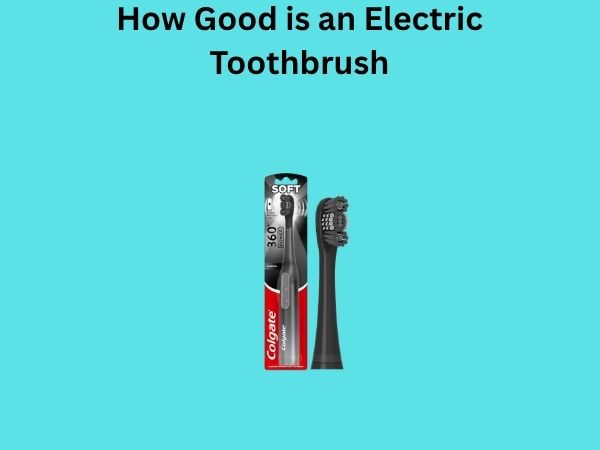
The 360 line often features a removable battery cover held in place with a small notch. Look for this notch at the bottom of the handle and use your fingernail to pop the cover off gently.
Colgate ProClinical Models
These rechargeable models typically have built-in batteries, meaning you don’t change them in the traditional sense. However, if you’re experiencing battery issues, you might need to contact customer service or visit an authorized repair center.
Maintaining Your Toothbrush Battery for Longevity
Now that you’ve successfully changed your battery, let’s talk about making sure the next change doesn’t happen for a good long while. Proper maintenance can significantly extend your battery’s lifespan.
Keep It Dry
Your toothbrush should be rinsed and dried after each use, but make sure no water gets into the battery compartment. Moisture is the enemy of battery longevity. If your toothbrush ever gets submerged unexpectedly, remove the battery immediately and dry the compartment thoroughly before reinserting it.
Store It Properly
Keep your toothbrush in a dry location away from extreme temperatures. Don’t leave it in direct sunlight or in humid bathrooms for extended periods. A cool, dry place is ideal for battery longevity.
Use Quality Batteries
Not all batteries are created equal. Invest in reputable brands rather than generic knock-offs. A quality battery from a trusted manufacturer will last longer and perform more reliably than a budget alternative.
Don’t Let It Completely Die
For replaceable battery models, try to change the battery before it’s completely dead. Running a battery to absolute zero can shorten the lifespan of subsequent batteries. For rechargeable models, don’t consistently let the battery drain to nothing before recharging.
Environmental Responsibility: Disposing of Old Batteries
Here’s something important that doesn’t get discussed enough: what do you do with the old battery you just removed? Throwing batteries in the regular trash is not only bad for the environment but often illegal in many jurisdictions.
Where to Take Used Batteries
- Local battery recycling centers
- Electronic waste collection facilities
- Major retailers like Best Buy or Home Depot often have battery recycling programs
- Municipal hazardous waste collection events
- Your local pharmacy or drugstore might accept batteries
Taking just a few extra minutes to dispose of your battery responsibly protects our environment and ensures that valuable materials get recovered and reused.
When to Seek Professional Help
While changing a battery is typically straightforward, there are situations where professional assistance might be warranted.
Visible Damage to the Toothbrush
If your toothbrush is cracked, the battery compartment is damaged, or there’s visible corrosion inside, it’s time to contact Colgate customer service or visit a repair center. Continuing to use a damaged device could be unsafe.
Battery Leakage
If you notice white, blue, or colored residue inside the battery compartment, your battery has leaked. This requires careful cleaning and professional assessment before you install a new battery.
Persistent Issues After Battery Change
If you’ve tried multiple batteries and followed all troubleshooting steps without success, the issue likely lies with the toothbrush itself rather than the battery. This is when professional repair or replacement makes sense.
Cost Considerations
How much should you expect to spend on this task? Let’s break it down. A quality AA or AAA battery typically costs between one and three dollars. If you go through one battery every four months, that’s just three to four dollars per year in battery costs. Compare that to buying a new toothbrush every year, and the math becomes obvious. Even if you need professional help to change your battery, the cost would typically be far less than replacing the entire device.