How Long to Charge an Oral-B Electric Brush?
Most Oral-B electric toothbrushes need about 12 to 16 hours for a full charge. This ensures your toothbrush is ready for multiple uses. For many models, you’ll see a green light when it’s fully powered up.
Charging times can vary slightly between different Oral-B models. Some newer ones might charge a bit faster. Always check your specific toothbrush manual for the exact charging recommendation. Overcharging usually isn’t an issue, as most have built-in protection.
- Most Oral-B brushes take 12-16 hours to charge fully.
- A full charge provides about 1-2 weeks of brushing.
- Always refer to your model’s manual for precise times.
- Look for a green indicator light to confirm a full charge.
Let’s dive into what influences charging times and how to keep your Oral-B powered up and ready to go.
Getting the Most Out of Your Oral-B Charge Time
Understanding how long to charge your Oral-B electric toothbrush is key to a great brushing experience. Most models need a good, long charge to last. Think of it like charging your phone; you want it to be fully ready before you head out.
Understanding Oral-B Charging Basics
You’ve probably seen that little charging light on your Oral-B. It’s your signal for how things are going with the power. When you first get your toothbrush, or after it’s been sitting for a while, it will need a full charging cycle. This initial charge is often the longest one.
The Standard Charging Window
For the majority of Oral-B electric toothbrushes, a full charge takes between 12 and 16 hours. This might sound like a long time compared to your smartphone, but there’s a good reason for it. These batteries are designed for longevity and power efficiency between charges. A full charge typically keeps the brush going for about one to two weeks of regular brushing (twice a day for two minutes each time).
What Affects Charging Speed?
Several factors can influence how long your Oral-B toothbrush takes to charge:
- Battery Age and Health: Just like any rechargeable device, the battery in your toothbrush can degrade over time. An older battery might take longer to reach a full charge, or it may not hold a charge as long as it once did.
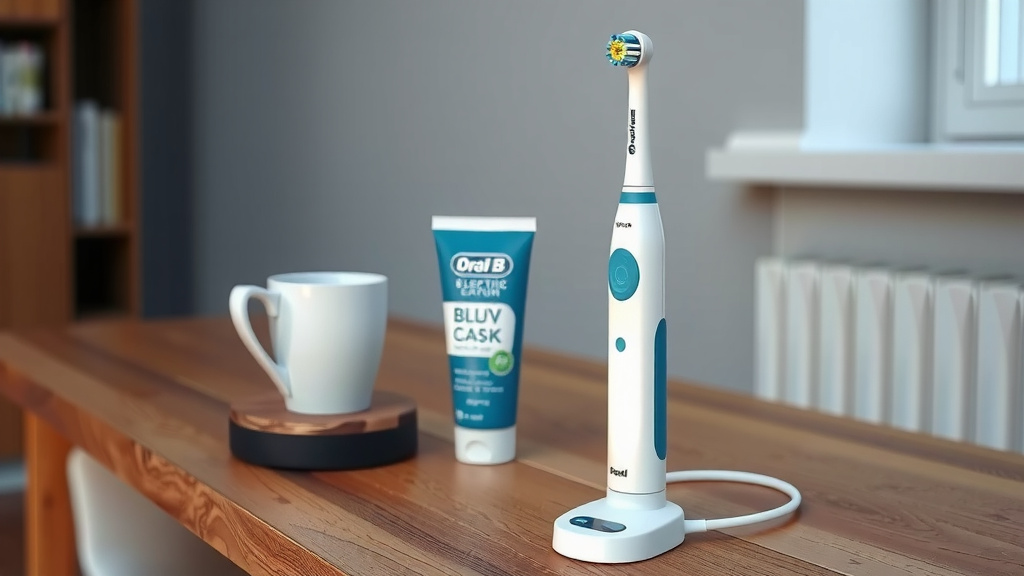
- Charging Base: While most Oral-B charging bases look similar, there might be slight variations in their power output. Ensure you are using the original charging base that came with your toothbrush model. Using an incompatible charger could affect charging times and, in some cases, even damage the battery.
- Initial State of the Battery: If your toothbrush battery is completely depleted, it will naturally take the full recommended time. If it still has some residual charge, it might top off a bit quicker.
Indicator Lights: Your Charging Guide
Oral-B toothbrushes are designed with helpful indicator lights. These lights are your best friends when it comes to knowing your toothbrush’s charging status. Most models feature a light that changes color or flashes during charging and becomes solid when the battery is full.
Understanding the Light Signals
Typically, you’ll see a light that might be red or amber while it’s charging. As it gets closer to being fully charged, this light might change. A solid green light is usually the universal sign that your Oral-B is ready to go. Some models may flash a green light, or the light might simply turn off when charging is complete. Always consult your toothbrush’s user manual for the specific light indicators for your model.
The Charging Process: What to Expect
When you place your Oral-B on its charging base, it starts drawing power. The battery management system inside the toothbrush then takes over. It carefully controls the flow of electricity to ensure the battery is charged safely and efficiently. You don’t need to do anything special once it’s on the charger; just let it do its thing.
Is Overcharging a Problem?
This is a common worry! Many people wonder if leaving their toothbrush on the charger for too long will harm it. The good news is that most modern Oral-B electric toothbrushes have built-in overcharge protection. This means that once the battery reaches its full capacity, the charging process will automatically stop or switch to a trickle charge. So, leaving it on the charger overnight or for an extra day typically won’t damage the battery. It’s designed to be convenient!
First-Time Charging vs. Regular Charging
When you unbox your new Oral-B toothbrush, the manufacturer often recommends a full, extended charging cycle. This initial charge helps condition the battery. Some sources suggest this first charge could even be slightly longer than the standard 12-16 hours, perhaps up to 24 hours, though newer models are often ready after the standard time. For regular use, you’ll simply pop it back on the charger after a week or two, and it will top up efficiently.
Optimizing Your Oral-B’s Battery Life
To keep your Oral-B performing at its best and to maximize the time between charges, consider these tips:
- Use the Right Charger: Always use the original charger supplied with your toothbrush.
- Regular Use: Letting the battery discharge too deeply too often can sometimes impact its long-term health. It’s generally better to charge it regularly rather than waiting for it to die completely.
- Clean Charging Base: Keep the metal contacts on both the toothbrush and the charging base clean and dry. This ensures a good connection for efficient charging. A soft, damp cloth is usually sufficient.
- Avoid Extreme Temperatures: Like most electronics, extreme heat or cold can affect battery performance. Store your toothbrush and charger at room temperature.
When to Consider Replacing Your Toothbrush
If you notice your Oral-B is no longer holding a charge for at least a week, or if it takes significantly longer than 24 hours to charge even after following best practices, the battery might be nearing the end of its lifespan. At this point, it might be time to consider replacing your electric toothbrush. New toothbrush heads are a great investment, but a worn-out battery affects the overall performance of the brush.
Here’s a quick checklist to ensure you’re charging correctly:
- Place your Oral-B firmly on its charging base.
- Use only the original Oral-B charger.
- Allow the full 12-16 hours for most models.
- Watch for the green indicator light.
- Clean charging contacts periodically.
- Don’t worry about overnight charging due to built-in protection.
Conclusion
You’ve learned that most Oral-B electric toothbrushes need a solid 12 to 16 hours for a full charge. This lengthy charge ensures your brush lasts for one to two weeks, keeping your smile bright. Remember that factors like battery age and the specific charger can play a role. You can rest easy knowing that built-in overcharge protection means leaving it on the base overnight is perfectly fine.
The best way to ensure optimal performance is to trust your model’s manual and watch for that reassuring green indicator light. Keep those charging contacts clean, use the original charger, and your Oral-B will be ready for action whenever you are. Ready to get the best clean? Make sure your brush is fully charged and you’re good to go!
Frequently Asked Questions
How do I know when my Oral-B toothbrush is fully charged?
Most Oral-B toothbrushes feature an indicator light that signals when charging is complete. Typically, a solid green light means your brush has reached a full charge and is ready for use. Some models might have a flashing green light or the light may turn off.
Can I leave my Oral-B plugged in all the time?
Yes, you can. Modern Oral-B electric toothbrushes are equipped with overcharge protection. Once the battery is full, the charger automatically stops or switches to a low-power mode, so leaving it on the base won’t damage the battery.
Does the first charge for an Oral-B take longer?
When you first get your Oral-B, manufacturers often suggest a full initial charge. While some sources mention up to 24 hours for this first charge, newer models usually just need the standard 12-16 hours to condition the battery properly.
What should I do if my Oral-B isn’t charging properly?
First, ensure you are using the original charging base and that the electrical outlet is working. Check that the charging contacts on both the brush and base are clean and dry. If problems persist, consult your manual or Oral-B customer support.
Can I use a charger from a different Oral-B model?
It’s best to use the original charger that came with your specific Oral-B toothbrush model. While some chargers might look similar, slight differences in power output could affect charging times or potentially harm the battery over time.
![7 Best Electric Toothbrush Oral B Or Sonicare [2026]](https://bestbrushcleaner.com/wp-content/uploads/2026/07/7-best-electric-toothbrush-oral-b-or-sonicare-2026-featured-768x432.jpg)
![7 Best Electric Toothbrush For Kids Reviews [2026]](https://bestbrushcleaner.com/wp-content/uploads/2026/08/7-best-electric-toothbrush-for-kids-reviews-2026-featured-768x432.jpg)