
How to Change Your Oral-B Electric Toothbrush Head
Changing your Oral-B electric toothbrush head is super simple. You just need to pull off the old one and press on the new one. It usually takes less than 30 seconds to do. Make sure you have your replacement brush head handy before you start.
Keeping your toothbrush head fresh ensures optimal cleaning performance. Over time, brush heads get worn down and less effective. Replacing them regularly helps you maintain a healthier smile and a better brushing experience. Many dentists recommend changing them every three months.
- Brush heads need replacing regularly.
- The process is quick and easy.
- New heads mean better cleaning.
- Look for signs of wear.
Ready to get that fresh brush feeling? Let’s walk through exactly how to swap out your Oral-B electric toothbrush head, step by step.
Swapping Your Oral-B Electric Toothbrush Head: A Quick Guide
Replacing your Oral-B electric toothbrush head is a simple task. You’ll just need to remove the old brush head. Then, you’ll attach a fresh one. This process typically takes less than a minute. Having your new brush head ready makes it even faster.
Why You Should Be Changing Your Oral-B Brush Head
Your Oral-B electric toothbrush is a fantastic tool for cleaning your teeth. But like any tool, it needs a little maintenance to keep working its best. The brush head is the part that directly contacts your teeth and gums. Over time, those little bristles start to wear down. They get bent, frayed, and less effective at removing plaque. Many dental professionals recommend replacing your brush head every three months to ensure optimal cleaning (American Dental Association).
Think of it like changing the filter in your vacuum cleaner. If you don’t, it won’t suck up dirt as well, right? Your toothbrush head is similar. A worn-out brush head might even feel like it’s not cleaning as thoroughly. This can lead to plaque buildup and potential gum issues. Keeping it fresh helps you maintain a healthier smile and a more pleasant brushing experience. Plus, Oral-B brush heads are designed with indicators that fade over time, signaling when it’s time for a change.
Gathering Your Supplies
Before you start, make sure you have everything you need. The most important item is, of course, a new Oral-B replacement brush head. These come in various types, so ensure you have the correct one for your specific Oral-B model. You can usually find them in the dental care aisle at your local supermarket, pharmacy, or online. You won’t need any special tools for this job. Just your hands and the new brush head are all you need.
Step-by-Step: Removing the Old Brush Head
Ready to ditch the old and embrace the new? Let’s get started.
Step 1: Detach the Brush Head
First, power off your Oral-B toothbrush handle. It’s important to make sure the toothbrush is not running when you try to remove the head. Hold the handle firmly in one hand. With your other hand, grasp the brush head itself. You want to get a good grip on the part that connects to the handle.
Step 2: Pull It Off
Now, simply pull the brush head straight away from the handle. It should come off with a gentle but firm tug. There’s no need to twist or apply excessive force. It’s designed to pop off easily. If it feels stuck, double-check that the toothbrush is off and that you’re pulling in a straight line away from the handle. Some people find it helpful to brace the handle against their palm while pulling.
Once the old brush head is off, you might see some toothpaste residue around the connection point. This is perfectly normal. You can give the handle a quick wipe with a damp cloth if you wish, but it’s not strictly necessary.
Step-by-Step: Attaching the New Brush Head
Now for the satisfying part – attaching your brand-new brush head!
Step 1: Align the New Head
Take your new Oral-B brush head out of its packaging. Look at the connection point on the brush head and the top of the toothbrush handle. You’ll notice they are shaped to fit together in only one way. There’s usually a small metal shaft on the handle and a corresponding opening on the brush head. Align these parts carefully.
Step 2: Press It Into Place
Once aligned, gently push the new brush head onto the handle. You should feel and hear a slight click as it snaps securely into place. It should feel snug and stable. Give it a gentle wiggle to confirm it’s attached properly. You shouldn’t be able to pull it off easily now, nor should it feel loose.
Step 3: Test It Out
Turn your toothbrush back on for a moment. This confirms that the new brush head is correctly attached and the toothbrush is working. You’ll feel the familiar vibrations. Then, turn it off again. You’re all set!
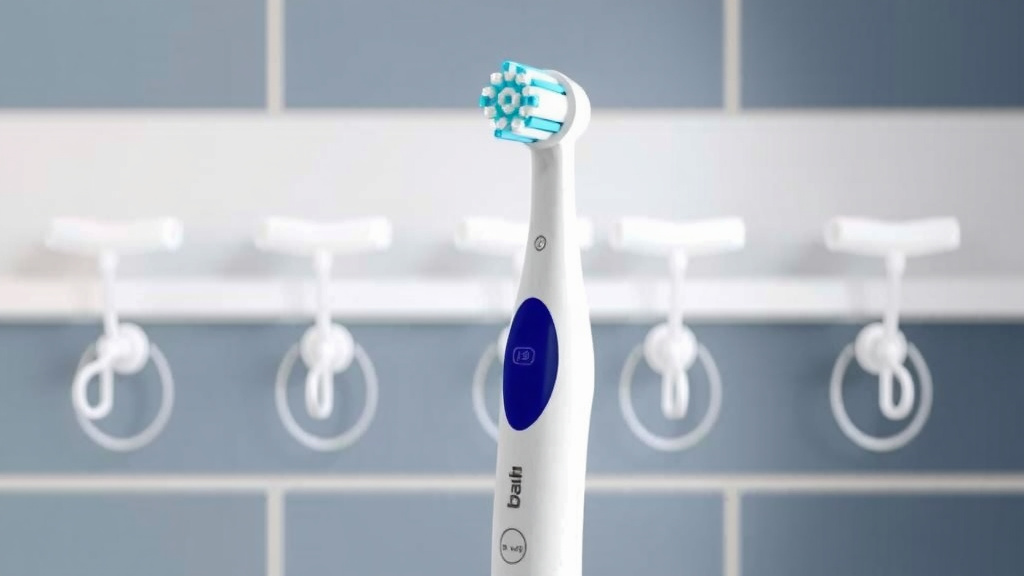
Different Oral-B Brush Head Types
Oral-B offers a variety of brush heads to suit different needs. Understanding these can help you choose the best replacement for you. We found that common types include:
| Brush Head Type | Best For | Key Features |
|---|---|---|
| CrossAction | Everyday Cleaning, Plaque Removal | Angled bristles for superior reach |
| Sensitive Clean | Sensitive Gums, Gentle Cleaning | Softer bristles for a gentler experience |
| 3D White | Whitening | Polishing cup to remove surface stains |
| FlossAction | Deeper Cleaning Between Teeth | Micro-pulsations for a floss-like clean |
Research suggests that using the right brush head can significantly improve your oral hygiene routine (Journal of Clinical Dentistry). Always check the packaging to ensure your new brush head is compatible with your specific Oral-B handle model. Most Oral-B electric toothbrushes use a universal connection, but it’s always good to be sure.
When to Change Your Brush Head: Signs to Watch For
While the general recommendation is every three months, your brush head might need changing sooner. You should consider replacing it if you notice:
- Frayed or splayed bristles: When the bristles start to look messy or bent, they’re losing their effectiveness.
- Discolored bristles: Some brush heads have indicator bristles that fade over time. When they’re light blue, it’s a sign to replace.
- Reduced cleaning performance: If your teeth don’t feel as clean as they used to after brushing.
- Illness: It’s a good practice to replace your brush head after you’ve been sick, especially with a cold or flu.
Keeping an eye on these signs ensures you’re always getting the most effective clean possible. It’s a small step that makes a big difference in maintaining your oral health.
Quick Checklist for Your Next Brush Head Change
Want to make sure you’ve got it covered? Here’s a quick checklist:
- Have a new brush head ready.
- Turn off the toothbrush handle.
- Grasp the old head firmly.
- Pull the old head straight off.
- Align the new head correctly.
- Press the new head on until it clicks.
That’s it! You’ve successfully changed your Oral-B electric toothbrush head. Enjoy that fresh-brush feeling!
Conclusion
You’ve now seen just how simple it is to swap out your Oral-B electric toothbrush head. Remember, this small, quick task plays a big role in keeping your smile healthy and bright. By following these steps, you ensure your toothbrush is always working at its best to remove plaque and keep your gums happy. Don’t wait for your current head to look completely worn out. Make it a habit to replace it regularly. Your mouth will thank you for the fresh clean feeling!
Frequently Asked Questions
How often should I actually replace my Oral-B brush head?
Most dentists and Oral-B recommend changing your brush head every three months. However, you should inspect it regularly. If the bristles look frayed or splayed, it’s time for a change sooner.
What if my Oral-B brush head is stuck and won’t pull off?
First, ensure your toothbrush handle is completely turned off. Try to get a firm grip on the head and pull straight off the handle. Avoid twisting. If it’s still difficult, you might try gently wiggling it while pulling.
Can I use an Oral-B brush head from a different model on my toothbrush?
Oral-B generally uses a universal connection for most of its electric toothbrush handles. However, it’s always best to check the packaging or Oral-B’s website to confirm compatibility with your specific handle model.
Is it necessary to clean the handle after removing the old brush head?
While not strictly necessary, it’s a good idea to give the connection point on the handle a quick wipe with a damp cloth. This removes any residual toothpaste or debris, ensuring a clean fit for the new head.
What do the colored indicator bristles on some Oral-B brush heads mean?
Some Oral-B brush heads feature indicator bristles that fade in color over time. When these bristles turn light blue, it’s a visual cue that the brush head is nearing the end of its effective lifespan and should be replaced.
![7 Best Electric Toothbrush With Travel Case [2026]](https://bestbrushcleaner.com/wp-content/uploads/2026/08/7-best-electric-toothbrush-with-travel-case-2026-featured-768x432.jpg)