
How to Spot an Original Oral-B Electric Toothbrush
Identifying your Oral-B electric toothbrush is usually pretty straightforward! Most models have their name and model number printed directly on the handle, often near the charging port or on the back. If you can’t find it there, check the original box or the user manual. Knowing your specific model helps with finding replacement parts and understanding its features.
There are many Oral-B electric toothbrush types out there. You might have a simple Pro, a feature-rich Genius, or even a high-tech iO. Each series offers different cleaning modes and smart capabilities. Knowing which Oral-B you own ensures you’re using it correctly and getting the most out of its unique benefits for your oral hygiene.
- Check the toothbrush handle for the model name.
- Look for a model number printed on the back or bottom.
- Consult the original packaging or user manual if unsure.
- Oral-B models often have distinct series like Pro, Genius, and iO.
Let’s walk through some easy ways to pinpoint exactly which Oral-B electric toothbrush you have. It’s easier than you might think!
Finding Your Oral-B Electric Toothbrush Model
Knowing exactly which Oral-B electric toothbrush you own is simpler than you might think. Most of the time, the information you need is right on the toothbrush handle itself. We found that checking a few key spots can quickly help you pinpoint your model.
Where to Look on the Toothbrush Handle
The most common place to find your toothbrush’s identity is printed directly onto the handle. Think of it like a name tag for your brush! You’ll often see the Oral-B series name and a specific model number. These are usually in a smaller font size.
Common Locations for Model Information
You’ll typically find this printing near the charging port on the bottom of the handle. Sometimes, it’s on the back of the handle, perhaps in a less obvious spot. It might be under a small flap or etched into the plastic. Just give the handle a good once-over under bright light.
We’ve found that if your toothbrush is older, the printing might be a bit faded. In these cases, you might need to look very closely or even use a magnifying glass. Don’t get discouraged if it’s not immediately obvious! There are other places to check.
Decoding the Model Number and Series
Oral-B uses different series to categorize their toothbrushes. You might see names like Pro, Smart, Genius, or the more advanced iO series. Each series has its own set of features and technology. Understanding your series helps you know what your toothbrush is capable of.
For example, the Pro series generally offers reliable cleaning. The Genius series often includes app connectivity and pressure sensors. The iO series represents their latest technology, often featuring advanced app integration and unique brushing sensations. So, recognizing the series name is your first clue to your brush’s capabilities.
Checking Your Original Packaging and Manuals
If the handle’s markings are elusive, don’t worry. Your toothbrush came with friends: its original box and user manual. These are goldmines of information. We found these to be very reliable backups when the handle print is hard to find.
The Power of the Original Box
Remember that colorful box your Oral-B came in? It almost certainly has the full product name and model number printed on it. Look for stickers or printed text on the sides, back, or bottom of the box. This is a very straightforward way to identify your specific model. It’s like finding the original birth certificate for your toothbrush!
Consulting the User Manual
The user manual is another fantastic resource. It will clearly state the model name and number, often on the cover page or in the introductory sections. If you’ve kept your manual, it’s an excellent reference. Many people stash these away safely, so it’s worth a little digging in your home. If you no longer have the physical manual, you can often find a digital version online.
Finding Digital Manuals Online
A quick search on the Oral-B website or a general web search using “Oral-B [series name] manual” (e.g., “Oral-B Pro 1000 manual”) should lead you to a PDF version. This is a great way to access the information if the physical copy is lost to the void. Many experts suggest keeping digital copies of important product manuals.
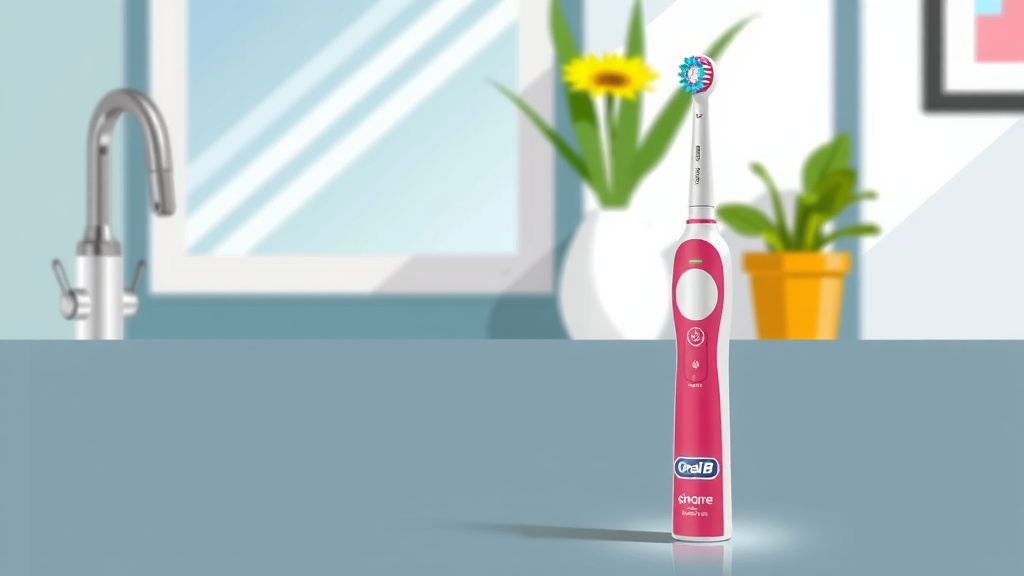
Identifying by Features and Functionality
Sometimes, you can identify your Oral-B by its unique features. Think about what your toothbrush does. Does it have multiple cleaning modes? Does it connect to an app on your phone? These characteristics can help narrow down the possibilities. We found that focusing on functionality is another useful identification method.
Common Oral-B Features to Note
Consider these common features:
- Cleaning Modes: Does it have modes like Daily Clean, Sensitive, Whitening, or Gum Care? More advanced models have more modes.
- Pressure Sensor: Does a light turn on if you press too hard? This is a common feature on many Oral-B models.
- Bluetooth Connectivity: Can it connect to your smartphone via Bluetooth? This usually points to the Genius or iO series.
- Brush Head Recognition: Some advanced models can even tell you which brush head you’re using.
- App Integration: Do you use a specific Oral-B app to track your brushing habits?
A Quick Feature Checklist
Let’s run through a quick checklist to help you:
- Display Screen: Does your handle have a small digital display showing mode or battery life?
- Button Count: How many buttons are on the handle? Some have just one, others have several.
- LED Indicators: Beyond the pressure sensor, are there other colored lights indicating mode or battery status?
- Charging Base Type: Does it have a standard charging base, or a more advanced one with UV sanitizing?
- Handle Shape and Grip: Does it have a very sleek, modern design (like iO) or a more classic ergonomic shape?
By looking at these features, you can often get a very good idea of which Oral-B series you have, even if the exact model number is worn off. It’s like recognizing a car by its distinctive headlights and body style.
Conclusion
You’ve now got a clear path to identifying your Oral-B electric toothbrush. We’ve seen that the handle is your first best bet, often showing the model name and number. If that’s tricky, your original box or user manual are excellent resources. Don’t forget to consider your toothbrush’s unique features, as they can also point you toward its series. Knowing your specific Oral-B model ensures you’re getting the most out of its cleaning power. Now that you know your model, you can confidently find compatible replacement brush heads or learn about all its functions.
Frequently Asked Questions
What if the model number on my Oral-B handle is completely worn off?
If the print is too faded to read, don’t worry. We suggest checking the original packaging or user manual first. If those are gone too, focus on your toothbrush’s features. The number of cleaning modes, presence of a pressure sensor, or Bluetooth connectivity can help you guess the series.
Can the color of my Oral-B toothbrush help identify the model?
While color can sometimes indicate a specific edition or a retailer-exclusive version, it’s not a reliable way to identify the core model number or series. Oral-B uses a wide range of colors across different models. We recommend focusing on printed text or functional features for accurate identification.
Where can I find replacement brush heads for my Oral-B?
Once you’ve identified your Oral-B model, finding replacement brush heads is much easier. You can check the Oral-B website directly, as they usually categorize brush heads by compatible toothbrush series. Major online retailers and local drugstores also offer a wide selection.
My Oral-B toothbrush app isn’t connecting. Could identifying the model help?
Yes, absolutely. Sometimes app connection issues arise when using the wrong app for your specific model. Identifying your Oral-B model helps ensure you’re using the correct Oral-B app (like the Oral-B app for iO or other series) and that your toothbrush has the necessary Bluetooth functionality.
What’s the difference between the Oral-B Pro and Genius series?
The Pro series generally offers essential and effective cleaning, often with a few basic modes and a pressure sensor. The Genius series, on the other hand, typically includes more advanced features like Bluetooth connectivity for app integration, multiple brushing modes, and more sophisticated pressure sensing technology.
![7 Best Electric Toothbrush For Parkinson'S [2026]](https://bestbrushcleaner.com/wp-content/uploads/2026/08/7-best-electric-toothbrush-for-parkinson-s-2026-featured-768x432.jpg)
![7 Best Electric Toothbrush For White Teeth [2026]](https://bestbrushcleaner.com/wp-content/uploads/2026/06/7-best-electric-toothbrush-for-white-teeth-2026-featured-768x432.jpg)