How Long Does Oral-B Electric Brush Battery Last
You’re probably wondering how long your Oral-B electric toothbrush battery will actually last on a single charge. Most Oral-B models can provide up to two weeks of brushing on a full charge. This battery life is a major convenience for many users. You won’t have to worry about charging it every single day.
The actual battery life can vary based on a few factors. Things like how often you brush and for how long make a difference. Using specific modes on your toothbrush can also affect how long the battery stays powered. We’ve looked into the details to give you a clear picture.
TL;DR:
- Most Oral-B batteries last about 2 weeks.
- This depends on your brushing habits.
- Using different modes can change battery life.
- Charging is usually needed every few weeks.
Let’s walk through exactly what impacts your Oral-B’s battery life and how to get the most out of it.
How Long Your Oral-B Electric Toothbrush Battery Might Last
You’re likely curious about the battery life of your Oral-B electric toothbrush. Most users find their Oral-B models offer about two weeks of use on a single charge. This is a fantastic perk for busy lifestyles. You probably won’t need to reach for the charger every few days. This means less hassle and more convenience for your daily routine.
Factors Affecting Oral-B Battery Performance
While two weeks is a great average, your actual battery life can be a bit different. Several factors play a role in how long your toothbrush holds a charge. It’s good to know what these are so you can manage your expectations. We’ve looked into what makes a difference for Oral-B users.
Brushing Frequency and Duration
The most obvious factor is simply how often and how long you brush. If you brush for the dentist-recommended two minutes, twice a day, you’ll use battery power consistently. Some people might brush a little longer, especially if they’re trying a new mode or cleaning extra thoroughly. Every extra minute or two adds up over days and weeks. We found that longer brushing sessions will naturally drain the battery faster.
Toothbrush Model and Features
Oral-B offers a wide range of electric toothbrushes, from basic models to advanced ones. Newer or more sophisticated models often come with extra features. These can include pressure sensors, timers, and various brushing modes. Each of these features, when activated, uses a little bit of battery power. So, a model with more bells and whistles might see a slightly shorter battery life compared to a simpler one. Research suggests that models with Bluetooth connectivity and app syncing might consume more power when actively connected.
Using Different Brushing Modes
Did you know your Oral-B might have different modes like “Clean,” “Sensitive,” “Whitening,” or “Gum Care”? While these modes are designed to enhance your brushing experience, they can impact battery life. Some modes might require the motor to work harder or at different speeds. This means they could use more energy than a standard cleaning mode. For example, a vigorous “Whitening” mode might use more power than a gentle “Sensitive” mode. We found that frequently switching between modes can also have a small effect.
Charging Habits and Battery Health
Just like with your smartphone, how you charge your electric toothbrush can affect its long-term battery health. Oral-B brushes use rechargeable lithium-ion or NiMH batteries. These batteries generally perform well over time. However, letting the battery drain completely very often might reduce its overall capacity over several years. Most experts suggest it’s fine to charge your Oral-B whenever it’s convenient. You don’t usually need to wait for it to die completely. Keeping the charging base plugged in most of the time is perfectly acceptable for most models. This ensures your toothbrush is always ready when you need it.
Maintaining Optimal Battery Health
To keep your Oral-B’s battery in good shape for as long as possible, consider these simple tips:
- Avoid letting the battery completely deplete too frequently.
- Charge your toothbrush on its base when you’re not actively using it, if that fits your routine.
- Ensure the charging base is clean and dry.
- If you’re storing the toothbrush for an extended period, charge it to about 50-70%.
- Refer to your specific Oral-B model’s manual for any unique battery care instructions.
How to Tell When Your Oral-B Needs Charging
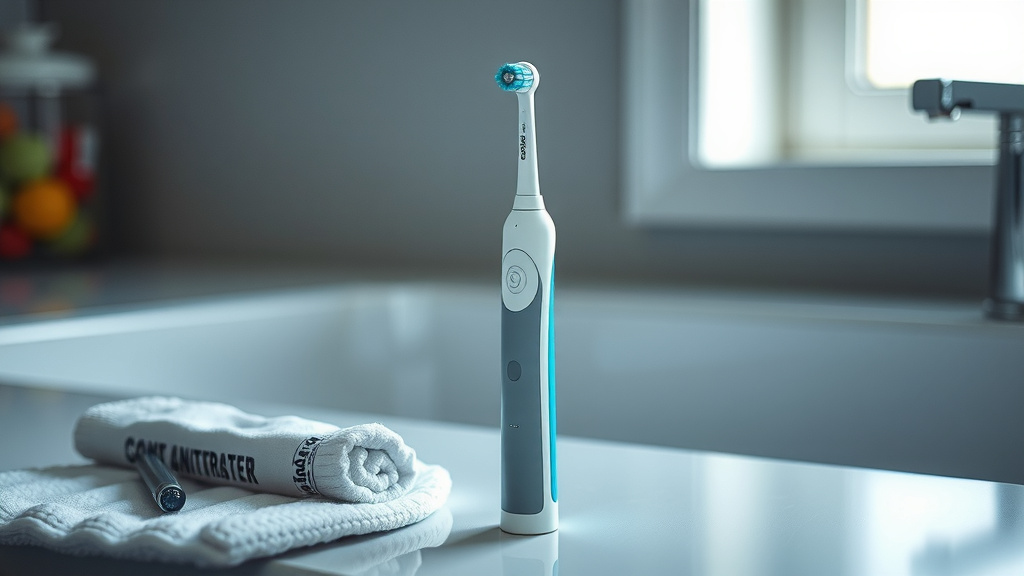
Oral-B toothbrushes are designed to give you clear signals when they need a power boost. Most models have a battery indicator light on the handle. This light often changes color or flashes to show the battery level. For instance, it might be green when fully charged, yellow when medium, and red or flashing red when it’s low and needs charging. Some newer models might even display a battery percentage on a small screen. It’s a good idea to familiarize yourself with the specific indicators for your Oral-B model. This way, you’ll never be caught off guard with a dead toothbrush.
What if My Oral-B Battery Isn’t Lasting Long?
If you notice your Oral-B’s battery life has suddenly dropped or isn’t lasting as long as it used to, there could be a reason. It’s possible that the battery itself is nearing the end of its lifespan, which typically happens after several years of use. However, before assuming the battery is faulty, let’s consider other possibilities.
Troubleshooting Common Battery Issues
Sometimes, a simple reset or a thorough cleaning can help. Make sure the charging contacts on both the toothbrush handle and the charging base are clean and free of toothpaste residue. A small amount of buildup can interfere with charging. We found that using a slightly damp cloth to wipe these contacts can often resolve charging issues. If you’ve tried cleaning and are still experiencing problems, and your toothbrush is still within its warranty period, contacting Oral-B customer support would be your next step. They can offer further troubleshooting or discuss repair or replacement options.
When to Consider a Replacement Battery or Toothbrush
Electric toothbrush batteries aren’t typically designed to be user-replaceable. Like in many rechargeable electronic devices, the battery is integrated into the handle. After several years of consistent use, it’s natural for the battery capacity to decrease. If your Oral-B is several years old and you’re experiencing significantly reduced battery life despite proper care, it might be time to consider replacing the entire toothbrush. Many users find that after 3-5 years, the benefits of a new model, with improved battery technology and features, outweigh the cost of trying to service an older unit. However, if your toothbrush is still relatively new, and you’ve ruled out other issues, it’s worth contacting Oral-B for support.
Maximizing Your Oral-B’s Battery Performance: A Quick Checklist
Want to ensure you get the best possible battery life from your Oral-B? Keep these quick tips in mind:
- Brush for the recommended two minutes, twice daily.
- Use the standard “Clean” mode for everyday brushing.
- Charge your toothbrush regularly, not just when it’s empty.
- Keep charging contacts clean and dry.
- Understand your specific model’s battery indicator lights.
- Consider your toothbrush’s age; batteries naturally degrade over time.
| Oral-B Series | Estimated Battery Life (Full Charge) | Notes |
|---|---|---|
| Pro Series (e.g., Pro 1000, Pro 3000) | 10-14 days | Good for daily use. Standard modes. |
| Smart Series (e.g., Smart 4, Smart 6) | 7-12 days | May vary with app connectivity and extra modes. |
| iO Series (e.g., iO Series 7, 9) | 7-10 days | Advanced features and displays can use more power. |
| Vitality Series | 5-7 days | More basic model, shorter battery life typical. |
Please note: These are general estimates. Your personal usage habits can significantly influence actual battery life. Always refer to your specific model’s user manual for precise details.
Conclusion
You’ve learned that your Oral-B electric toothbrush battery typically lasts about two weeks, but your personal habits play a big role. Remember that brushing duration, the specific model you own, and even the brushing modes you select can all influence this. By being mindful of your charging habits and keeping those contacts clean, you can help maintain your battery’s health for longer. Now that you know what to expect and how to optimize, you can feel confident about your Oral-B’s performance. Your next step is to check your toothbrush’s battery indicator light the next time you brush to see where you stand!
Frequently Asked Questions
How can I make my Oral-B battery last longer?
To extend your Oral-B’s battery life, brush for the recommended two minutes, twice a day, and try to stick to the standard “Clean” mode for most brushing sessions. Regularly charging your toothbrush, rather than waiting for it to die completely, can also help preserve battery health over time.
Is it bad to leave my Oral-B on the charger all the time?
For most Oral-B electric toothbrushes, it’s perfectly fine to leave them on their charging base when not in use. Research indicates that modern rechargeable batteries in these devices are designed to handle constant charging without being negatively impacted.
Why is my Oral-B battery draining so fast all of a sudden?
If your Oral-B battery seems to be draining unusually fast, check for toothpaste residue on the charging contacts on both the handle and the base, as this can interfere with charging. Also, consider if you’ve recently started using more power-intensive modes or brushing for longer periods.
How many years does an Oral-B battery typically last?
The battery in an Oral-B electric toothbrush typically lasts for several years. After about 3-5 years of consistent use, you might notice a decrease in its overall capacity and how long it holds a charge.
Can I replace the battery in my Oral-B electric toothbrush?
Generally, Oral-B electric toothbrush batteries are not designed to be easily replaced by the user. They are integrated into the toothbrush handle. If you experience significant battery issues with a relatively new toothbrush, it’s best to contact Oral-B customer support.
![7 Best Electric Toothbrush Under $30 [2026]](https://bestbrushcleaner.com/wp-content/uploads/2026/08/7-best-electric-toothbrush-under-30-2026-featured-768x432.jpg)