How to Charge an Oral-B Electric Toothbrush
Charging your Oral-B electric toothbrush is surprisingly simple. You just need to place your toothbrush handle on its charging base and plug the base into a wall outlet. Your toothbrush will do the rest, giving you a full charge.
Keeping your Oral-B powered up ensures you get the best cleaning performance every time you brush. A low battery can mean less effective cleaning. We’ve researched the common charging questions many users have.
- Place toothbrush on its charging base.
- Plug the charging base into a wall outlet.
- Allow it to charge fully.
- Check your toothbrush’s battery indicator light.
Let’s walk through exactly how this works step by step, so you can get back to that fresh-from-the-dentist feeling without any worries.
Keeping Your Oral-B Electric Toothbrush Charged
So, you’ve got your shiny Oral-B electric toothbrush, and you’re ready for a superior clean. But how do you make sure it’s always powered up and ready to go? It’s much simpler than you might think! We’ve gathered the common questions people have about keeping their Oral-B toothbrush running at its best.
The Basics of Charging Your Oral-B
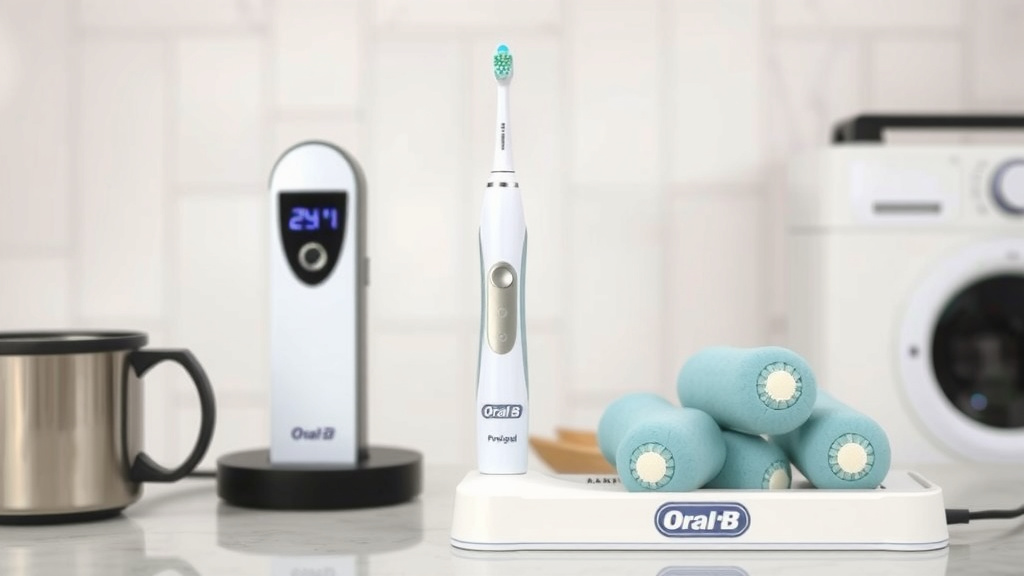
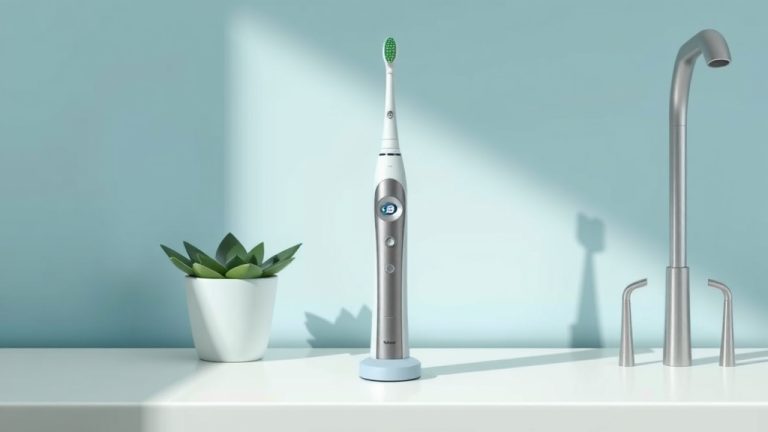
At its core, charging your Oral-B is a straightforward process. You’ll be using the specific charging base that came with your toothbrush. Think of it like a docking station for your toothbrush. It’s designed to give your Oral-B the right amount of power safely.
You don’t need to overthink it. Just place the toothbrush handle onto the charging base, and then plug that base into a standard wall outlet. That’s literally it for getting the charging started. The toothbrush itself will manage the charging process from there.
What You’ll Need
- Your Oral-B electric toothbrush handle
- The Oral-B charging base that came with your toothbrush
- A standard wall outlet
Placing the Toothbrush on the Charger
When you look at the charging base, you’ll notice a small indentation or a slightly raised area. This is where your Oral-B toothbrush handle is meant to sit. Most models are designed so the handle will fit snugly and stand upright.
You don’t need to press down hard or force it. Just gently rest the handle on the base. It usually sits there securely on its own. You’ll often hear or feel a slight click, or the toothbrush will feel stable. This means it’s properly seated and ready to receive power.
Connecting to Power
The charging base itself has a cord with a plug. You’ll need to find a convenient wall outlet. It’s best to choose a location near your bathroom sink, but make sure it’s not where water splashes directly onto the outlet or base. Safety first!
Plug the charging base directly into the outlet. You should see a small indicator light on the charging base itself illuminate, signaling that it has power and is ready to charge your toothbrush. If this light doesn’t come on, double-check that the plug is fully inserted into the outlet.
Understanding the Charging Indicator Lights
Oral-B toothbrushes are smart! They tell you exactly what’s happening with their battery. Most models have an indicator light or a battery icon on the handle itself. This light is your best friend for knowing the charge status.
What the Lights Mean
Generally, a flashing light indicates that the toothbrush is currently charging. The pattern might vary slightly between models, but a steady or slowly pulsing light usually means it’s getting juice.
Once the toothbrush is fully charged, the light will typically change. It might turn solid green, turn off completely, or show a different solid color, depending on your specific Oral-B model. Refer to your toothbrush’s manual if you’re unsure about the exact indicator for your model.
How Long Does It Take to Charge?
This is a common question. We found that a full charge typically takes around 12 to 24 hours. Yes, it can take a while, but remember that electric toothbrushes are designed to hold a charge for a long time once they are full.
So, if you’re just starting out with a new toothbrush or one that’s been sitting for a while, plan to leave it on the charger overnight. This ensures you get the maximum battery life for your brushing sessions. It’s like letting your phone charge up before a long day.
Charging Best Practices for Longevity
To get the most out of your Oral-B toothbrush and its battery, a few simple habits can make a big difference. It’s not complicated, just mindful.
Avoid Constant Charging (Sometimes)
While it’s convenient to leave your toothbrush on the charger all the time, some experts suggest this isn’t always best for the battery in the long run. For models with rechargeable lithium-ion batteries, constantly topping them up can sometimes reduce battery lifespan over years.
Instead, try to let the battery drain a bit before recharging. For instance, if you travel frequently, you’ll notice it holds a charge for days, even weeks. This natural cycling helps maintain the battery’s overall health. Many guidelines suggest charging when the indicator light shows it’s low.
Using the Correct Charger
It’s really important to only use the Oral-B charging base that came with your specific toothbrush model. Different Oral-B models might use slightly different chargers, and using the wrong one could either not charge your toothbrush effectively or even damage it.
Oral-B has engineered these chargers to work perfectly with their toothbrush handles. We found that trying to use a charger from a different brand or an older Oral-B model isn’t recommended. Stick to the one provided for optimal performance and safety.
Keeping the Charger Clean
Just like your toothbrush needs cleaning, the charging base does too. Periodically, unplug the charging base and wipe it down with a slightly damp cloth. Make sure it’s completely dry before plugging it back in.
You’ll want to ensure the charging contacts on both the base and the bottom of the toothbrush handle are clean and free of toothpaste residue. This ensures a good electrical connection every time you place your toothbrush on the charger.
Troubleshooting Common Charging Issues
What if your Oral-B isn’t charging like it should? Don’t panic! Most issues are pretty easy to fix.
My Toothbrush Isn’t Charging
First, check the basics. Is the charging base plugged into a working wall outlet? Try a different outlet to rule out an issue with the first one. Is the toothbrush handle seated correctly on the charging base?
Next, look at the charging base’s indicator light. If it’s not on, the problem might be with the base or the outlet. If the light is on, but the toothbrush handle shows no charging indicator, try cleaning the charging contacts on both the handle and the base.
The Battery Doesn’t Last Long
If you’ve had your toothbrush for a while and notice the battery life has significantly decreased, it might simply be a sign that the battery is reaching the end of its lifespan. Rechargeable batteries don’t last forever.
However, if this happens with a relatively new toothbrush, double-check that you’re not leaving it on the charger 24/7, as mentioned in our best practices. Allow it to discharge a bit occasionally. Also, ensure you’re using the correct charger and that the contacts are clean.
Quick Charging Checklist
Here’s a quick rundown to ensure your Oral-B is always ready for action:
- Place the toothbrush handle firmly on its designated charging base.
- Ensure the charging base is plugged into a functional wall outlet.
- Look for the charging indicator light on your toothbrush handle to confirm it’s charging.
- Allow for a full charge, which may take 12-24 hours, especially for the first charge.
- Once charged, remove it from the base, or leave it if you prefer, but consider occasional full discharge cycles.
- Keep charging contacts clean for a reliable connection.
Conclusion
You’ve now got a clear picture of how to charge your Oral-B electric toothbrush effectively. Remember, it’s all about placing your handle on the right base and plugging it into a working outlet. Paying attention to the indicator lights helps you know when your brush is ready for action. By following these simple steps and best practices, you’ll ensure your Oral-B provides a superior clean every time. For the best results, keep those charging contacts clean and only use the charger that came with your toothbrush. Now, go enjoy that dentist-clean feeling!
Frequently Asked Questions
Can I charge my Oral-B toothbrush without its original charger?
We strongly advise against using a non-Oral-B charger. Your toothbrush is designed to work with its specific charging base for safety and optimal performance. Using an incompatible charger could potentially damage your toothbrush or fail to charge it properly.
How often should I charge my Oral-B toothbrush?
You don’t need to charge it every single day. Most Oral-B toothbrushes hold a charge for several days, sometimes even weeks. It’s a good practice to charge it when the battery indicator light signals it’s low, rather than keeping it on the charger constantly.
Is it okay to leave my Oral-B on the charger all the time?
While convenient, leaving your toothbrush on the charger 24/7 isn’t always recommended for long-term battery health. For lithium-ion batteries, occasional full discharge cycles can help maintain their overall lifespan. Charge it when the battery is low and remove it once fully charged.
My Oral-B toothbrush is flashing red. What does that mean?
A red flashing light on your Oral-B typically means the battery is very low and needs charging. Once you place it on the charging base, the light usually changes to indicate it’s actively charging, often a steady or slowly pulsing light.
How do I clean the charging base and contacts?
Always unplug the charging base first. You can wipe down the base with a slightly damp cloth. Ensure both the charging contacts on the base and the bottom of your toothbrush handle are free of toothpaste residue. A clean connection ensures efficient charging.
![7 Best Io Oral B Electric Toothbrush [2026]](https://bestbrushcleaner.com/wp-content/uploads/2026/08/7-best-io-oral-b-electric-toothbrush-2026-featured-768x432.jpg)