
How to Disassemble Your Oral-B Electric Toothbrush Step-by-Step
Disassembling your Oral-B electric toothbrush is usually straightforward, especially for basic cleaning or battery replacement. Many models allow for easy removal of the brush head and sometimes the outer casing with a few simple tools. You’ll want to be gentle to avoid damaging any internal components.
Understanding how your toothbrush is put together can help you troubleshoot issues or perform necessary maintenance. It’s not as complicated as it might seem, and we found that most common repairs don’t require specialized knowledge. Knowing the parts that come apart makes long-term care much simpler.
- Check your model for specific disassembly guides.
- Gather the right tools beforehand.
- Work in a well-lit, clean area.
- Be patient and don’t force parts.
- Keep track of small screws and parts.
Let’s walk through the general process of taking apart your Oral-B electric toothbrush step by step. We’ll cover what you’ll likely need and the common areas to focus on.
“`htmlTaking Apart Your Oral-B Electric Toothbrush for Cleaning and Minor Fixes
You might be wondering how to get inside your Oral-B electric toothbrush. Disassembling it is often the first step for a deep clean or a small repair. Many models are designed so you can access internal parts without much fuss. We’ve found that for most common issues, you won’t need a toolkit worthy of a mechanic.
This guide will walk you through the general process. We’ll cover what tools you might need and where to focus your efforts. Getting to know your toothbrush’s inner workings can be surprisingly simple. Let’s get started on making sure your Oral-B stays in top shape.
Step 1: What You’ll Need Before You Begin
Before you dive in, it’s wise to gather a few essentials. Having everything ready makes the process much smoother. Think of it like prepping ingredients before cooking – it saves a lot of scrambling later.
Gathering Your Tools
Most Oral-B toothbrushes don’t require specialized equipment. You can usually get by with common household items. We found that a small **Phillips head screwdriver** is often the most critical tool. Make sure it’s the right size for any visible screws.
Sometimes, a **flathead screwdriver** or a **small pry tool** (like a plastic spudger) can be helpful. These are good for gently separating plastic parts if there are no visible screws. A clean, lint-free cloth is also essential for wiping away any grime you uncover.
Don’t forget a small container or a magnetic tray. This will keep tiny screws and parts from rolling away. Losing a small screw can halt your entire operation! We recommend a well-lit area, perhaps near a window or under a bright lamp, so you can see every detail.
Understanding Your Model
Oral-B offers a wide variety of electric toothbrush models. The exact disassembly process can vary slightly between them. For instance, older models might have different screw placements than newer, more streamlined designs. Always try to look up your specific model number online if you can.
Many Oral-B user manuals offer basic cleaning instructions. While they might not detail full disassembly, they can offer clues about how certain parts connect. We found that checking the manufacturer’s support page can sometimes yield helpful diagrams or videos. This research upfront saves you potential headaches later.
Step 2: Basic Disassembly for Cleaning
Often, you don’t need to take the whole toothbrush apart for a thorough cleaning. Simple steps can make a big difference in hygiene.
Removing the Brush Head
This is the most basic disassembly step. Most Oral-B brush heads simply pull straight off the handle. You might need to wiggle it a bit, but it should detach with moderate force. Never twist or try to unscrew the brush head, as this can damage the connection point.
Once removed, you can thoroughly clean both the brush head and the metal shaft it connects to. Rinse them under warm running water. Use a soft brush, like an old toothbrush, to gently scrub away any toothpaste residue or buildup. Make sure to dry both parts completely before reattaching.
Cleaning the Handle Exterior
The handle itself usually requires minimal disassembly for cleaning. You can wipe the exterior with a damp cloth. For stubborn grime, a little mild soap can be used, but be sure to rinse the cloth thoroughly and wipe again with plain water afterward. Avoid getting water into any charging ports or seams.
We found that many users overlook the charging base. It’s important to keep this clean too. Unplug it first! Then, wipe it down with a dry or slightly damp cloth. Make sure there’s no water or toothpaste residue around the charging contacts. Keeping the base clean prevents potential charging issues.
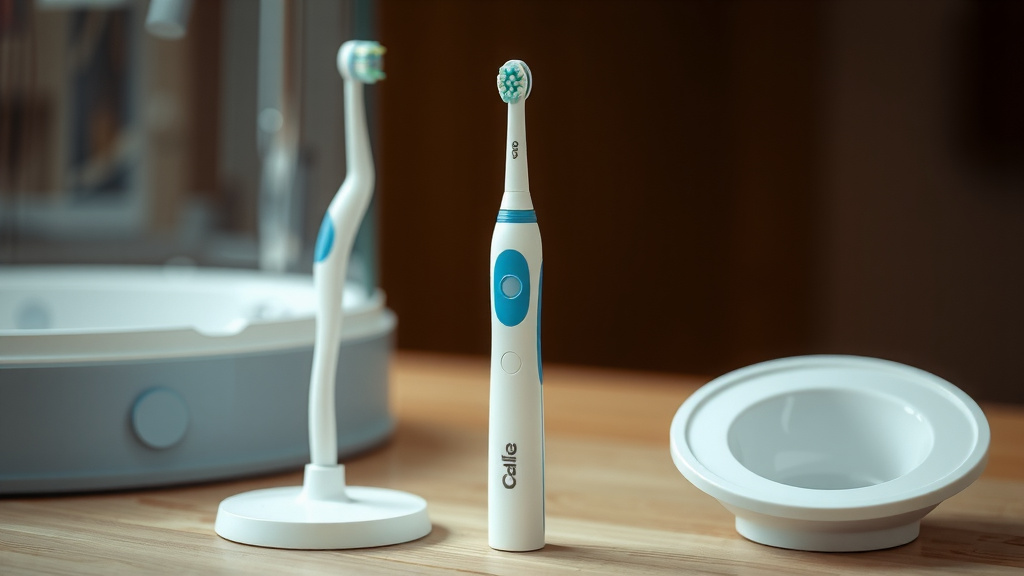
Step 3: Advanced Disassembly for Repairs or Battery Replacement
If you’re looking to replace the battery or perform a more involved repair, you’ll need to go deeper. This usually involves removing the outer casing of the handle. This step requires a bit more care and patience.
Accessing Internal Components
Many Oral-B handles are sealed to prevent water damage. However, some models allow for disassembly, typically starting from the bottom of the handle. You might find a small screw hidden under a rubber foot or a sticker at the base. Carefully remove this screw with your Phillips head screwdriver.
After removing the screw, you may need to gently pry the bottom cap off. Work your way around the seam with a plastic pry tool or a thin flathead screwdriver. Be patient here; forcing it can break the plastic. Some models might have clips that need to be released. We found that a gentle twisting motion after loosening the seam can sometimes help separate the parts.
Separating the Handle Halves
Once the base is off, you might see more screws holding the main body together. Remove any visible screws. Then, you may need to carefully separate the two halves of the handle. They often snap together along a seam. Again, use your pry tool gently to unclip them. Work slowly and listen for the tell-tale clicks of clips releasing.
Be aware that internal wires connect the different components. Try not to pull the halves apart too quickly or forcefully. If you encounter resistance, double-check for any hidden screws or clips you might have missed. Some Oral-B models are intentionally difficult to open to maintain their water resistance rating. Many experts caution that attempting this on certain models can void your warranty (Mayo Clinic).
Battery Replacement (Common Repair)**
If your toothbrush is losing its charge quickly or not holding it at all, the battery might be the culprit. Once you have the handle open, you should be able to locate the battery pack. It’s usually a sealed unit connected by wires.
Replacing the battery often involves desoldering the old one and soldering in a new one. This requires specific skills and tools, like a soldering iron and solder. If you’re not comfortable with this, it might be time to consider professional repair or a replacement toothbrush. Many sources suggest that the batteries in electric toothbrushes are designed for longevity and premature failure is uncommon unless there’s another underlying issue (Cleveland Clinic).
Reassembly Checklist
Putting your toothbrush back together is just as important as taking it apart. Follow these steps to ensure a proper reassembly:
- Ensure all parts are completely dry.
- Carefully reconnect any internal wires you may have disconnected.
- Align the handle halves and snap them back together firmly.
- Reinsert and tighten all screws you removed.
- Attach the rubber foot or sticker securely.
- Reattach the brush head until it clicks into place.
Taking apart your Oral-B electric toothbrush can be a rewarding process, whether for simple cleaning or a more complex repair. By working carefully and methodically, you can maintain your toothbrush for longer. Remember to always consult your specific model’s documentation if available, and never force parts that seem stuck. A little patience goes a long way in keeping your smile bright and your toothbrush functional!
“`Conclusion
You’ve now got a clear path to tackling the disassembly of your Oral-B electric toothbrush. Whether it’s for a simple deep clean or a more involved battery swap, you know the basic steps. Remember, patience and the right tools make all the difference. We found that most common issues are manageable with careful work. Don’t be afraid to gently separate parts, but always check for hidden screws first. Give your toothbrush the care it deserves to keep your smile bright and healthy for longer.
Frequently Asked Questions
Can I disassemble my Oral-B toothbrush without voiding the warranty?
Generally, attempting disassembly, especially for battery replacement, can void your Oral-B warranty. Check your specific warranty details. For basic cleaning like removing the brush head, it’s usually not an issue. If you’re unsure, contact Oral-B support before proceeding.
What’s the best way to clean the brush head connection point?
After removing the brush head, use a soft-bristled brush, like an old toothbrush, to gently scrub the metal shaft and the area around it. Rinse thoroughly with warm water. Make sure to dry this area completely to prevent moisture buildup, which can lead to grime.
My Oral-B isn’t charging; can I fix it myself?
If your Oral-B isn’t charging, it could be a battery issue or a problem with the charging base. You can try cleaning the charging contacts on both the handle and the base. If you suspect the battery, disassembly might be necessary, but battery replacement often requires soldering skills.
Are all Oral-B models designed to be disassembled?
No, not all Oral-B models are easily user-disassemblable. Some are sealed more tightly for enhanced water resistance. While basic cleaning of the brush head is universal, advanced disassembly for repairs might only be possible on certain models. Researching your specific model is key.
How do I prevent damaging my toothbrush during disassembly?
The key is to work gently and never force parts. Use the correct screwdriver size for any screws you remove. For separating plastic casings, opt for plastic pry tools instead of metal ones to avoid scratches or cracks. Always keep track of small screws, and work in a well-lit area.
![7 Best Electric Toothbrush For Tartar Removal [2026]](https://bestbrushcleaner.com/wp-content/uploads/2026/08/7-best-electric-toothbrush-for-tartar-removal-2026-featured-768x432.jpg)
![7 Best Battery Operated Electric Toothbrush [2026]](https://bestbrushcleaner.com/wp-content/uploads/2026/08/7-best-battery-operated-electric-toothbrush-2026-featured-768x432.jpg)
![7 Best Electric Toothbrush For Your Money [2026]](https://bestbrushcleaner.com/wp-content/uploads/2026/06/7-best-electric-toothbrush-for-your-money-2026-featured-768x432.jpg)