Fix Your Electric Toothbrush: A Simple Guide
Yes, you can often fix your electric toothbrush yourself! Most common issues, like a toothbrush that won’t charge or a motor that’s stopped, are **simple fixes**. You might just need to **clean a part** or **replace a battery**. Don’t toss it just yet!
Dealing with a malfunctioning electric toothbrush can be frustrating. Often, the problem isn’t with the toothbrush itself but with **simple maintenance issues** or a **dead battery**. We’ve researched common electric toothbrush problems and found that many are **easily resolved** with a few straightforward steps.
- Check the charger and connection first.
- Clean all toothbrush parts regularly.
- Battery issues are common and fixable.
- Look for loose connections or debris.
- Sometimes a reset can solve problems.
Let’s walk through how to troubleshoot and fix your electric toothbrush step by step.
It’s a bummer when your electric toothbrush suddenly stops working. You rely on it for a sparkling smile, and now it’s just a fancy paperweight. But before you give up and buy a new one, let’s see if we can bring it back to life. Many common electric toothbrush problems are surprisingly **easy to fix** yourself.
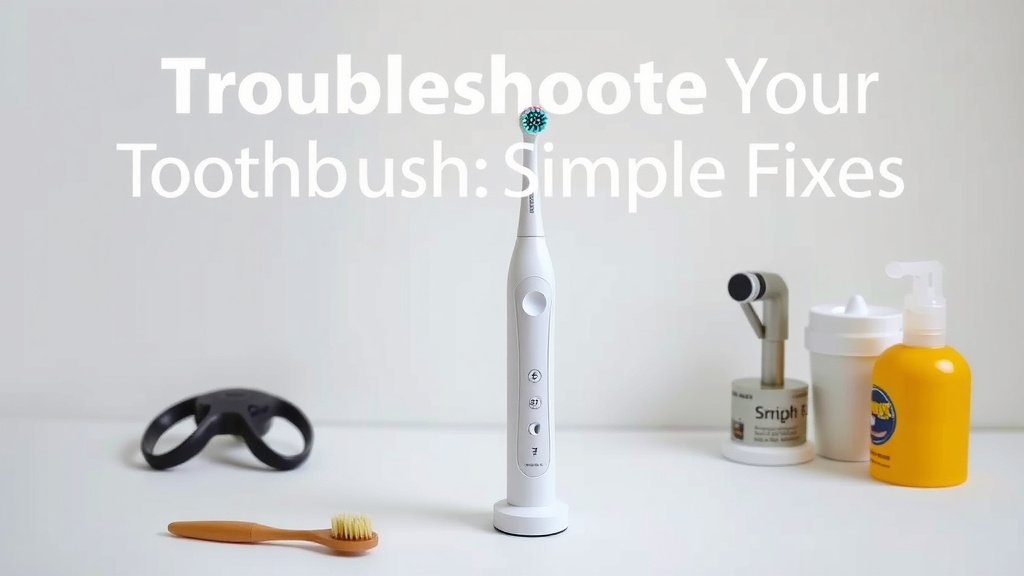
Troubleshooting Your Electric Toothbrush: Simple Fixes
We’ve found that most electric toothbrush issues aren’t major defects. They are often caused by simple things like debris, connection problems, or a drained battery. You can usually fix them without needing a repair shop. Let’s break down the most common problems and how to solve them.
Step 1: Check the Power and Charging System
This is the most common culprit. Is your toothbrush acting like it’s on strike? It might just be hungry for power.
Is it Charging Properly?
First, ensure your toothbrush is properly seated on its charging base. Sometimes, a slight misalignment can prevent charging. Try wiggling it a bit. Also, check that the charging base is plugged into a working outlet. Test the outlet with another device to be sure.
Inspect the Charger and Cord
Look for any visible damage to the charging base or the cord. Frayed wires or cracks mean the charger might be unsafe or simply not working. If you have a spare compatible charger, try using that. Many brands have interchangeable charging bases within their product lines. We found that using a charger from another model can often pinpoint if your original charger is the issue.
Clean the Charging Contacts
Dirt and grime can build up on the charging contacts of both the toothbrush handle and the base. This buildup acts like a barrier, stopping the flow of electricity. Gently clean these contacts with a dry cloth or a cotton swab dipped in a tiny bit of rubbing alcohol. Make sure everything is completely dry before you try charging again. This simple step often solves **charging problems**.
Step 2: Address Motor and Power Issues
If your toothbrush powers on but the motor seems weak or stops entirely, don’t panic. There are a few things you can try.
Clean the Brush Head Connection
The point where the brush head attaches to the handle can get clogged with toothpaste residue and debris. This gunk can interfere with the motor’s ability to spin the brush head. Remove the brush head and clean the connection point thoroughly. Use a small brush (like an old, clean toothbrush) or a damp cloth. Ensure no water gets into the charging port.
Look for Loose Parts
Sometimes, a brush head might not be fully seated, making it seem like the motor is failing. Push the brush head firmly onto the handle until you hear or feel it click into place. If your toothbrush has detachable parts, check that they are all secure.
Give it a Gentle Tap (Use Sparingly!)
We’ve heard anecdotal evidence that a gentle tap can sometimes dislodge a stuck motor. Think of it like gently tapping a stubborn TV to get a better picture. However, do this very cautiously, as you don’t want to cause any damage. This is more of a last resort than a standard fix.
Step 3: Battery Life and Replacement
Electric toothbrush batteries don’t last forever. After several years of use, they can start to lose their charge capacity or stop holding a charge altogether. This is a very common reason for an electric toothbrush to seem “broken.”
Signs of a Failing Battery
Does your toothbrush die very quickly after a full charge? Does it need to be on the charger almost constantly to work? These are classic signs that your rechargeable battery is nearing the end of its life. Many experts suggest that batteries typically last 3-5 years depending on usage and charging habits (Cleveland Clinic).
Can You Replace the Battery?
This is where things can get a bit tricky. Some electric toothbrush models are designed for easier battery replacement, often with a screw-off base. However, many modern toothbrushes are sealed units. If your model isn’t explicitly designed for user-replaceable batteries, attempting to open it might void your warranty and could cause irreversible damage. We found that researching your specific toothbrush model online is key here. Search for “[Your Toothbrush Brand and Model] battery replacement” to see if it’s a feasible DIY project for you.
DIY Battery Replacement Steps (If Applicable)
If you’ve confirmed your model allows for battery replacement and you’re comfortable with electronics, you might need a small screwdriver set. Carefully unscrew the base and locate the old battery. Note its type and size. You can usually find replacement batteries online from electronics suppliers. Be sure to connect the new battery with the correct polarity. Again, if you’re unsure, it’s best to consult a professional or consider a new toothbrush.
Step 4: Performing a Reset
Sometimes, electronic devices just need a good old-fashioned reset to clear out glitches. Your electric toothbrush might be one of them.
How to Reset Your Toothbrush
The reset procedure varies by brand and model. For many, it involves holding down a specific button (like the power button) for an extended period, often 10-15 seconds, while the toothbrush is off the charger. For some models, you might need to have it on the charger. Check your toothbrush’s manual or the manufacturer’s website for the exact reset instructions for your model. A reset can sometimes fix odd behaviors or unresponsive buttons.
Step 5: Cleaning for Optimal Performance
Regular cleaning is not just about hygiene; it’s also vital for keeping your electric toothbrush running smoothly. Think of it like giving your car an oil change.
Daily Cleaning Routine
After each use, rinse the brush head thoroughly under running water. Shake off excess water and store the toothbrush upright, allowing it to air dry. This prevents moisture buildup and toothpaste residue.
Deep Cleaning Checklist
- Remove the brush head.
- Rinse the brush head and the handle shaft.
- Wipe down the handle with a damp cloth.
- Clean the charging contacts on the handle and base.
- Ensure all parts are dry before reassembly or charging.
A consistent cleaning routine can prevent many issues before they even start. It’s often the simplest maintenance that yields the best results.
When It Might Be Time for a New Toothbrush
While many problems are fixable, there comes a point when repairs might not be worth it or possible. If your toothbrush is very old, has visible damage (cracks, water ingress), or if multiple troubleshooting steps haven’t helped, it may be time to consider a replacement. We found that most electric toothbrushes have a lifespan of around 3-5 years with regular use and care.
Conclusion
You’ve learned that many electric toothbrush problems aren’t permanent. With a little attention, you can often revive your toothbrush. We’ve covered checking power, cleaning connections, and even battery basics. Don’t let a non-working toothbrush go to waste. Your next step is to try the simplest fix first: a thorough cleaning and a check of your charger. You might be surprised how easily you can get back to that fresh-clean feeling!
Frequently Asked Questions
My electric toothbrush won’t turn on at all. What should I check first?
Start by confirming the charger is working and the toothbrush is seated correctly on the base. Clean the charging contacts on both the handle and the base. Sometimes, a simple debris buildup is the culprit preventing it from charging.
The motor on my electric toothbrush sounds weak or stops mid-use. How can I fix this?
This often points to a clogged connection point. Remove the brush head and thoroughly clean where it attaches to the handle. Toothpaste residue can gum up the works. Also, ensure the brush head is securely attached by pressing it firmly into place.
How long do electric toothbrush batteries typically last, and can they be replaced?
Most rechargeable batteries last about 3-5 years with regular use. Battery replacement depends heavily on your model; some are designed for it, while others are sealed. Always research your specific model first before attempting replacement.
My toothbrush still doesn’t work after cleaning and charging checks. Is there anything else I can try?
Consider performing a system reset if your model allows for it. This process usually involves holding the power button for a set time. Check your toothbrush’s manual or the manufacturer’s website for specific reset instructions for your model.
Is it worth trying to fix an older electric toothbrush, or should I just buy a new one?
If your toothbrush is several years old, showing signs of wear like cracks, or if basic troubleshooting doesn’t help, it might be more cost-effective to replace it. Most electric toothbrushes have a lifespan of 3-5 years.
![7 Best Electric Toothbrush From Dentist [2026]](https://bestbrushcleaner.com/wp-content/uploads/2026/06/7-best-electric-toothbrush-from-dentist-2026-featured-768x432.jpg)
![7 Best Deal On Oral B Electric Toothbrush [2026]](https://bestbrushcleaner.com/wp-content/uploads/2026/08/7-best-deal-on-oral-b-electric-toothbrush-2026-featured-768x432.jpg)