How to Insert Batteries in Your Electric Toothbrush
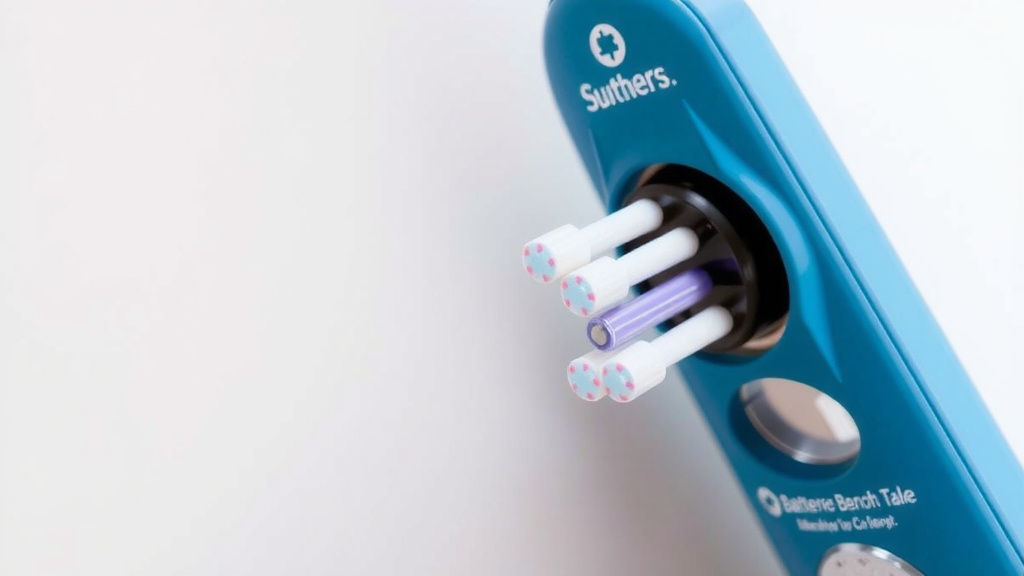
Putting batteries in your electric toothbrush is a simple process that usually takes less than a minute. You’ll want to identify the battery compartment, typically found at the base of the handle. Gently twist or slide the cover off to reveal the battery slot.
This quick task is essential for keeping your toothbrush powered up and ready for action. Not all electric toothbrushes use batteries; some are rechargeable. But if yours does, knowing how to swap them out ensures you maintain optimal cleaning power without interruption.
- Find the battery compartment.
- Open the compartment cover.
- Insert new batteries correctly.
- Close the compartment securely.
Let’s walk through exactly how this works step by step, so you can get back to that fresh, clean feeling in no time.
Swapping Batteries in Your Electric Toothbrush: A Quick Guide
So, your electric toothbrush suddenly feels a bit… sluggish? You’re not alone. It’s time to give it a little juice by replacing the batteries. This is often one of the simplest maintenance tasks you’ll perform. It keeps your brushing experience effective and pleasant. You might be wondering if it’s complicated. Rest assured, it’s typically quite straightforward. We’re here to guide you through every step. You’ll have your toothbrush humming with power again in just a few minutes.
Understanding Your Toothbrush’s Power Source
Before we dive in, it’s helpful to know that not all electric toothbrushes run on replaceable batteries. Many modern ones are rechargeable. These often come with a charging base. If yours has a base, this guide might not apply. You’re likely looking for how to charge it, not replace batteries. But for those with a battery compartment, this is your go-to. You can usually tell by looking at the bottom of the handle. If you see a seam for a cover, it’s likely battery-operated.
Identifying the Battery Compartment
Your toothbrush’s design will guide you. The battery compartment is almost always located at the very base of the handle. Think of it as the toothbrush’s “foot.” Manufacturers place it here for easy access. It’s usually a separate piece that can be opened. Sometimes it’s a twist-off cap. Other times, it might slide off. You’ll want to get a good look at the bottom of your toothbrush handle to find it. Feel around the edges for a subtle line or a small gripping area.
Opening the Battery Compartment
This is where a little gentle persuasion might be needed. Twisting is common. Place your thumb on the textured grip at the bottom of the handle. Use your other hand to hold the main body of the toothbrush. Turn the bottom section counter-clockwise. It should loosen and come off. If twisting doesn’t work, look for a small latch or a sliding mechanism. Some covers might require you to push a small tab while simultaneously sliding the cover. Always consult your toothbrush’s manual if you’re unsure. It’s a small booklet, but it holds the key!
We found that most designs are pretty intuitive. If you’ve ever opened a childproof medicine bottle, you might find a similar, but simpler, mechanism. The goal is to prevent accidental opening during normal use. This keeps the batteries secure. So, a little firm pressure is usually what’s needed. Don’t force it with sharp objects. You could damage the plastic. A firm grip is your best tool here.
Installing the New Batteries
Once the compartment is open, you’ll see where the batteries go. Most electric toothbrushes use two AA or AAA alkaline batteries. These are readily available at most stores. Make sure you have the correct size before you start. Double-check your toothbrush manual or the inside of the battery compartment for markings.
Paying Attention to Polarity
This is perhaps the most critical step. Batteries have a positive (+) and a negative (-) end. The battery compartment will have markings to show you how they should be inserted. Usually, you’ll see a ‘+’ and a ‘-‘ symbol. You need to match the correct end of the battery to the corresponding symbol. For instance, the flat end of the battery (the negative terminal) typically goes against a spring. The nubby end (the positive terminal) connects to a metal contact. Getting this wrong means your toothbrush won’t work. It’s like trying to plug in a USB stick upside down; it just doesn’t fit correctly.
Why does this matter so much? The electrical circuit needs to be complete. The power flows from the positive terminal of one battery, through the device, and back to the negative terminal of the other battery. If the connections are reversed, the circuit is broken. Think of it as a road with a dead end. No power can flow to the motor. Many battery compartments have clear diagrams. Take a moment to look at them. It ensures a proper connection every time.
Securing the Batteries
After you’ve placed the batteries correctly, you might need to secure them. Some compartments have a small clip or a band that holds the batteries in place. Ensure this clip is engaged or the band is in position. This prevents the batteries from rattling around. Loose batteries can cause intermittent power or even damage the internal components over time. This is especially true if you drop the toothbrush.
Closing Up and Testing Your Toothbrush
Now that the new batteries are in, it’s time to reassemble. Take the battery compartment cover you removed earlier. Align it with the base of the toothbrush handle. If it was a twist-off, turn it clockwise until it feels snug. You might hear or feel a click. If it was a slide-on cover, gently push it back into place until it’s flush with the handle. Make sure there are no gaps. A secure seal helps keep out moisture. This is important, as water and electronics don’t mix well.
Once the compartment is closed, it’s time for the moment of truth. Turn on your toothbrush. You should feel the familiar vibration and hear the motor. If it doesn’t turn on, don’t panic! This is a good time to re-check a few things. First, did you close the compartment securely? Sometimes a loose cover can prevent it from working. Second, are the batteries inserted correctly? Double-check the polarity markings. It’s the most common reason for a no-start. If they’re perfectly aligned, try a different set of batteries. Sometimes, even new batteries can be faulty.
Troubleshooting Common Issues
What if it still isn’t working after checking the basics? Here are a few more things to consider:
- Clean the contacts: Over time, the metal contacts inside the battery compartment and on the batteries themselves can get a bit grimy. You can gently clean these with a pencil eraser or a cotton swab lightly dipped in rubbing alcohol. Let them dry completely before reinserting the batteries.
- Inspect for damage: Look closely at the battery compartment. Are any of the metal prongs bent or broken? Is the plastic cracked? Any visible damage might need professional attention or might mean it’s time for a new toothbrush.
- Try a different brand: While most batteries are standard, sometimes a slightly different dimension might cause a fit issue. It’s rare, but worth considering if all else fails.
When to Consider Replacing Your Toothbrush
While changing batteries is straightforward, it’s not a permanent fix for an aging toothbrush. If you find yourself replacing batteries very frequently, it might indicate that the toothbrush’s motor is starting to wear out. It could be drawing more power than it should. Many experts suggest that electric toothbrushes have a lifespan. For example, the American Dental Association (ADA) often provides guidance on dental care tools. They generally recommend replacing your toothbrush head every 3-4 months. The handle itself, with its motor and electronics, can last longer. However, if you’re constantly battling dead batteries or the motor sounds weak, it might be time for an upgrade. This ensures you’re getting the most effective clean possible. If your toothbrush is aging, consider replacing the brush head, and our guide can help you find the best ones.
Battery Disposal Best Practices
Don’t forget about the old batteries! It’s important to dispose of them properly. Alkaline batteries are generally considered safe for household trash in many areas. However, regulations can vary by state and local municipality. Many consumer safety organizations, like the EPA, recommend recycling batteries when possible. They can contain materials that are better recovered than landfilled. Look for battery recycling drop-off points at local electronics stores, hardware stores, or community recycling centers. This small act helps protect the environment.
Your Electric Toothbrush Battery Checklist
Here’s a quick rundown to make sure you’ve got everything covered:
- Confirm battery type: Know if you need AA, AAA, or other sizes.
- Locate the compartment: It’s usually at the handle’s base.
- Open carefully: Twist, slide, or unlatch the cover.
- Check polarity: Match ‘+’ and ‘-‘ symbols with battery ends.
- Secure the cover: Twist or slide it back until snug.
- Test the toothbrush: Turn it on to confirm power.
Conclusion
You’ve now mastered the simple process of putting batteries in your electric toothbrush. Remember to always locate the compartment at the base and pay close attention to the battery polarity markings. Securing the cover properly ensures your toothbrush is ready for action. With fresh batteries, you’re back to achieving that dentist-clean feeling every day. Next time your toothbrush loses power, you’ll know exactly what to do. It’s a quick task that keeps your oral hygiene routine on track.
Frequently Asked Questions
How do I know if my electric toothbrush uses batteries?
Most battery-operated electric toothbrushes will have a visible seam or cover at the base of the handle. Rechargeable models typically come with a charging base and won’t have a removable battery compartment. If you’re unsure, checking your toothbrush’s user manual is the best way to confirm.
What kind of batteries do most electric toothbrushes take?
Research and found that the most common battery types for electric toothbrushes are standard AA or AAA alkaline batteries. Always confirm the specific size needed by checking the inside of the battery compartment or your toothbrush’s manual. Using the wrong size could prevent it from working correctly.
Can I use rechargeable batteries in my electric toothbrush?
In most cases, yes, you can use rechargeable AA or AAA batteries if your toothbrush uses those sizes. Just ensure they are fully charged before inserting them. Some older or specific models might have recommendations against using rechargeables, so a quick check of your manual is always a good idea.
My toothbrush isn’t working after changing the batteries, what should I do?
First, double-check that the batteries are inserted with the correct polarity (+ and – sides aligned properly). Ensure the battery compartment cover is closed securely. If it still doesn’t work, try cleaning the metal contacts inside the compartment with a pencil eraser or a cotton swab and rubbing alcohol, then test with a different set of batteries.
How often should I expect to change the batteries in my electric toothbrush?
This can vary widely depending on the toothbrush model and how often you use it. Some users might need to replace batteries every few months, while others can go a year or more. If you find yourself changing them very frequently, it might indicate the toothbrush’s motor is weakening, and it could be time to consider a replacement.