How to Charge Your Colgate Electric Toothbrush Properly
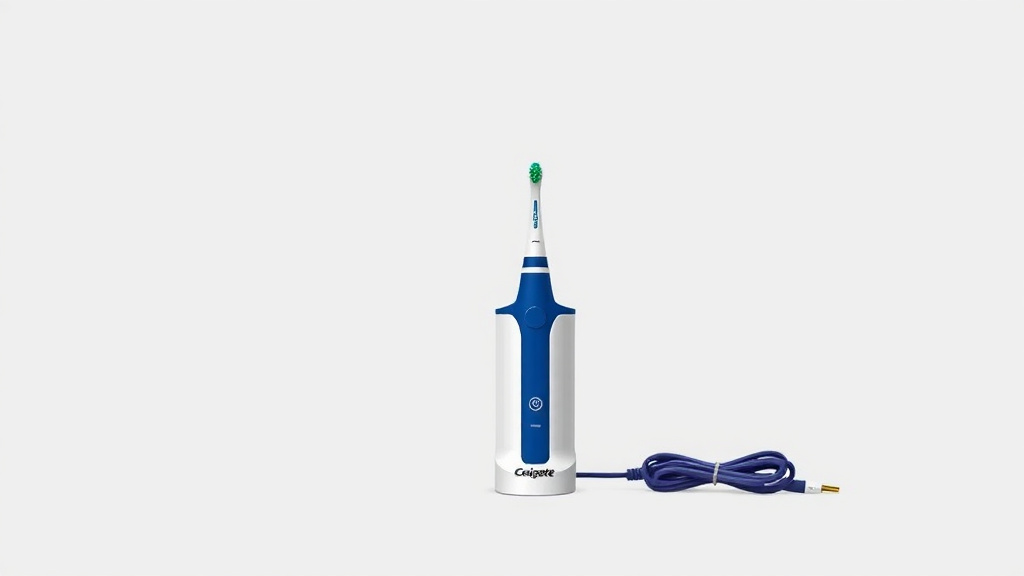
Charging your Colgate electric toothbrush is straightforward. You’ll generally place the toothbrush handle onto its charging base, and ensure the base is plugged into a working electrical outlet. Most Colgate models feature an indicator light that confirms it’s charging.
Keeping your toothbrush powered ensures optimal performance for a clean smile. Understanding the charging process prevents unexpected downtime. Many users find it helpful to charge overnight before their first use or after extended periods without use.
- Plug the charging base into a wall outlet.
- Rest the toothbrush handle on the base.
- Look for the charging indicator light.
- Allow several hours for a full charge.
Let’s walk through exactly how to get your Colgate electric toothbrush powered up and ready for your next brushing session.
Keeping Your Colgate Electric Toothbrush Charged and Ready
So, you’ve got your Colgate electric toothbrush, and you’re ready for a cleaner smile. But how do you make sure it’s always powered up? Charging it is simpler than you might think. We’ll guide you through the easy steps to get it ready for action.
The Basic Charging Setup for Your Colgate Toothbrush
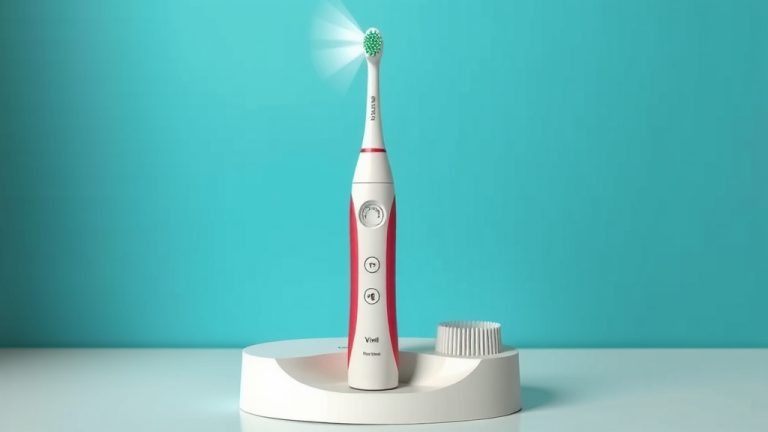
Most Colgate electric toothbrushes come with a dedicated charging base. Think of it like a little home for your toothbrush when it’s not busy fighting plaque. The setup involves just a couple of quick connections.
Connecting the Charging Base
First things first, find a suitable spot for your charging base. You’ll need a working electrical outlet that’s within reach of the charging cord. Avoid places that might get wet, like right next to the sink, for safety reasons. We found that placing it on a shelf or in a medicine cabinet works well.
Plug the charging base firmly into the outlet. You should see a small light or indicator on the base itself, though this can vary by model. This light often confirms that the base is receiving power.
Positioning the Toothbrush Handle
Once the base is powered up, it’s time to introduce it to your toothbrush. Take the toothbrush handle, the part you hold and brush with, and place it onto the charging base. Most bases have a specific shape or indentation designed to hold the handle securely.
You’ll likely feel a slight magnetic pull or a snug fit when it’s correctly seated. It should stand upright, or sometimes at a slight angle, depending on the base design. Don’t force it; it should rest naturally.
Understanding the Charging Indicator Light
One of the most helpful features is the charging indicator light. This little light is your visual cue that everything is working as it should be. It’s like a tiny traffic signal for your toothbrush’s power.
What the Light Means
When your toothbrush is properly placed on the charging base and the base is plugged in, a light on the toothbrush handle should illuminate. This light usually signals that charging has begun. Some models might have a blinking light, while others show a solid glow.
Research suggests that this indicator is key to knowing if your toothbrush is actively recharging. It confirms that the connection between the handle and the base is good and that power is flowing. If you don’t see a light, it might mean the toothbrush isn’t seated correctly or the outlet isn’t working.
Interpreting Different Light Signals
Colgate models can have slightly different light behaviors. For instance, some might show a red light while charging and then turn green when fully charged. Others might simply have a light that stays on while charging. We found that checking your toothbrush’s specific manual is always the best way to know for sure.
If the light is off, check that the toothbrush is centered on the base. Also, try unplugging and replugging the charging base. Sometimes, a simple reset can fix a communication glitch. Many sources, like dental hygiene guides, recommend checking the indicator light as the first troubleshooting step.
How Long Does It Take to Charge?
Patience is a virtue, especially when it comes to electronics! Electric toothbrushes, including Colgate models, typically need a few hours to reach a full charge. You can’t expect them to juice up as quickly as your smartphone.
Typical Charging Times
Most research indicates that a full charge can take anywhere from 12 to 24 hours. Yes, it might sound like a long time, but remember that this provides many days, or even weeks, of brushing. Think of it as an investment in your oral hygiene.
This extended charging time is because the batteries are designed for longevity between charges. They need a slow, steady power-up to maintain battery health over time. Many dental professionals suggest this extended charge period is beneficial.
Charging Before First Use
When you first unbox your Colgate electric toothbrush, it’s a good practice to give it a full charge before its maiden voyage. Even if it seems to have some battery life, a complete initial charge ensures you start with maximum power. We found that charging it overnight is a common and effective strategy for this.
So, when you get your new toothbrush, plug it in and let it sit on the charger for a full day. This primes the battery and ensures optimal performance right from your first brush. It’s a simple step that many find helps preserve battery life in the long run.
Maintaining Your Toothbrush’s Battery Health
Just like any rechargeable device, treating your toothbrush’s battery right will help it last longer. You don’t need to be a tech wizard to do this; a few simple habits go a long way.
Avoid Complete Discharges When Possible
While modern lithium-ion batteries are more forgiving than older types, avoiding letting the battery drain completely every single time can be helpful. If you see the charge light indicating low power, it’s probably a good time to place it back on the charger. This is sometimes called “trickle charging” and is generally considered good practice.
Keep it on the Charger for Convenience
For most users, leaving the toothbrush on its charging base when not in use is perfectly fine. The charging base is designed to stop charging once the battery is full, preventing overcharging. This means you can leave it there all day, every day, and it will always be ready when you need it. It’s a simple way to ensure you never find yourself with a dead toothbrush.
What If It’s Not Charging? A Quick Checklist
Sometimes, things don’t go as planned. If your Colgate toothbrush isn’t charging, don’t panic! There are a few common culprits you can check. Here’s a quick troubleshooting guide to get you back on track.
- Check the Outlet: Make sure the electrical outlet you’re using is working. Try plugging another device into it to confirm.
- Verify Base Connection: Ensure the charging base is securely plugged into the outlet. Sometimes cords can become loose.
- Position the Handle Correctly: Double-check that the toothbrush handle is seated properly on the charging base. It needs to make good contact.
- Inspect for Debris: Look for any toothpaste residue or debris on the charging contacts of both the base and the handle. Clean gently with a dry cloth.
- Confirm Indicator Light: Is the charging indicator light on the toothbrush handle illuminated? If not, there might be an issue with the connection or the unit.
- Consult Your Manual: If all else fails, refer to the specific user manual for your Colgate toothbrush model. It often has model-specific troubleshooting tips.
Following these steps can help you diagnose most common charging issues. Keeping your toothbrush charged is key to a healthy brushing routine!
Conclusion
You’ve now got the know-how to keep your Colgate electric toothbrush powered up and ready for action. Remember, charging is as simple as placing your toothbrush handle on its base and ensuring the base is plugged in. Pay attention to that indicator light; it’s your best friend for confirming a good charge is underway. Keeping it charged regularly, especially before first use, ensures peak performance for your clean smile. So, go ahead, place it on the charger, and enjoy the confidence of a thoroughly clean mouth every time!
Frequently Asked Questions
Can I use any USB port to charge my Colgate electric toothbrush?
Generally, Colgate electric toothbrushes come with a specific charging base that plugs into a standard wall outlet. They are not typically designed to charge via USB ports on computers or other devices. Always use the provided charging base for safe and effective charging.
Is it okay to leave my Colgate toothbrush on the charger all the time?
Yes, for most Colgate electric toothbrush models, it’s perfectly fine to leave them on the charging base when not in use. The charging system is designed to stop charging once the battery is full, preventing overcharging and keeping your toothbrush ready.
What should I do if the charging light on my toothbrush isn’t turning on?
If the charging indicator light doesn’t appear, first confirm the outlet is working by plugging in another device. Then, ensure the toothbrush handle is correctly seated on the charging base and check for any debris on the charging contacts. If it still doesn’t light up, consult your user manual for model-specific troubleshooting.
How often should I charge my Colgate electric toothbrush?
You don’t need to charge it daily. Once fully charged, many Colgate electric toothbrushes can last for several days or even weeks on a single charge. It’s a good practice to place it back on the charger when you notice the battery is low or just leave it on the base for convenience.
Do I need to fully discharge my toothbrush before charging it again?
No, that’s not necessary for modern Colgate electric toothbrushes, which typically use lithium-ion batteries. You can charge it whenever it’s convenient or when the battery level is low. Avoiding complete discharges can actually be beneficial for maintaining battery health over time.