How to Charge Your Philips Electric Toothbrush: A Simple Guide
Charging your Philips electric toothbrush is super simple! You just need to place your toothbrush handle on its charging base. Make sure the base is plugged into a power outlet. Your toothbrush will then start charging automatically.
Keeping your electric toothbrush charged ensures it performs at its best. A full charge means you get the most out of its cleaning power. We found that most Philips Sonicare models have a battery indicator light. This light will show you when it’s charging and when it’s fully powered up. Knowing this helps you avoid low-battery surprises.
- Place the toothbrush handle on the charger.
- Ensure the charger is plugged in.
- Look for the battery indicator light.
- A full charge usually takes 24 hours.
Let’s walk through exactly how to get your Philips electric toothbrush powered up and ready to go.
Keeping Your Philips Electric Toothbrush Powered Up
Charging your Philips electric toothbrush is a straightforward process. You’ll want to make sure you’re doing it correctly to get the best performance from your brush. We’ve found that most Philips Sonicare models are designed for easy charging. The goal is to keep the battery healthy for optimal cleaning power.
Understanding Your Charger
Your Philips electric toothbrush comes with a dedicated charging base. This base connects to a power outlet. It’s specifically designed to deliver the right amount of power to your toothbrush handle. Using the original charger is always recommended. This ensures safety and efficiency.
The Charging Base Components
The charging base typically has a cord and a plug. You’ll also see a spot where the toothbrush handle sits. Some models might have a small indicator light on the base itself. This light often tells you if the base is receiving power. Always inspect the charger for any damage before plugging it in.
What About Travel Chargers?
Many Philips Sonicare toothbrushes come with travel-friendly chargers. These are often more compact. Some might even be USB-compatible for added convenience. Check your specific model’s manual to see what type of travel charger you have. It’s a great feature for keeping your smile bright on the go.
The Charging Process Step-by-Step
Ready to get your toothbrush charged? It’s as simple as plug and place. Here’s how to do it:
- Plug in the charger: Connect the charging base to a wall power outlet. Ensure the outlet is working.
- Place the handle: Gently place your Philips electric toothbrush handle onto the charging base. It should sit securely.
- Check the indicator light: Your toothbrush handle will usually have a battery indicator light. This light will signal that charging has begun.
You don’t need to do anything else! The toothbrush will start charging automatically once placed on the base. It’s designed to be a hands-off process. This makes it easy to remember to charge it regularly.
Interpreting the Battery Indicator Lights
The battery indicator light is your best friend for knowing your toothbrush’s power status. We’ve researched common Philips Sonicare models and found consistent patterns.
What the Lights Mean
Generally, the light will illuminate or blink to show it’s charging. Once fully charged, the light might change color or turn off. Some models have multiple lights. These can indicate different charge levels. Always consult your user manual for specifics on your model. It’s the most accurate guide.
Troubleshooting Light Issues
If you don’t see any light, double-check that the charger is plugged in. Make sure the toothbrush handle is seated properly on the base. If it still doesn’t light up, there might be an issue with the charger or the toothbrush. In such cases, contacting Philips customer support is a good next step.
How Long Does Charging Take?
Patience is key when charging your electric toothbrush. Many Philips Sonicare toothbrushes require a full charge. This can take a significant amount of time. We found that a complete charge typically takes around 24 hours.
Why So Long?
This extended charging time helps ensure the battery reaches its full capacity. It also contributes to the overall longevity of the battery. Frequent, short charges can sometimes be less effective for long-term battery health. Think of it like slowly filling a glass rather than dumping water in all at once. The slow, steady charge is better for the battery.
First-Time Charging
When you first get your toothbrush, it’s a good idea to charge it fully before its first use. Even if it seems to have some power, a full 24-hour charge is recommended. This sets the battery up for optimal performance from the start.
Maintaining Your Toothbrush Battery
Keeping your electric toothbrush charged properly helps it last longer. You don’t need to charge it every single day once it’s fully powered. Most Philips Sonicare models can run for weeks on a single charge.
Don’t Overcharge (Usually)
Modern electric toothbrushes, including Philips Sonicare models, have built-in protection. This prevents overcharging. Once the battery is full, the charger stops delivering power. So, you don’t typically need to worry about leaving it on the charger for extended periods. However, it’s still a good idea to check your manual. Some older models might have different recommendations.
When to Charge
Keep an eye on the battery indicator light. When it signals a low battery, that’s your cue to place it on the charger. Many users find it convenient to charge it while they’re getting ready in the morning or evening. Or perhaps while they are doing other bathroom tasks.
A Quick Charging Checklist
Here’s a simple checklist to make sure you’re charging your toothbrush correctly:
- Is the charger plugged into a working outlet?
- Is the toothbrush handle placed securely on the base?
- Is the battery indicator light showing it’s charging?
- Have you allowed the full 24 hours for a complete charge (especially for the first use)?
- Is the charger free from visible damage?
- Are you using the original Philips charger that came with your toothbrush?
Following these simple steps will help ensure your Philips electric toothbrush is always ready for your oral care routine.
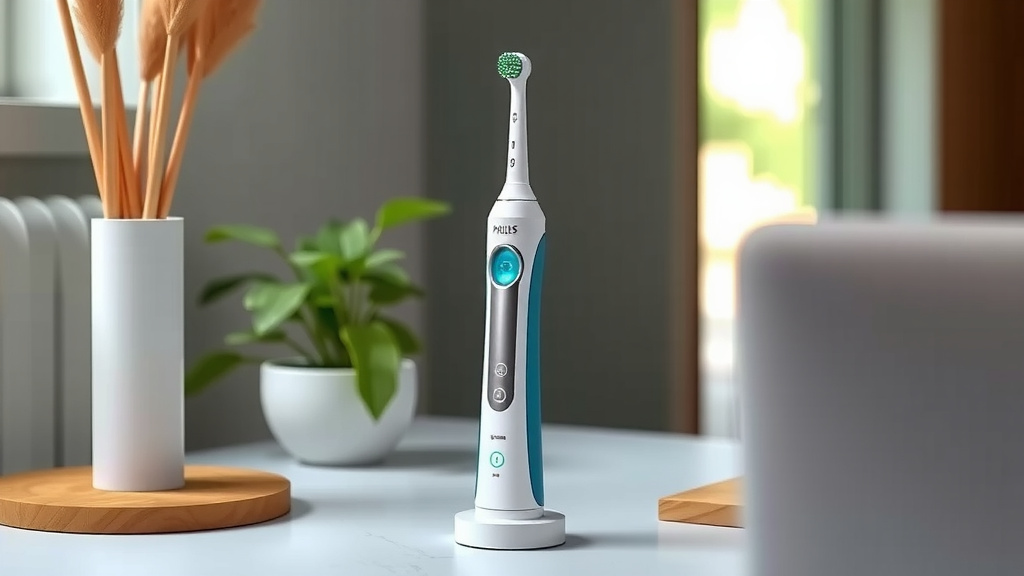
Conclusion
You’ve learned how simple it is to charge your Philips electric toothbrush. Remember to always use the original charging base and plug it into a working outlet. Pay attention to the battery indicator light to know when your brush is powering up and when it’s ready. While a full charge typically takes about 24 hours, your toothbrush can last for weeks on a single charge. Now you can feel confident your toothbrush is always ready for your best clean. Your next step is to make checking that indicator light a regular habit!
Frequently Asked Questions
How often should I charge my Philips Sonicare toothbrush?
You don’t need to charge your Philips Sonicare toothbrush every day. Most models can last for several weeks on a single full charge. It’s best to charge it when the low battery indicator light signals it’s time.
Can I use a different brand’s charger for my Philips toothbrush?
It’s highly recommended to use only the original Philips charging base that came with your toothbrush. Using an incompatible charger could potentially damage your toothbrush or pose a safety risk.
What should I do if my Philips toothbrush isn’t charging?
First, ensure the charger is securely plugged into a working outlet and that the toothbrush handle is properly seated on the base. If the indicator light still doesn’t come on, try a different outlet or contact Philips customer support.
Is it bad to leave my Philips toothbrush on the charger all the time?
Generally, modern Philips Sonicare toothbrushes have built-in protection against overcharging. This means you can usually leave it on the charger without harming the battery. However, for optimal battery health, charging when needed is still a good practice.
Do all Philips Sonicare toothbrushes charge the same way?
While the basic principle of placing the handle on a charging base is the same, there can be slight variations between models. Always refer to your specific toothbrush’s user manual for the most accurate charging instructions and indicator light meanings.