How to Safely Remove Your Electric Toothbrush Battery
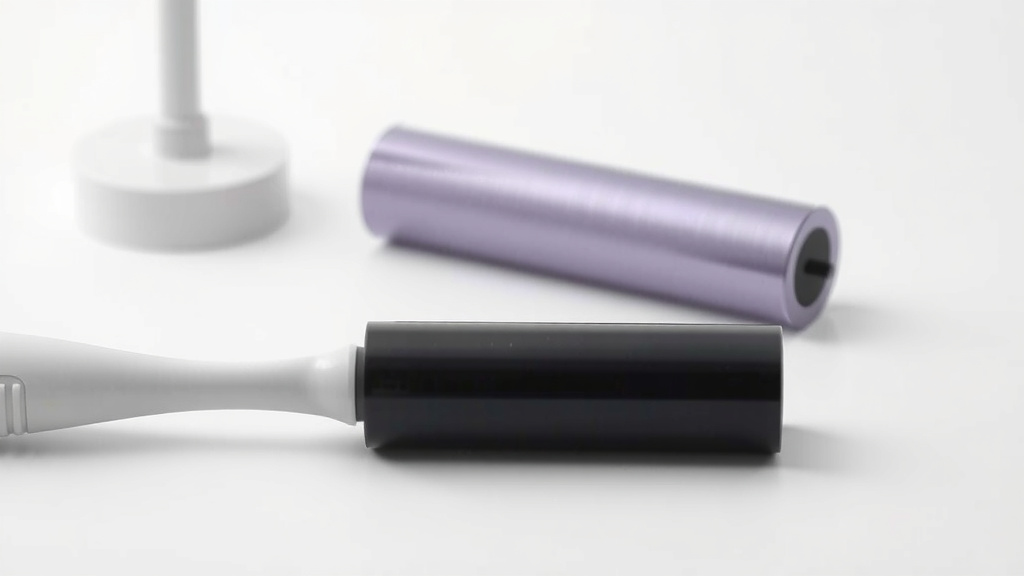
Removing the battery from your electric toothbrush is often a straightforward process. For most models, you’ll need to gently twist the handle apart to access the battery compartment. This is a common maintenance task that can help you extend the life of your toothbrush.
While many electric toothbrushes are designed for long-term use, knowing how to change the battery can be a lifesaver. We found that older models especially might benefit from a fresh battery. It’s a simple way to revive a brush that’s lost its power, rather than needing to buy a whole new device.
- Twist the handle apart.
- Locate the battery compartment.
- Replace with the correct battery type.
- Reassemble the toothbrush.
Let’s walk through exactly how to get that battery out so you can get back to a sparkling smile!
Getting Your Electric Toothbrush Battery Out
So, your electric toothbrush seems to be losing its zing? Don’t panic! Replacing the battery is often much simpler than you might think. You can usually get to the battery by carefully separating the handle. We found that most models are designed with this maintenance task in mind.
Why Would You Need to Change the Battery?
Electric toothbrushes are built to last, but batteries don’t. Over time, they lose their charge capacity. This means your brush might not run as powerfully or for as long. Sometimes, a new battery can make an old toothbrush feel like new again. This can save you money and reduce waste.
Tools You Might Need
Usually, you won’t need a whole toolbox. Often, your hands are enough! However, some models might require a little help. A small flathead screwdriver or a guitar pick can be helpful for gently prying open certain parts. Always check your toothbrush’s manual if you have it handy.
Steps to Access Your Toothbrush Battery
Locating the Battery Compartment
The first step is to figure out where the battery is hiding. For many Philips Sonicare models, the battery is sealed inside. You’ll need to access it from the bottom. Other brands, like Oral-B, might have a compartment that opens more easily. We found that looking for a seam or a small screw hole is often your best bet.
Disassembling the Handle: The Twist and Pull Method
This is the most common way to get into your toothbrush. Think of it like unscrewing a jar lid, but with less force. You’ll typically grasp the main body of the handle with one hand and the bottom cap or lower section with the other. Then, you’ll twist. Some brushes twist clockwise, others counter-clockwise. Gentle pressure is key here; you don’t want to force anything.
We found that if it feels stuck, try wiggling it slightly as you twist. Sometimes, a bit of warm water can help loosen a stubborn seal. Just be sure to dry it thoroughly before you continue. This twist-and-pull method is how many rechargeable toothbrushes are designed.
When Twisting Doesn’t Work: Prying Open
If your toothbrush doesn’t have a twist mechanism, you might need to gently pry it apart. Look for a seam where the handle might separate. Carefully insert a thin, flat tool (like a plastic spudger or a credit card edge) into the seam. Work your way around the toothbrush, gently easing the two parts apart. Avoid using metal tools that could scratch or damage the plastic.
Remember, the goal is to separate the components without breaking them. We recommend starting at the base of the handle, as this is often where the seam is most accessible. Patience is your friend here. It might take a few tries to find the right spot.
Identifying the Battery Type
Once you’ve opened it up, you’ll see the battery. Most electric toothbrushes use rechargeable NiMH (Nickel-Metal Hydride) batteries. These are usually labeled with their size and voltage. It’s important to note the exact specifications. You’ll need to find a replacement that matches or is a compatible upgrade.
Some older models might use standard AA or AAA alkaline batteries. If this is the case, it’s a simple swap. However, most modern electric toothbrushes have a built-in rechargeable battery. We found that checking the battery’s label is the surest way to know what you’re dealing with.
Replacing and Reassembling Your Toothbrush
Removing the Old Battery
With rechargeable batteries, they are often soldered to wires. You might see small tabs or connections. If the battery is simply clipped in, it’s much easier. If it’s soldered, this repair becomes more complex. You might need to carefully desolder the old battery connections and then solder the new one in place. This requires some basic soldering skills and tools.
We found that if your battery is soldered, many people choose to replace the entire toothbrush rather than attempt a complex repair. This is especially true if the toothbrush is several years old. For simpler, non-soldered batteries, just disconnect them from their terminals.
Installing the New Battery
If your battery was clipped in, simply snap the new one into place, ensuring the polarity is correct (+/-). If you had to desolder, carefully solder the new battery’s tabs to the wires. Make sure you have a secure connection. Loose wires can cause problems later. We found that using heat shrink tubing can help insulate the soldered connections for a cleaner finish.
Putting It All Back Together
Reassembly is usually the reverse of disassembly. If you twisted it apart, twist it back together. If you pried it apart, carefully align the two halves and gently press them back into place until they click. Ensure all seams are flush. If you removed any screws, put them back now.
Give your toothbrush a test run. Does it power on? Does it feel strong? You’ve hopefully revived your toothbrush! We found that sometimes the battery compartment can be a bit tricky to close. Just be patient and ensure no wires are pinched.
Important Considerations and Safety Tips
Always work in a well-lit area. Keep small parts away from children and pets. Batteries, especially lithium-ion ones (though less common in toothbrushes), can be hazardous if punctured or mishandled. If you’re unsure about any step, especially with soldering, it’s safer to consult a professional or consider replacing the unit.
Research also suggests that improper battery disposal can harm the environment. Many municipalities have specific recycling programs for batteries. Don’t just toss them in the regular trash. We found that checking your local waste management guidelines is the best approach for responsible disposal.
Checklist: Quick Battery Swap Guide
- Gather any necessary tools (screwdriver, prying tool).
- Locate the battery compartment seam or cap.
- Gently twist or pry the handle apart.
- Note the type and specifications of the old battery.
- Replace with a new, compatible battery.
- Carefully reassemble the toothbrush handle.
Conclusion
You’ve learned how to tackle battery replacement in your electric toothbrush. Most models allow for battery access through a simple twist or gentle prying. Remember to identify the correct battery type and handle it with care, especially if soldering is involved. Successfully swapping out an old battery can restore your toothbrush’s power and save you money. If you feel unsure about any of the steps, particularly concerning soldered batteries, it’s always best to consider professional help or a replacement unit. Ready to give your toothbrush new life? Gather your tools and get started!
Frequently Asked Questions
Can I just throw my old electric toothbrush battery in the trash?
No, it’s generally not recommended to dispose of electric toothbrush batteries in your regular household trash. Many batteries contain materials that can be harmful to the environment if not disposed of properly. Check with your local waste management services for guidelines on battery recycling.
What kind of battery is typically inside an electric toothbrush?
Most modern electric toothbrushes use rechargeable Nickel-Metal Hydride (NiMH) batteries. Older models might occasionally use standard AA or AAA batteries, but this is less common. Always check the battery’s label for its exact specifications.
My toothbrush doesn’t twist apart. What else can I try?
If twisting doesn’t work, look for a seam along the handle, often near the base. You might need to gently use a thin, flat tool like a plastic spudger or a credit card edge to carefully pry the sections apart. Avoid using metal tools that could scratch or damage the plastic casing.
What if the battery is soldered into my electric toothbrush?
If your toothbrush battery is soldered, it means it’s permanently attached to the wires. Replacing it requires desoldering the old one and soldering the new one, which needs specific tools and skills. Many people find this repair too complex and choose to replace the entire toothbrush instead.
How do I know if I’m using the correct replacement battery?
You need to replace the battery with one that has the same voltage and physical size (e.g., AA, AAA, or a specific rechargeable pack size). Carefully check the markings on the old battery, or refer to your toothbrush’s manual if you have it. Using an incompatible battery could damage your toothbrush or be unsafe.
![7 Best U Shaped Electric Toothbrush [2026]](https://bestbrushcleaner.com/wp-content/uploads/2026/09/7-best-u-shaped-electric-toothbrush-2026-featured-768x432.jpg)
![7 Best Bluetooth Electric Toothbrush [2026]](https://bestbrushcleaner.com/wp-content/uploads/2026/08/7-best-bluetooth-electric-toothbrush-2026-featured-768x432.jpg)