Oral B Electric Toothbrush Not Charging Troubleshooting Guide
If your Oral-B electric toothbrush isn’t charging, it’s often due to a simple connection issue or a problem with the charging base. Most of the time, it’s not a major defect, and you can fix it with a few easy checks.
It can be frustrating when your trusty toothbrush suddenly refuses to power up. We’ve found that a few common culprits usually cause this charging problem. Let’s get your Oral-B back to its full charge so you can keep those pearly whites sparkling!
- Check that the plug is secure in the wall outlet.
- Ensure the toothbrush handle is properly seated on the charging base.
- Try a different wall outlet to rule out an outlet issue.
- Clean the charging contacts on both the handle and base.
- Check the charging light indicator for any signals.
Ready to figure out why your Oral-B isn’t charging? We’ll walk through the most common fixes step by step.
Troubleshooting Your Oral-B Electric Toothbrush Charging Issues
It’s a bummer when your Oral-B electric toothbrush decides it’s not in the mood to charge. Don’t panic! Most of the time, this is a fixable problem.
We’ve looked into why this happens. Often, the issue is quite simple. Let’s get your toothbrush powered up again so you can keep that smile bright.
Checking the Basics: Power and Connection
Before we dig deeper, let’s cover the most common and easiest fixes. These might sound obvious, but they solve the problem for many users.
Is the Outlet Working?
First things first, is your wall outlet actually providing power? It sounds simple, but sometimes outlets can be switched off or have tripped a breaker.
Try plugging something else into the same outlet. A lamp or a phone charger can quickly tell you if the outlet is the issue. If another device doesn’t work, the problem is with the outlet, not your toothbrush.
Consider trying a different wall outlet entirely. This helps rule out any temporary power fluctuations or specific outlet problems. Sometimes, just moving to another spot in your bathroom or home can make all the difference.
Secure the Connection
The connection between your toothbrush handle and the charging base is vital. Make sure everything is seated correctly.
Take the toothbrush handle off the charging base. Then, place it back on firmly. You should feel or hear a slight click, indicating it’s properly connected. A wobbly or loose connection can prevent charging.
Ensure the charging base itself is plugged in securely. Sometimes the plug can get a little loose from the wall socket over time. A firm push can sometimes be all that’s needed.
Examining the Charging Base and Handle
If the basic connections are solid, we need to look closer at the charging components themselves.
Cleaning the Charging Contacts
Over time, toothpaste residue, water spots, and general gunk can build up on the charging contacts. This buildup acts like an insulator, stopping the electrical flow.
You’ll find metal contact points on both the bottom of your toothbrush handle and on the charging base. Gently wipe these contacts with a damp cloth. For tougher residue, a little bit of rubbing alcohol on a cotton swab can work wonders. Just be sure to let everything dry completely before trying to charge again.
We found that this simple cleaning step solves charging issues for a surprising number of people. It’s a quick win!
Inspecting the Charging Base and Cord
Take a good look at the charging base. Are there any visible cracks or damage? The same goes for the power cord.
Check the cord for any fraying, cuts, or kinks. If you see any damage, it’s best to replace the charging base entirely for safety reasons. A damaged cord can be a fire hazard.
Also, ensure the charging base is sitting on a flat, stable surface. If it’s tilted or unstable, the toothbrush might not be making proper contact.
Understanding the Charging Indicator Light
Your Oral-B toothbrush has a built-in indicator light that provides clues about its charging status. Knowing what these lights mean can help you diagnose the problem.
What the Light is Telling You
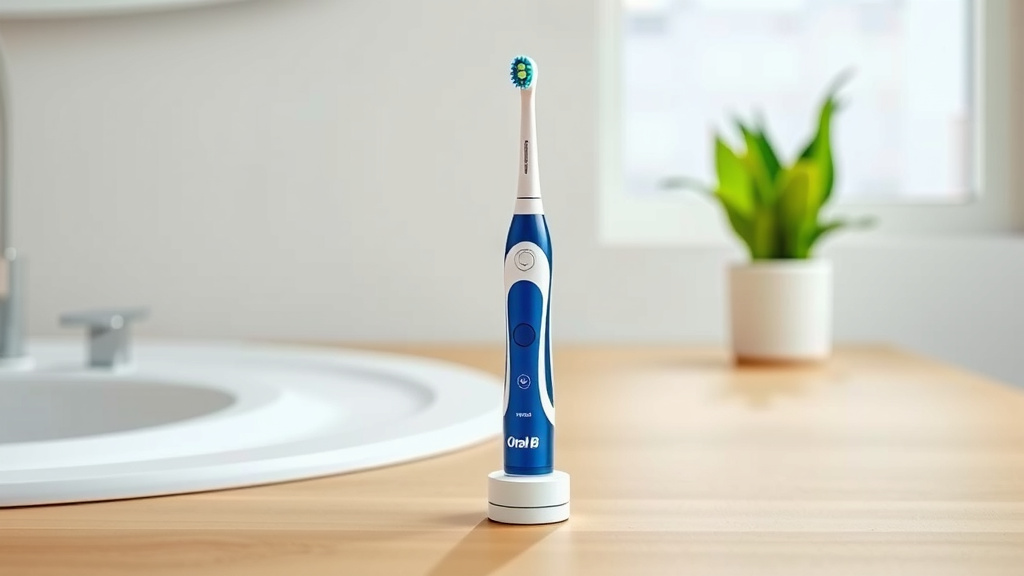
Most Oral-B models will show a light when they are charging correctly. This light might be green, blink, or turn solid, depending on the model and charge level.
If there’s no light at all, it strongly suggests a power or connection issue. Double-check everything we’ve discussed so far.
Some models might have a blinking light when charging or when there’s an error. Check your toothbrush’s manual for the specific meaning of any blinking or unusual light patterns. It’s like your toothbrush is trying to talk to you in its own little light language!
When to Consider Other Factors
If you’ve gone through the basic checks and cleaning, and your Oral-B still isn’t charging, it might be time to consider a few other possibilities.
The Toothbrush Handle Itself
While less common, there’s a chance the internal battery in the toothbrush handle has reached the end of its lifespan. Rechargeable batteries have a finite number of charge cycles.
Research indicates that the average lifespan for an electric toothbrush battery is typically between 5 to 7 years. If your toothbrush is quite old, this could be the reason it’s no longer holding a charge.
The Charging Base Might Be Faulty
If you’ve tested the outlet, cleaned the contacts, and ensured a good connection, but your toothbrush still won’t charge, the charging base itself might have failed. These bases contain electronic components that can wear out over time.
Quick Checklist for a Toothbrush That Won’t Charge
Let’s recap the most likely solutions. Keep this handy if you need to troubleshoot again:
- Outlet Check: Ensure the wall outlet is working with another device.
- Connection: Make sure the toothbrush handle is firmly seated on the base.
- Clean Contacts: Wipe down the metal charging points on both the handle and base.
- Inspect Base/Cord: Look for any visible damage to the charging base or its cord.
- Charging Light: Observe the indicator light for any signals or lack thereof.
- Try Again: After cleaning, leave it on the charger for at least 24 hours.
Potential Solutions and Next Steps
If none of these steps get your Oral-B charging, you might be looking at a need for a replacement part.
Replacing the Charging Base
Charging bases are available for purchase separately from Oral-B. If you suspect the base is the culprit, ordering a new one is a logical next step. They aren’t usually too expensive.
Before buying, double-check that the replacement base is compatible with your specific Oral-B toothbrush model. Oral-B has many different handle types.
When to Contact Oral-B Support
If your toothbrush is still under warranty, or if you’ve tried everything and nothing works, it’s time to reach out to Oral-B customer support. They can offer further troubleshooting or guide you through a warranty claim if applicable.
You can usually find contact information on the Oral-B website. Be prepared to share your toothbrush model and the troubleshooting steps you’ve already taken. They’re there to help you get back to a fully charged brush!
Conclusion
It’s great you’re troubleshooting your Oral-B charging issue! We’ve found that most charging problems stem from simple connections or minor dirt buildup. By checking your outlet, ensuring a secure fit on the base, and keeping those charging contacts clean, you often solve the problem yourself. If these steps don’t revive your brush, don’t hesitate to consider a new charging base or contact Oral-B support. Keep that smile bright with a fully charged brush!
Frequently Asked Questions
How long does an Oral-B electric toothbrush typically take to charge?
Most Oral-B electric toothbrushes need about 12 to 16 hours for a full charge. This is a standard for most models, ensuring they have enough power for weeks of use. Always check your specific model’s manual for exact charging times.
Can I use a different Oral-B charging base with my toothbrush handle?
Generally, it’s best to use the charging base that came with your specific Oral-B model. While some bases might look similar, there can be subtle differences in voltage or connection that prevent proper charging or could even damage your handle.
What should I do if my Oral-B charging light isn’t on at all?
If there’s no light whatsoever, it strongly suggests a power source issue or a connection problem. First, confirm the wall outlet works by plugging in another device. Then, ensure your charging base is firmly plugged into the outlet and that your toothbrush handle is seated correctly on the base.
Is it safe to charge my Oral-B toothbrush on a wet counter?
It’s best to avoid charging your toothbrush on a wet surface. While Oral-B chargers are designed to be safe in a bathroom environment, excess moisture can potentially affect the electrical components over time. Always ensure the charging base and surrounding area are dry.
My Oral-B still won’t charge after trying everything, what are my options?
If you’ve followed all troubleshooting steps and your toothbrush remains uncharged, it’s possible the battery within the handle has reached the end of its lifespan or the charging base has failed. If your toothbrush is still under warranty, contact Oral-B support for assistance. Otherwise, you may need to purchase a new charging base or a replacement toothbrush.
![7 Best Electric Toothbrush With Travel Case [2026]](https://bestbrushcleaner.com/wp-content/uploads/2026/08/7-best-electric-toothbrush-with-travel-case-2026-featured-768x432.jpg)