
Troubleshoot Your Sonicare Toothbrush: Quick Fixes
Most Sonicare toothbrush problems are quite fixable at home. Often, a simple reset or cleaning can get your brush working like new again. You might be dealing with a brush that won’t charge, won’t turn on, or a brush head that feels loose. We’ll show you how to tackle these common issues quickly.
It’s frustrating when your trusty electric toothbrush stops working. Your Sonicare is designed for long-term use, but like any electronic device, it can develop quirks. We found that many reported issues stem from simple maintenance oversights or minor setup errors, not major defects. Let’s get your smile routine back on track.
- Toothbrush won’t charge? Check the outlet and ensure a clean connection.
- Brush not turning on? A quick reset might be all it needs.
- Brush head feels loose? Learn how to secure it properly.
- Experiencing weak vibrations? Cleaning the brush and handle is often the fix.
Let’s walk through the most common Sonicare toothbrush fixes step-by-step. We’ll help you get your brush humming again in no time.
Troubleshooting Common Sonicare Electric Toothbrush Issues
When your Sonicare toothbrush acts up, don’t despair! Most problems are surprisingly simple to fix. We’ve researched common snags and found that many can be resolved with basic cleaning or a quick reset. Let’s get your brushing routine back to normal without a trip to the dentist… or the store.
When Your Sonicare Won’t Charge
A toothbrush that won’t charge can feel like a major setback. You need a reliable way to keep your brush powered up for a healthy smile. Let’s figure out why it’s not taking a charge and how to fix it.
Check the Power Source and Connection
First things first: is the charger plugged in and getting power? This sounds obvious, but it’s the most common culprit. Try plugging another device into the same outlet to confirm it works. If the outlet is fine, inspect the charger’s plug and the charging base for any debris. Sometimes, a bit of toothpaste residue can prevent a good connection. A gentle wipe with a damp cloth usually does the trick.
Ensure Proper Placement on the Charger
Your Sonicare needs to sit securely on its charging base. Make sure it’s seated firmly. You should feel a slight click or see an indicator light on the charger or the toothbrush handle. If you have a charging glass or travel case, ensure it’s also properly connected to the power source. We found that even a slight misalignment can interrupt the charging process.
Clean the Charging Contacts
Over time, the metal charging contacts on both the toothbrush handle and the charging base can accumulate grime. This buildup can impede the flow of electricity. Try gently cleaning these contacts with a dry cloth or a cotton swab lightly dampened with rubbing alcohol. Let them dry completely before placing the brush back on the charger.
Reset the Toothbrush
Sometimes, a simple electronic reset can clear up charging issues. For most Sonicare models, you can do this by removing the brush head, pressing and holding the power button for a few seconds until the unit beeps or the lights flash, and then replacing the brush head. Refer to your specific model’s manual if unsure, but this often resolves minor glitches.
When Your Sonicare Won’t Turn On
It’s a real bummer when you’re ready to brush and your Sonicare refuses to start. This can happen for a few reasons, and thankfully, most are easy to fix.
The Battery Might Be Completely Drained
If your toothbrush hasn’t been charged in a long time, the battery might be completely depleted. This requires a longer charging period to revive. Place your Sonicare on its charger for at least 24 hours. We found that sometimes, it needs that extended time to get enough juice to power back on and indicate it’s charging.
Perform a Manual Reset
Similar to charging issues, a reset can often solve power-on problems. Remove the brush head. Press and hold the power button for about 10-15 seconds. You might hear a beep or see the lights flash, indicating the reset. Reattach the brush head and try turning it on again. This process can clear temporary software issues that might be preventing it from starting.
Check for Moisture Damage
While Sonicare toothbrushes are designed to be used with water, excessive submersion or damage to the seals can lead to internal problems. If your toothbrush has been dropped in water or seems to have water ingress, it might cease to function. Unfortunately, this type of damage is often not repairable at home and may require replacement.
Securing a Loose Brush Head
A wobbly brush head doesn’t just feel strange; it can reduce cleaning efficiency and potentially damage the handle. Ensuring a tight fit is key to optimal performance. Many users find this is a simple fix.
Proper Attachment Technique
Attaching the brush head correctly is crucial. Most Sonicare brush heads simply push onto the metal shaft. You should feel it click into place. Give it a gentle tug to ensure it’s secure. If it feels loose, try removing it and reattaching it firmly. Ensure you’re using a genuine Sonicare brush head or a compatible one designed for your model.
Inspect the Brush Head Collar
Sometimes, the plastic collar of the brush head can become slightly bent or damaged. Inspect it for any visible cracks or warping. If the collar seems compromised, it might be time to replace the brush head. A damaged collar won’t seat properly on the handle, leading to looseness.
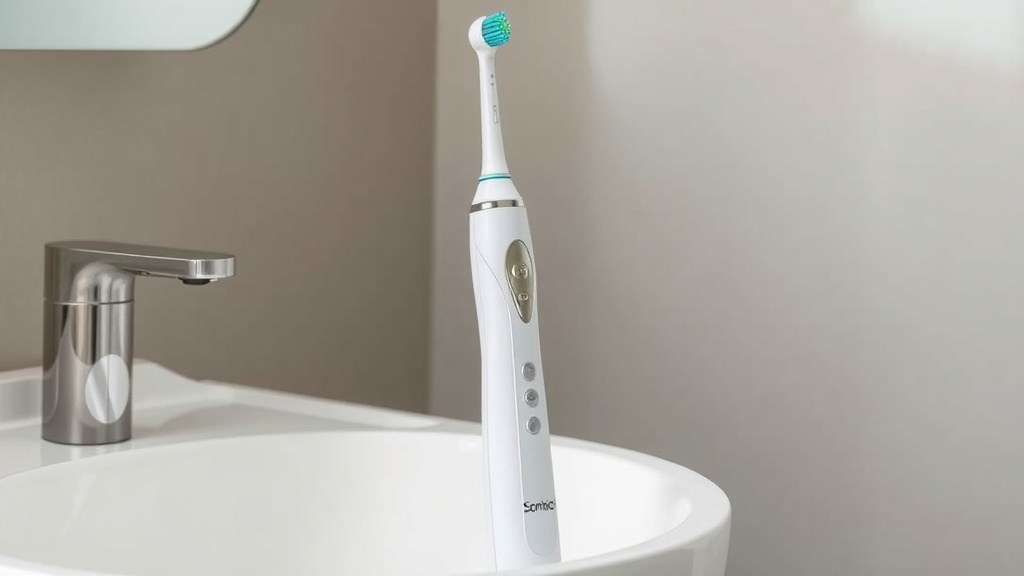
Addressing Weak Vibrations or Reduced Power
If your Sonicare feels less powerful or the vibrations seem weak, it could be due to buildup or a simple maintenance oversight. Restoring that strong sonic action is usually achievable.
Thorough Cleaning of the Brush Head and Handle
Toothpaste and water residue can build up where the brush head meets the handle, and even around the metal shaft. This gunk can impede the motor’s vibration. Remove the brush head and rinse both the head and the handle under warm running water. Use a small brush, like an old toothbrush, to gently scrub away any dried toothpaste or debris from the metal shaft and the area where the brush head connects. We found that regular cleaning here makes a big difference.
Deep Clean the Brush Head and Handle Assembly
For a more thorough clean, you can occasionally soak the brush head and the top part of the handle in warm water. Some users report success by soaking them in a solution of equal parts water and white vinegar for about 10-15 minutes. This can help break down stubborn mineral deposits or dried toothpaste. After soaking, rinse everything thoroughly and reassemble. Make sure the handle is completely dry before you try to use it again.
Check for Blockages in the Bristles
While less common, sometimes debris can get lodged deep within the brush head bristles or at their base, affecting the overall vibration. Gently inspecting and cleaning the bristles can help. If the bristles appear overly splayed or damaged, it’s likely time for a new brush head, which will also restore optimal performance.
Quick Checklist for Sonicare Fixes
Here’s a handy checklist to run through when your Sonicare needs a little TLC:
- Confirm your charger is plugged in and the outlet has power.
- Ensure the toothbrush handle is seated firmly on the charging base.
- Clean charging contacts on both the handle and base with a dry cloth.
- Remove and reattach the brush head firmly; listen for a click.
- Perform a manual reset: remove head, hold power button, reattach head.
- Rinse and clean the metal shaft and handle base for any buildup.
Conclusion
You’ve learned that most Sonicare toothbrush issues aren’t major problems. Simple troubleshooting steps like checking connections, cleaning contacts, and performing a reset can often solve charging or power problems. Ensuring the brush head is attached correctly and performing regular cleaning will keep your Sonicare running smoothly. Don’t let a minor glitch disrupt your oral hygiene routine. If these steps don’t work, it might be time to consult your Sonicare manual or contact customer support for further assistance.
Frequently Asked Questions
How long should a Sonicare toothbrush charge for the first time?
For the initial charge, we recommend placing your new Sonicare toothbrush on its charger for at least 24 hours. This ensures the battery reaches its full capacity. After the first charge, you can follow the regular charging guidelines for your specific model.
Can I use any toothpaste with my Sonicare?
Yes, you can use most toothpastes with your Sonicare toothbrush. However, we found that abrasive toothpastes can wear down brush heads faster. It’s best to use standard toothpaste and avoid gels with high acidity, as these might be harsher on your brush heads over time.
My Sonicare brush head is making a strange noise. What’s wrong?
A strange noise can sometimes indicate a loose brush head or buildup. First, try removing and firmly reattaching the brush head. If the noise persists, clean the metal shaft and the inside of the brush head collar thoroughly to remove any dried toothpaste or debris that might be causing interference.
How often should I replace my Sonicare brush head?
Philips Sonicare generally recommends replacing your brush head every three months. We’ve found that signs like frayed bristles or reduced cleaning performance are good indicators that it’s time for a replacement, even if it’s before the three-month mark.
Is it safe to get my Sonicare toothbrush wet?
Your Sonicare toothbrush handle and charging base are designed to be water-resistant for safe use during brushing. However, you should avoid submerging the entire unit in water. Ensure the charging contacts are dry before placing it on the charger to prevent damage.
![7 Best Electric Toothbrush Under $50 [2026]](https://bestbrushcleaner.com/wp-content/uploads/2026/06/7-best-electric-toothbrush-under-50-2026-featured-768x432.jpg)