Oral-B Pro 3 Electric Toothbrush: Your Guide to Brushing
Using your Oral-B Pro 3 electric toothbrush is quite simple and effective. You just need to apply a pea-sized amount of toothpaste, place the brush head against your teeth at a 45-degree angle, and let the built-in timer guide your brushing for two minutes. It automatically shuts off after that time, ensuring you brush for the dentist-recommended duration.
This toothbrush is designed to make good oral hygiene easy. It offers multiple brushing modes to suit your needs, like daily clean and sensitive. Plus, its pressure sensor helps prevent you from brushing too hard, which is great for protecting your gums and enamel. We found many users appreciate how straightforward it is to get a superior clean.
- Apply toothpaste and place the brush head at a 45-degree angle.
- Brush each quadrant for 30 seconds, guided by the timer.
- The toothbrush automatically stops after two minutes.
- Utilize the pressure sensor to avoid brushing too hard.
- Choose the best mode for your daily cleaning needs.
Let’s walk through exactly how to get the most out of your Oral-B Pro 3, step by step.
“`htmlGetting Started with Your Oral-B Pro 3
So, you’ve got your new Oral-B Pro 3, and you’re ready to give your smile some extra sparkle. That’s fantastic! Using an electric toothbrush can feel a bit different at first, but we’ll walk you through it. Think of it as upgrading from a bicycle to a smooth-riding electric scooter for your teeth.
Charging Your Toothbrush for the First Time
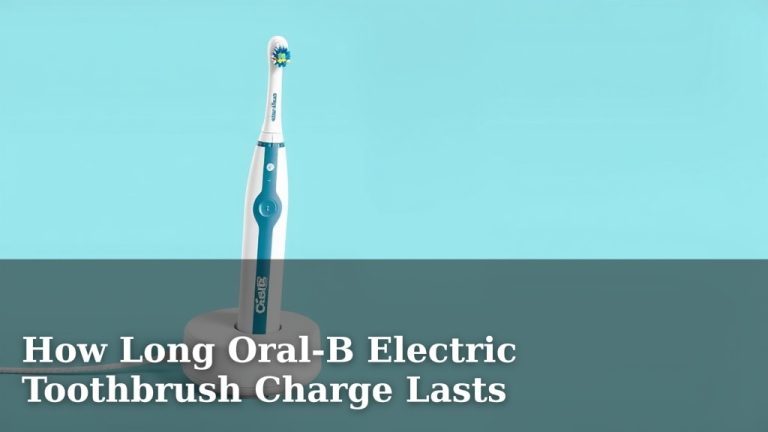
Before you even think about toothpaste, let’s make sure your toothbrush has all the energy it needs. Your Oral-B Pro 3 comes with a charging base. Simply plug it in and place your toothbrush handle onto the base. A small light will usually indicate it’s charging. We found that giving it a full charge before the first use ensures the battery lasts as long as possible between charges. This might take several hours, so it’s a good idea to do it overnight or when you have plenty of time.
Attaching and Removing the Brush Head
This might seem super basic, but getting the brush head right is key. Your Oral-B Pro 3 comes with one or more brush heads. To attach one, simply push it onto the metal shaft at the top of the handle. You should feel or hear a slight click when it’s securely in place. To remove it, pull it off firmly. You’ll want to do this when you change the brush head, which is usually every three months. Dentists often recommend this timing to ensure the bristles are still effective and haven’t frayed (Cleveland Clinic).
Mastering the Brushing Technique with Your Oral-B Pro 3
Now for the fun part: actually brushing your teeth! It’s different from manual brushing, and that’s a good thing. Your Oral-B Pro 3 does most of the work for you.
Applying Toothpaste
You don’t need a lot of toothpaste. A pea-sized amount is plenty. Why so little? Because the oscillating and rotating action of the Oral-B Pro 3 brush head spreads the toothpaste effectively. Using too much can create excessive foam and might lead you to rinse too soon. This means you might wash away some of that beneficial fluoride before it has a chance to do its job.
The 45-Degree Angle: Your Secret Weapon
This is a big one for effective cleaning. Instead of scrubbing back and forth like with a manual toothbrush, you’ll hold the brush head at a 45-degree angle to your gum line. Imagine you’re gently nudging the bristles just under the gum line. This is where plaque loves to hide. The Oral-B Pro 3’s bristles are designed to clean both the tooth surface and along this critical gum line area.
Let the Timer Be Your Guide
Has anyone ever told you that you brush too quickly? You’re not alone! Many people don’t brush for the full dentist-recommended two minutes. That’s where your Oral-B Pro 3 shines. It has a built-in timer. After you finish brushing one section of your mouth, the toothbrush will give a short pause or a slightly different vibration. This signals it’s time to move to the next section. You’ll do this for 30 seconds per quadrant of your mouth (upper right, upper left, lower right, lower left). After two minutes, the toothbrush will likely give a longer pause and stop, letting you know your brushing session is complete. This feature ensures you get an even and thorough clean every time.
Understanding and Using the Pressure Sensor
Brushing too hard can damage your gums and tooth enamel. It’s a common mistake! Your Oral-B Pro 3 has a built-in pressure sensor to help you avoid this. If you press down too hard, the toothbrush will usually alert you. It might change its vibration pattern, or a light might turn red. This is your cue to ease up on the pressure. You just need to guide the brush; let the bristles do the cleaning. Many dental professionals stress the importance of a gentle touch to protect your oral health long-term.
Exploring Different Brushing Modes
Your Oral-B Pro 3 likely offers more than just a standard clean. While the exact modes can vary slightly, common ones include:
- Daily Clean: Your go-to mode for everyday brushing.
- Sensitive: For those with sensitive teeth or gums, this mode uses a gentler speed.
- Whitening: This mode may vary its speed to help polish away surface stains.
Maintaining Your Oral-B Pro 3 for Optimal Performance
Keeping your toothbrush in good shape ensures it works best and lasts longer. It’s like giving your car a regular oil change!
Cleaning the Brush Head and Handle
After each use, rinse your brush head thoroughly under running water. Make sure to remove any toothpaste residue. You can also remove the brush head from the handle and rinse the area where it connects. Allow both the brush head and the handle to air dry. Some people like to store their toothbrush upright in a holder. Avoid covering the brush head completely, as this can encourage bacterial growth. A good rinse and dry are usually sufficient.
When to Replace Your Brush Head
Remember that three-month mark we talked about? It’s not just a suggestion. Over time, toothbrush bristles fray and become less effective at cleaning. Many manufacturers, including Oral-B, recommend replacing brush heads every three months. You might even notice the indicator bristles on some brush heads fading. If the bristles look splayed or worn, it’s definitely time for a fresh one. Using worn-out bristles can mean you’re missing out on plaque removal and might even be less effective at cleaning your teeth (American Dental Association).
Charging and Battery Care
For the most part, the Oral-B Pro 3 handles its own battery charging well. Just place it on the charging base when you’re not using it, or when you notice the battery is getting low. Modern lithium-ion batteries, like the one in your toothbrush, don’t typically suffer from “memory effect.” This means you don’t need to worry about fully discharging it before recharging to maintain battery health. Just keep it topped up!
Travel Tips for Your Electric Toothbrush
Traveling with your Oral-B Pro 3 is pretty straightforward. Most models come with a travel case, which is handy for protecting the brush head and handle. If you’re staying somewhere without a shaver outlet, make sure your charger is compatible with the voltage. Many chargers are dual-voltage, but it’s always good to check. And don’t forget to pack your toothpaste!
Quick Checklist for Daily Use:
- Apply a pea-sized amount of toothpaste.
- Place brush head at a 45-degree angle to your gum line.
- Guide the brush; don’t scrub.
- Let the 2-minute timer and quadrant pacer guide your brushing.
- Pay attention to the pressure sensor to avoid brushing too hard.
- Rinse brush head and handle thoroughly after each use.
Conclusion
You’re now well-equipped to get the most out of your Oral-B Pro 3 electric toothbrush. Remember, it’s designed to simplify great oral hygiene. By using the correct technique—the 45-degree angle and the gentle guidance—you’ll effectively clean along your gum line. Trust the built-in timer and pressure sensor to perfect your two-minute brushing routine. Make sure to replace your brush head every three months for optimal performance. Your next step? Simply pick up your Oral-B Pro 3 and enjoy a superior clean starting today!
Frequently Asked Questions
How often should I charge my Oral-B Pro 3?
Your Oral-B Pro 3 has a long-lasting battery. You generally don’t need to charge it after every use. We found that keeping it on the charging base when not in use is a good habit, ensuring it’s always ready. Charging only when the battery indicator shows it’s low is also perfectly fine.
Can I use my regular toothpaste with the Oral-B Pro 3?
Yes, you can use your preferred brand of toothpaste. Just remember to use only a pea-sized amount. The electric toothbrush’s cleaning action is very efficient, so a little toothpaste goes a long way. Too much can create excessive foam, which might cause you to rinse too early.
What’s the best way to clean the Oral-B Pro 3 after brushing?
After each brushing session, rinse the brush head thoroughly under running water. It’s also a good idea to remove the brush head and rinse the handle’s connection point. Allow both parts to air dry completely before reattaching the head or storing the toothbrush.
Is the pressure sensor on the Oral-B Pro 3 always red?
No, the pressure sensor is typically only activated when you apply too much force. If you brush too hard, the toothbrush will alert you, often with a red light or a change in vibration. When you’re brushing correctly, the light should not be illuminated.
How do I know which brushing mode to use on my Oral-B Pro 3?
Your Oral-B Pro 3 likely has modes like Daily Clean, Sensitive, and Whitening. Daily Clean is for everyday use. Sensitive mode is gentler for those with tender gums or teeth. Whitening mode may vary its speed to help polish away stains. You can experiment to see which mode feels best for your needs.