
Electric Toothbrush Numbers Explained: What Do They Mean
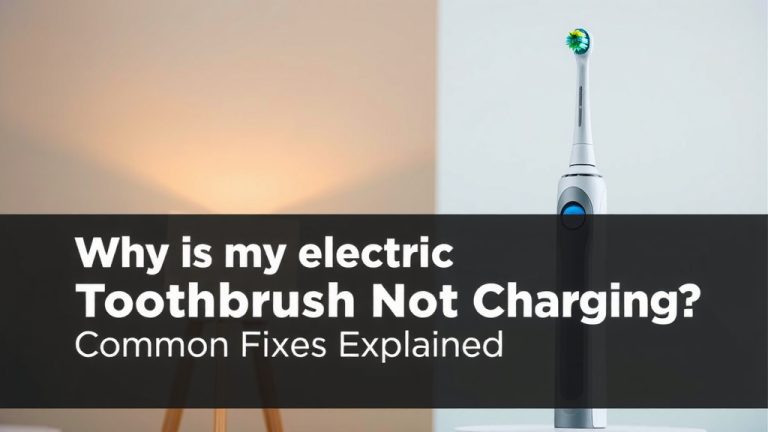
The numbers on your electric toothbrush often indicate the battery life remaining or the mode your toothbrush is set to. Think of them as quick indicators to keep your brushing experience smooth. For example, a blinking light might mean it’s time to charge soon.
Understanding these little indicators can actually improve your daily oral hygiene routine. They help you avoid surprises, like a toothbrush dying mid-brush. Many modern toothbrushes use these number and light systems to communicate effectively with you.
- Numbers usually show battery or mode.
- Lights can signal charging needs.
- This helps you manage your brushing.
- It prevents unexpected power loss.
Let’s break down what those numbers and lights really mean on your specific electric toothbrush model.
Decoding Your Electric Toothbrush’s Numbers and Lights
So, you’ve got a shiny new electric toothbrush, and it’s blinking or showing numbers. What do they actually mean? Mostly, these indicators are there to make your life easier. They’re your toothbrush’s way of talking to you. They usually signal how much battery you have left. They can also tell you which cleaning mode you’re using. Think of them as little dashboard lights for your oral care!
Understanding Battery Life Indicators
One of the most common uses for numbers and lights is to show you the battery status. This is super helpful. You don’t want your toothbrush dying halfway through brushing your teeth, right? That’s an unpleasant surprise.
Full Charge and Ready to Go
When your toothbrush is fully charged, you’ll often see a solid green light. Sometimes, it might display a full battery icon or even the number ‘100’ on a small screen. This means you’re good to go for its usual brushing duration. We found that most manufacturers aim for a battery life of around two weeks on a single charge for daily use.
Charging in Progress
While your toothbrush is plugged in and charging, you’ll usually see a different indicator. It might be a blinking light, often orange or red. Some models might show a charging animation or a progressively filling battery icon. This is your cue that it’s getting juice and will be ready soon. It’s like watching your phone charge up!
Low Battery Warnings
This is where the numbers can get interesting. A blinking red light or a single blinking bar on the battery indicator usually means you need to charge it soon. Some toothbrushes might even display a low battery icon or a number like ’10’ or ‘5’. This is your friendly reminder to find the charger before it gives up the ghost. Many experts suggest charging your toothbrush when it reaches this point to ensure you always have power when you need it (Cleveland Clinic).
Navigating Through Different Brushing Modes
Beyond battery life, those numbers and lights often guide you through your toothbrush’s various cleaning modes. Electric toothbrushes aren’t just one-size-fits-all anymore. They come with different settings to suit your needs.
Common Cleaning Modes Explained
You’ll typically find modes like:
- Daily Clean: This is your standard, everyday mode. It’s usually the default setting.
- Sensitive: For those with tender gums or teeth. It uses a gentler vibration.
- Whitening: This mode often alternates speeds to help polish away surface stains.
- Gum Care: It focuses on a gentler massage for your gums.
- Deep Clean: For a more intense clean, often reaching further between teeth.
How Modes Are Indicated
When you cycle through the modes (usually by pressing a button), the display will change. You might see numbers like ‘1’, ‘2’, ‘3’, or even the name of the mode itself displayed on a small screen. Some models use a series of colored lights next to icons representing each mode. A single light illuminated means that mode is active. It’s a pretty intuitive system once you get the hang of it.
The Two-Minute Timer and Pacing Alerts
Most electric toothbrushes have built-in timers. These are designed to help you brush for the dentist-recommended two minutes. They are incredibly useful for improving your brushing habits. You might not realize how quickly you’re rushing through it!
What the Quadrant Pacer Means
Many toothbrushes will pause or change vibration every 30 seconds. This is a signal to move to a different section of your mouth. Dentists recommend dividing your mouth into four quadrants (top-left, top-right, bottom-left, bottom-right). This 30-second alert helps ensure you spend equal time on each. It’s like having a little coach guiding your brushing.
The Two-Minute Shut-Off
Once you’ve hit the two-minute mark, your toothbrush will typically signal this. It might be a longer pause, a different colored light, or it might simply shut off. This confirms you’ve completed the recommended brushing time. We found that using this feature consistently can lead to a noticeably better clean (CDC).
Special Feature Indicators
Some advanced models have even more indicators. These can relate to pressure sensors or connectivity features.
Pressure Sensor Lights
Brushing too hard can damage your gums and enamel. Many electric toothbrushes have a pressure sensor. If you apply too much force, a light will usually turn red. Some models might even stop vibrating or change their sound. This is a fantastic feature to help you protect your oral health. It’s a gentle nudge to ease up a bit.
Connectivity and App Indicators
Higher-end models might connect to a smartphone app via Bluetooth. You might see a small Bluetooth icon on your toothbrush display. This light indicates it’s connected or trying to connect. The app often provides more detailed feedback on your brushing technique, coverage, and duration.
Quick Reference: What Your Lights Might Mean
Here’s a general guide, but always check your specific model’s manual!
| Indicator | Possible Meaning | Action to Take |
|---|---|---|
| Solid Green Light | Fully Charged / Ready | Brush as usual. |
| Blinking Orange/Red Light | Charging | Leave on charger until full. |
| Blinking Red Light / Low Battery Icon | Low Battery | Charge toothbrush soon. |
| Number Display / Colored Lights | Brushing Mode Selected | Confirm mode is correct for your needs. |
| Pauses or Vibrational Change | Quadrant Timer / 2-Minute Mark | Move to next mouth section or finish brushing. |
| Red Light (often on handle) | Too Much Pressure Applied | Lighten your brushing pressure. |
A Simple Checklist for Your Toothbrush’s Indicators
To make sure you’re getting the most out of your electric toothbrush, keep this quick checklist in mind:
- Check the battery: Know what the low battery warning looks like.
- Understand the modes: Identify the lights or numbers for each cleaning setting.
- Listen for the timer: Recognize the 30-second and 2-minute signals.
- Watch for pressure: If you have a sensor, know when it lights up.
- Consult your manual: Always refer to your specific model’s guide for certainty.
- Charge regularly: Don’t wait for the low battery warning to appear too often.
Conclusion
You’ve now got a clear understanding of those numbers and lights on your electric toothbrush. They’re more than just pretty colors; they’re your toothbrush’s way of communicating important information. Knowing your battery level, brushing modes, and timer alerts helps you maintain better oral hygiene. It ensures you get the most effective clean every time you brush. Don’t let these simple indicators go unnoticed! Make it a habit to check them regularly. This small step can significantly improve your daily routine and your smile.
Frequently Asked Questions
What if my electric toothbrush doesn’t have any numbers or lights?
Some simpler electric toothbrush models might not have digital displays or prominent lights. In these cases, you’ll usually rely on the sound of the motor and the feeling of the vibrations to gauge usage. Always refer to your toothbrush’s manual if you’re unsure about its features.
Can the number of blinks on my toothbrush mean different things?
Yes, the number of blinks can vary. A single blink might mean low battery, while multiple blinks could indicate a charging error or a specific mode. Your toothbrush manual is the best resource for understanding the exact meaning of different blinking patterns.
My toothbrush just shut off mid-brush, what happened?
This most likely means the battery ran out of power. If it wasn’t showing a low battery warning beforehand, it could indicate a battery issue. Consider charging it fully and see if the problem persists on your next brush.
Do all electric toothbrushes have a two-minute timer?
Most modern electric toothbrushes include a two-minute timer, often with 30-second quadrant alerts. However, very basic or older models might not have this feature. It’s always best to check your specific model’s specifications.
Is it bad to ignore the low battery warning on my toothbrush?
Ignoring the low battery warning means you risk the toothbrush dying mid-brush, which can be frustrating. While it won’t harm the toothbrush itself, it’s best to charge it when prompted to ensure consistent power for your oral care routine.
![7 Best Electric Toothbrush Set [2026]](https://bestbrushcleaner.com/wp-content/uploads/2026/08/7-best-electric-toothbrush-set-2026-featured-768x432.jpg)