
Fix Your Oral-B Electric Toothbrush: Troubleshooting Guide
Your Oral-B electric toothbrush acting up? Don’t toss it just yet! Many common Oral-B problems have simple fixes you can do yourself. Often, a quick clean or a battery check is all it takes to get your brush humming again and bring back that sparkling clean feeling.
From charging issues to unusual noises, we found that most malfunctions stem from a few key areas. Understanding these can save you time and money. You’ll be able to keep your smile bright with a fully functional toothbrush that’s ready to go.
- Charging problems? Check the base and connection.
- Brush head won’t spin? It might need a clean or replacement.
- Toothbrush won’t turn on? Try a fresh battery or a reset.
- Strange noises often mean something is loose or blocked.
Let’s walk through the most common issues and how to fix your Oral-B electric toothbrush, step by step.
Troubleshooting Your Oral-B Electric Toothbrush: Common Fixes
Is your trusty Oral-B electric toothbrush giving you trouble? Don’t worry, you’re not alone! Many common issues have surprisingly simple fixes. We found that most problems can be resolved without a trip to the store or calling customer support. Let’s dive into how you can get your toothbrush back in action.
When Your Oral-B Won’t Charge or Power On
A toothbrush that won’t charge or turn on is frustrating. It’s like your phone dying right when you need it most! Thankfully, this is often one of the easier fixes.
Checking the Charging Base and Connection
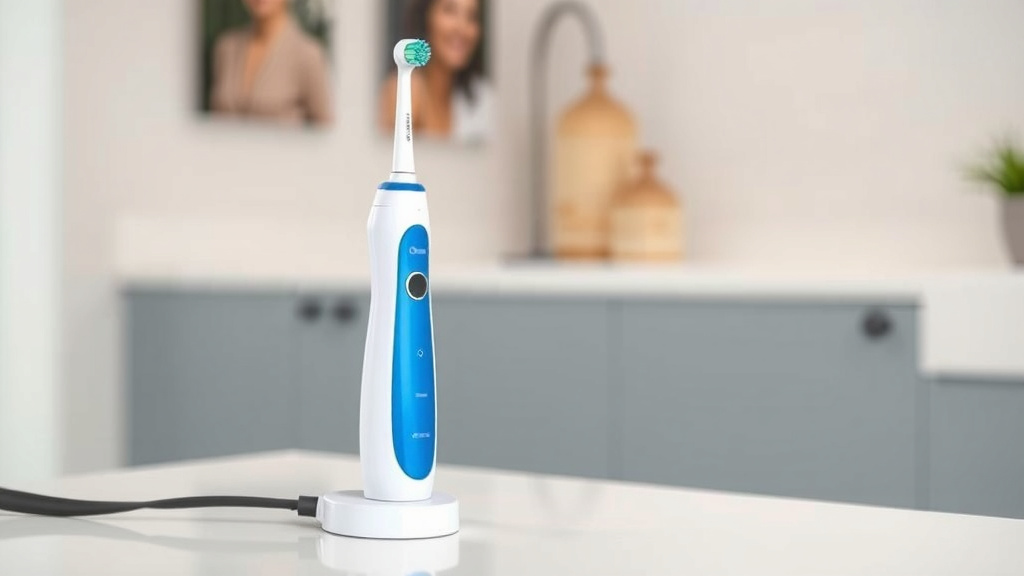
First things first: is your toothbrush properly seated on its charging base? It sounds simple, but a slight misalignment can prevent charging. We found that many users overlook this basic step. Ensure the charging light on the handle is illuminated. If it’s not, try nudging it a bit.
Next, inspect the charging base itself. Is the plug securely in the wall outlet? Try a different outlet to rule out a power source issue. Also, check the charging cord and base for any visible damage, like frayed wires or cracks. Damage here means the base might need replacing.
Some Oral-B models have a battery indicator light. If this light is flashing a specific color, it can indicate a charging problem. Consult your toothbrush’s manual for what these codes mean. For instance, a red flashing light often signals a charging error (Oral-B Support).
Battery Issues and Replacements
Many Oral-B toothbrushes use rechargeable batteries. Over time, these batteries can degrade. If your toothbrush suddenly has a very short battery life or won’t hold a charge at all, the battery itself might be nearing the end of its life. Many experts say lithium-ion batteries typically last 3-5 years with regular use (Journal of Power Sources).
Replacing the battery can be tricky and might void your warranty. We recommend checking your specific model’s manual or Oral-B’s support site before attempting this. For some models, disassembly is required, and it’s often more cost-effective to replace the entire unit if the battery is the sole issue and your warranty has expired.
If your toothbrush is completely dead and won’t show any signs of life, even after ensuring it’s properly charged, it could be a more complex internal issue. But before you give up, try a simple reset.
Performing a Reset
Some Oral-B models can be reset to clear minor glitches. This is similar to restarting your computer when it acts up. For many handles, you can try holding down the power button for 10-15 seconds while it’s off the charger. If this doesn’t work, consult your model’s manual for specific reset instructions.
When Your Oral-B Brush Head Isn’t Working Correctly
A brush head that doesn’t spin, vibrates weakly, or makes strange noises is a common complaint. This is usually due to a blockage or wear and tear.
Cleaning the Brush Head Connection Point
Toothpaste residue, water, and debris can build up where the brush head attaches to the handle. This gunk can interfere with the motor’s ability to spin the bristles. We found that a thorough cleaning can solve many spinning issues.
How to clean:
- Remove the brush head from the handle.
- Rinse both the brush head shaft and the connection point on the handle under warm running water.
- Use a soft toothbrush or a cotton swab to gently scrub away any visible residue around the metal shaft of the brush head and the area on the handle where it connects.
- Ensure everything is completely dry before reattaching the brush head.
This simple cleaning routine can make a world of difference. It’s also good practice to do this regularly to prevent future problems.
Checking the Brush Head Itself
Are your brush head bristles worn out? Worn bristles don’t clean effectively and can also affect the performance of the motor. Most Oral-B brush heads have indicator bristles that fade over time. When they are significantly faded, it’s time for a replacement. Dentists generally recommend replacing your brush head every 3 months (American Dental Association).
Sometimes, a brush head can become dislodged or not fully attached. When you attach a new brush head, make sure it clicks firmly into place. Give it a gentle tug to ensure it’s secure.
If you’ve tried a different, known-good brush head and the problem persists, the issue is likely with the handle itself.
Addressing Unusual Noises or Vibrations
Is your Oral-B making a grinding sound or vibrating erratically? This often means something is loose or obstructed.
Loose Components or Blockages
As mentioned, debris buildup is a prime suspect for odd noises. If cleaning doesn’t help, check if the brush head is securely attached. A slightly loose brush head can cause rattling or uneven vibrations.
We also found that sometimes a piece of food debris or even a small hair can get lodged in the mechanism. Carefully inspect the connection point and the area around the brush head shaft for any foreign objects. A gentle rinse and perhaps a toothpick (used carefully!) might dislodge them.
General Maintenance Checklist for Your Oral-B
Keeping your Oral-B in top shape is mostly about good habits. A little regular care goes a long way.
Here’s a quick checklist to keep your toothbrush performing optimally:
- Clean the brush head connection point weekly.
- Rinse the brush head and handle after each use.
- Ensure the charging base is clean and dry.
- Replace brush heads every 3 months or when bristles are worn.
- Check for any visible damage to the handle or charger.
- Periodically check that the brush head is securely attached.
When to Consider Replacement or Professional Help
If you’ve tried all these troubleshooting steps and your Oral-B electric toothbrush is still not working correctly, it might be time to consider your options. If your toothbrush is still under warranty, contacting Oral-B customer support is your best bet. They can guide you through further steps or arrange for a repair or replacement. Many manufacturers offer warranties that cover manufacturing defects.
If the toothbrush is out of warranty and the issue seems to be with the battery or a more serious internal fault, it’s often more cost-effective to purchase a new one. Remember, consistent use of a well-maintained electric toothbrush is fantastic for your oral hygiene!
Conclusion
You’ve learned that many common Oral-B electric toothbrush issues aren’t deal-breakers. We found that simple cleaning and checking connections can often solve charging or performance problems. Even battery degradation is a natural part of its life. Remember to perform regular maintenance, like cleaning the brush head connection and replacing heads on time. This keeps your toothbrush working its best for your smile. Before you consider a replacement, take a moment to try these fixes. You might just save yourself some money and get back to that satisfying clean feeling!
Frequently Asked Questions
My Oral-B toothbrush won’t turn on at all. What’s the first thing I should check?
First, ensure your toothbrush is correctly seated on its charging base and that the base is plugged into a working outlet. If the charging light on the handle doesn’t come on, try a different outlet. If it still shows no signs of life, you might consider if a reset is possible for your model.
How often should I really be replacing my Oral-B brush head?
Dentists and oral hygiene experts generally recommend replacing your Oral-B brush head every three months. You’ll know it’s time when the indicator bristles have faded significantly. Using worn-out brush heads won’t clean as effectively and can sometimes impact the toothbrush’s performance.
My Oral-B is making a loud grinding noise. What could be causing this?
A grinding noise often indicates something is blocked or loose. We found that toothpaste residue or small debris can get trapped where the brush head attaches to the handle. Try removing the brush head, cleaning both parts thoroughly under running water, and ensuring no foreign objects are lodged in the mechanism.
Is it possible to replace the battery in my Oral-B electric toothbrush?
While many Oral-B toothbrushes have rechargeable batteries, replacing them yourself can be difficult and may void your warranty. If your battery life is significantly diminished and you’re out of warranty, it’s often more practical to purchase a new toothbrush than attempt a battery replacement.
My Oral-B still won’t charge after trying different outlets. What else can I do?
If you’ve tried different outlets and confirmed the toothbrush is properly seated on the base, inspect the charging base and cord for any visible damage like cracks or frayed wires. If the base itself appears damaged, it will likely need to be replaced for charging to work.
![7 Best Electric Toothbrush Overall [2026]](https://bestbrushcleaner.com/wp-content/uploads/2026/07/7-best-electric-toothbrush-overall-2026-featured-768x432.jpg)